


Must-Have Tools to Learn Digital Marketing in 2026
Digital marketing is not just about learning concepts — it’s about applying skills using the right tools. In today’s fast-moving digital world, knowing what to do is important, but knowing how to do it with real tools is what truly builds expertise. That’s why modern digital marketing can be best understood as a combination of strategy + skills + tools.
When you’re learning digital marketing, tools act like your practice playground. Instead of only reading about SEO, social media, ads, or analytics, tools allow you to experiment in real-time, track results, and understand how real campaigns work. They help you move from theory to hands-on experience, which is exactly what employers, clients, and agencies look for.
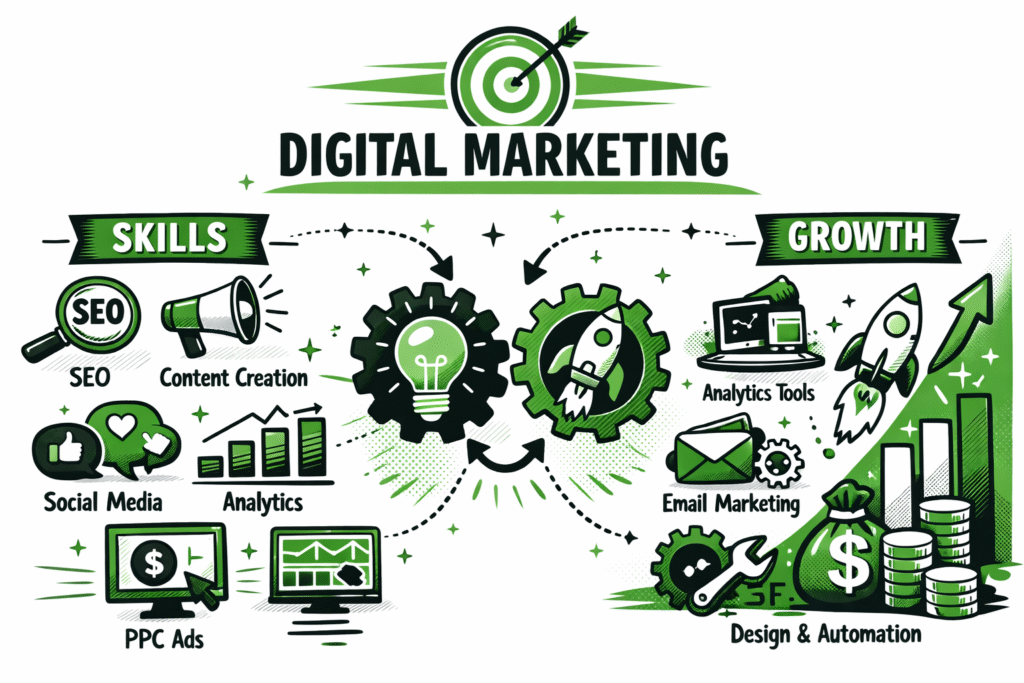
Using the right tools also speeds up your learning process. For example, SEO tools help you research keywords and analyze rankings, social media tools help you schedule and track posts, and analytics tools show how users behave on websites. Instead of guessing what works, tools give you data-backed insights, making your learning smarter and more practical.
Another major benefit is real-world exposure. By practicing with industry-standard tools, you gain experience that feels like working on live projects — even if you’re still a student or beginner. This not only boosts your confidence but also helps you build a strong portfolio, improve your resume, and prepare for freelancing, internships, or full-time roles.
In this blog, we’ll explore the must-have tools to learn digital marketing in 2026, covering key areas such as:
- SEO tools
- Social media marketing tools
- Content creation tools
- Paid advertising tools
- Email marketing tools
- Analytics and tracking tools
- AI-powered marketing tools
Whether you’re a beginner, a student, a freelancer, or an aspiring marketer, this guide will help you choose the best tools to learn digital marketing faster, smarter, and more effectively.
Also Read Our: Benefits of Digital Marketing Course: How It Can Transform Your Career
How Tools Accelerate Your Digital Marketing Learning
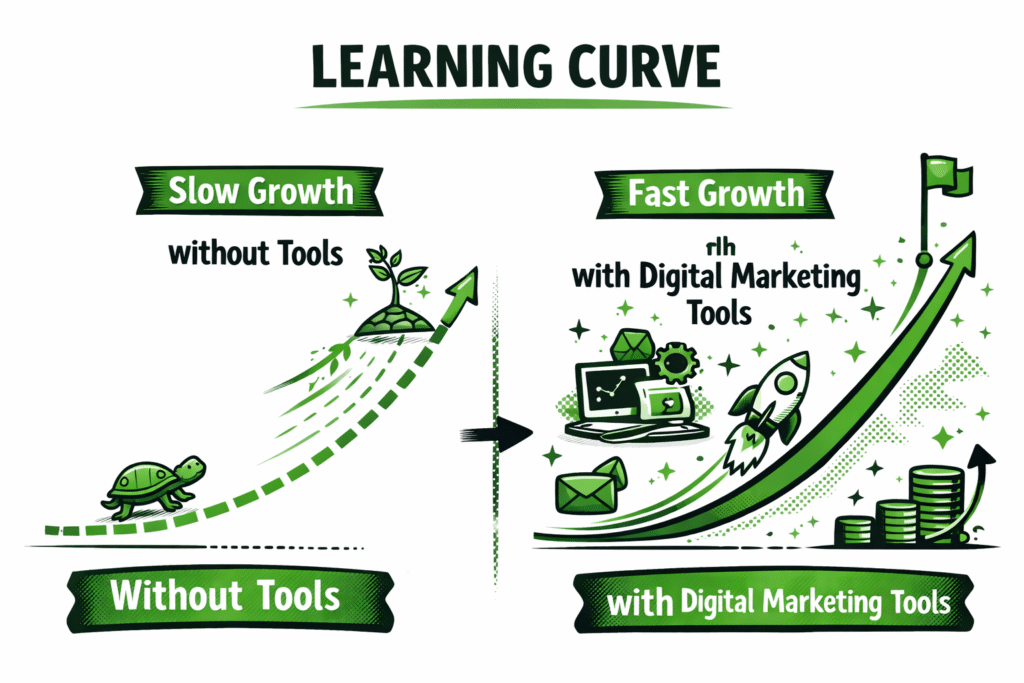
Learning digital marketing becomes much easier and more effective when you combine theory with real tools. Instead of just watching tutorials or reading blogs, using marketing tools lets you practice skills in real time, just like professionals do in real campaigns. This hands-on approach helps you understand not only what works, but also why it works.
One of the biggest advantages of using tools is that they speed up your learning curve. For example, SEO tools help you instantly analyze keywords, competitors, and rankings — something that would otherwise take weeks to understand manually. Social media tools allow you to plan posts, track engagement, and measure audience growth, while analytics tools show how users interact with websites and ads. This makes learning more data-driven and result-focused.
Tools also help you learn by doing, which is one of the most powerful ways to master digital marketing. Instead of memorizing strategies, you can:
- Run sample ad campaigns
- Optimize a test website for SEO
- Schedule and analyze social media posts
- Track website traffic and conversions
- Create real marketing content and creatives
This practical experience builds confidence, skill, and industry readiness.
Another major benefit is that marketing tools prepare you for jobs, freelancing, and client work. Many employers and agencies prefer candidates who already know tools like Google Analytics, Google Ads, SEO platforms, and social media management. By practicing early, you gain a competitive advantage and can showcase your experience in your portfolio or resume.
Finally, tools help you understand how different digital marketing channels work together. You learn how SEO drives organic traffic, how paid ads generate leads, how email nurtures customers, and how analytics ties everything together. This creates a holistic understanding of digital marketing, not just isolated skills.
In short, the right tools transform digital marketing learning from theoretical knowledge into real-world expertise, helping you grow faster and become job-ready in 2026.
| Without Tools | With Tools |
| Only theory-based learning | Real hands-on practice |
| Slow skill development | Faster, practical learning |
| Guessing what works | Data-driven decisions |
| Limited portfolio | Strong real-world portfolio |
SEO Tools — Learn Search Engine Optimization Faster
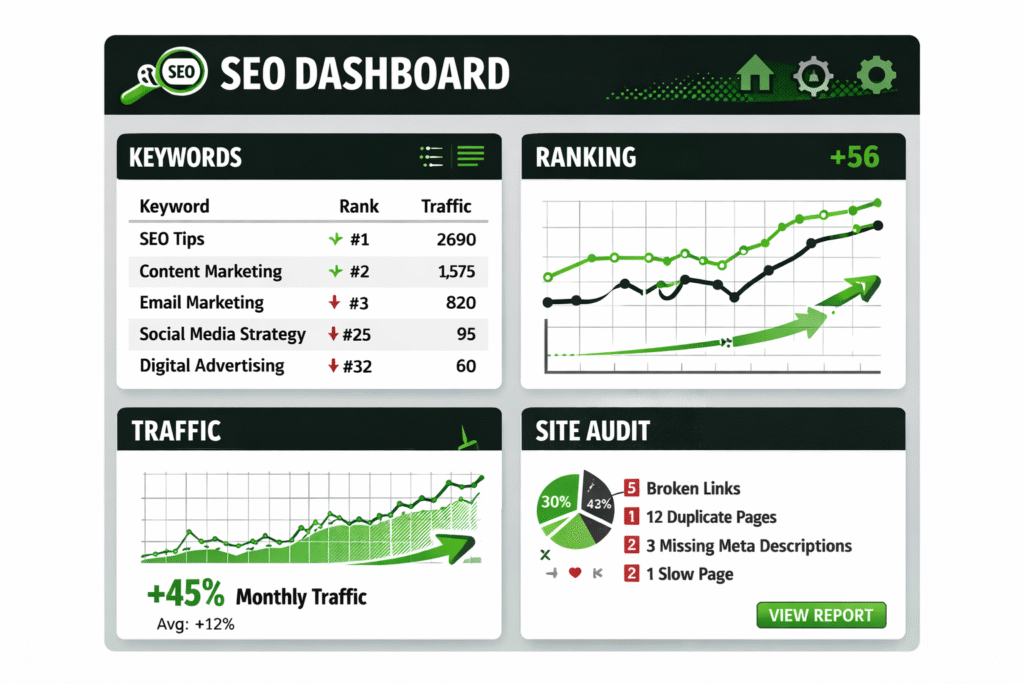
Search Engine Optimization (SEO) is one of the most valuable skills in digital marketing, and using the right tools can dramatically speed up your learning process. Instead of guessing why a website ranks or how keywords perform, SEO tools give you real data, insights, and hands-on experience — exactly how professionals work.
When you’re learning SEO, tools help you understand keyword research, website performance, backlinks, technical issues, and ranking strategies. They allow you to practice on real websites or demo projects, making your learning more practical and job-ready.
One of the most important SEO tools for beginners is Google Search Console. It helps you track how your website appears in Google search results, monitor clicks and impressions, identify indexing issues, and improve page performance. It’s a must-have tool for understanding how search engines actually view your site.
Another essential tool is Google Analytics (GA4), which helps you analyze organic traffic, user behavior, bounce rates, and conversions. By using GA4, you can learn how SEO efforts impact real visitors and business goals.
For keyword research, tools like Ubersuggest, Ahrefs, and SEMrush are extremely useful. These platforms help you:
- Find high-potential keywords
- Analyze search volume and competition
- Study competitor strategies
- Discover content opportunities
If you want to learn technical SEO, tools like Screaming Frog SEO Spider are perfect for scanning websites and identifying issues such as broken links, duplicate content, missing meta tags, and crawl errors. This helps you understand how technical improvements can boost rankings.
By practicing with SEO tools, you can:
- Research and target the right keywords
- Optimize blog posts and web pages
- Track keyword rankings over time
- Analyze competitors and industry trends
- Fix technical SEO issues
- Measure SEO performance using real data
These tools not only help you learn faster but also allow you to build real SEO case studies — which are powerful additions to your portfolio when applying for jobs or freelance work.
In short, SEO tools transform SEO learning from guesswork into skill-based, data-driven practice, helping you master one of the most in-demand digital marketing skills in 2026.
Popular SEO Tools to Learn
| Tool | What You Learn | Best For |
| Google Search Console | Search performance & indexing | Beginners |
| Google Analytics (GA4) | Organic traffic tracking | Beginners |
| Ubersuggest | Keyword research | Budget learners |
| Ahrefs / SEMrush | Advanced SEO & competitor analysis | Intermediate |
| Screaming Frog | Technical SEO audits | Advanced |
Social Media Marketing Tools — Practice Content & Scheduling
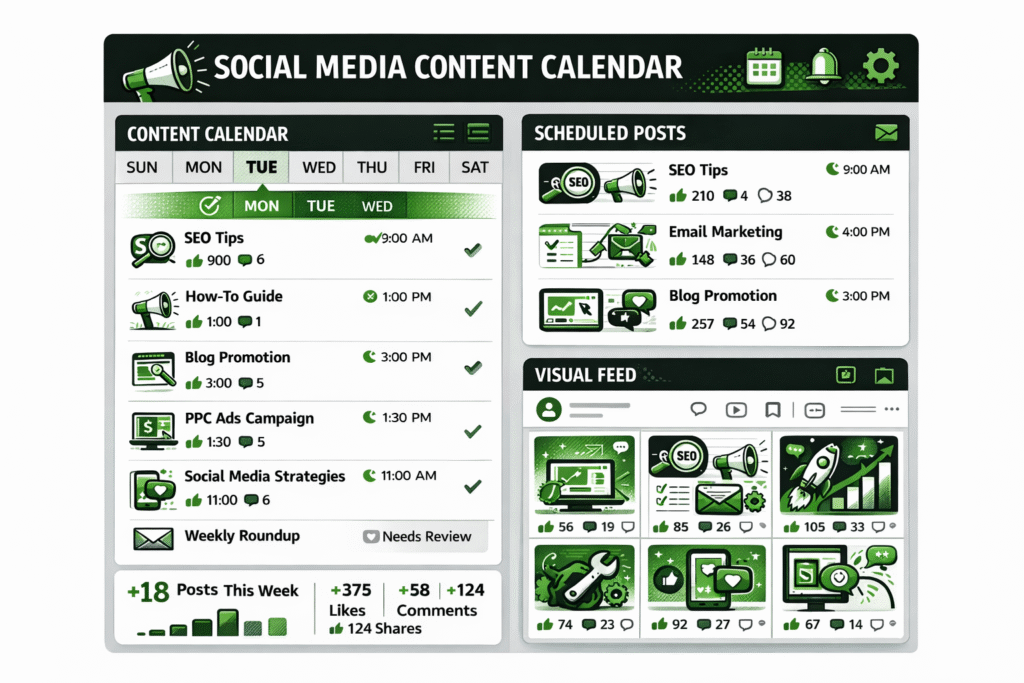
Social media marketing is a core part of digital marketing, and the best way to learn it is by creating, scheduling, publishing, and analyzing real content using tools. Instead of only studying social media strategies, using the right tools helps you understand how content performs, how audiences engage, and how brands grow online.
Social media tools make it easier to plan content calendars, design posts, schedule content in advance, track engagement, and measure performance. This allows you to practice social media marketing like a real brand manager — even if you’re still learning.
One of the most beginner-friendly tools is Meta Business Suite, which helps you manage Facebook and Instagram pages. You can schedule posts, reply to messages, track engagement, and analyze audience insights — giving you real-world experience in managing business social accounts.
Tools like Buffer and Hootsuite are great for learning post scheduling, content planning, and multi-platform management. They allow you to manage multiple social media accounts from one dashboard, helping you understand how brands maintain consistent posting across platforms.
For content creation, Canva is one of the best tools for beginners. It helps you design eye-catching social media posts, stories, ads, thumbnails, and banners without needing advanced graphic design skills. This is especially useful for practicing visual branding and creative marketing.
If you want to improve your posting strategy and timing, tools like Later help you plan Instagram feeds, preview post layouts, and optimize posting schedules for better engagement.
By using social media marketing tools, you can learn to:
- Create engaging social media content
- Plan and schedule posts consistently
- Analyze likes, shares, comments, and reach
- Understand audience behavior and growth trends
- Build real social media portfolios
- Practice running brand or personal pages
These tools also help you experiment with content formats such as reels, carousels, stories, and short videos — giving you hands-on experience with what works best on each platform.
In short, social media tools allow you to turn creativity into strategy, helping you learn content marketing, branding, analytics, and audience engagement in a practical and career-ready way.
Popular Social Media Marketing Tools to Learn
| Tool | What You Learn | Best For |
| Meta Business Suite | Facebook & Instagram management | Beginners |
| Buffer | Scheduling & post planning | Beginners |
| Hootsuite | Multi-platform management | Intermediate |
| Canva | Social media content design | All levels |
| Later | Visual feed planning & scheduling | Instagram-focused learners |
Content Marketing & Writing Tools — Create High-Quality Content Faster
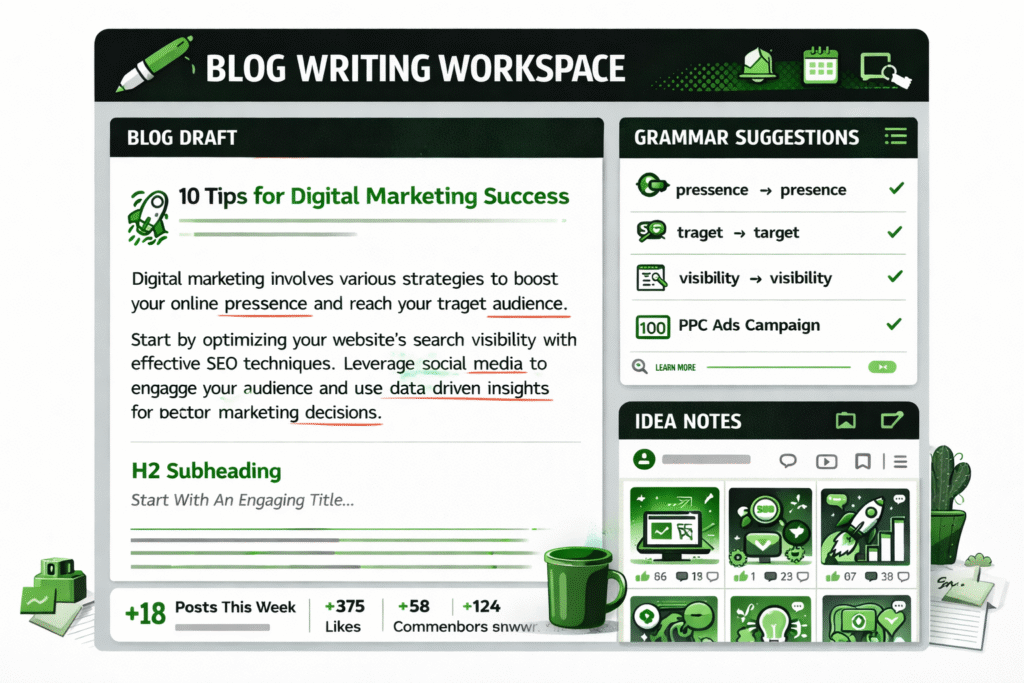
Content marketing is at the heart of digital marketing — from blog posts and website pages to social media captions, ad copy, and email campaigns. To learn content marketing effectively, you need tools that help you write better, edit faster, organize ideas, and maintain consistency across platforms.
Writing tools allow beginners to improve grammar, clarity, tone, and structure, making their content more professional and reader-friendly. One of the most popular tools is Grammarly, which helps correct grammar mistakes, improve sentence flow, and enhance overall writing quality. It’s especially useful when you’re learning to write blogs, ads, or website content.
Another helpful tool is Hemingway Editor, which focuses on readability and simplicity. It helps you identify complex sentences, passive voice, and hard-to-read sections — teaching you how to write clearer, more engaging content that performs better online.
For content creation and brainstorming, tools like ChatGPT can help generate blog ideas, ad copy drafts, social captions, and content outlines. When used correctly, it becomes a powerful learning assistant, helping you understand content structure, tone variation, and creative storytelling.
Tools like Google Docs and Notion are excellent for writing, collaboration, content planning, and editorial calendars. You can use them to organize blog topics, plan social media posts, store content ideas, and manage long-term content strategies.
By using content marketing tools, you can practice:
- Writing SEO-friendly blog posts
- Creating ad copy and landing page content
- Editing and improving readability
- Planning content calendars and campaigns
- Brainstorming creative content ideas
- Maintaining a consistent brand voice
These tools also help you build a content portfolio, which is essential for freelancing, internships, blogging, and digital marketing jobs. Instead of only learning theory, you gain real writing samples and published content to showcase your skills.
In short, content marketing and writing tools help you turn ideas into impactful content, making you a more confident and capable digital marketer in 2026.
Also Read Our: How to Create a Content Plan That Actually Works in 2026
Popular Content Marketing & Writing Tools to Learn
| Tool | What You Learn | Best For |
| Grammarly | Grammar, tone & writing improvement | Beginners |
| Hemingway Editor | Readability & clarity | Beginners |
| ChatGPT | Idea generation & content drafting | All levels |
| Google Docs | Writing & collaboration | All levels |
| Notion | Content planning & organization | Content strategists |
Paid Ads Tools — Learn Google Ads & Social Advertising
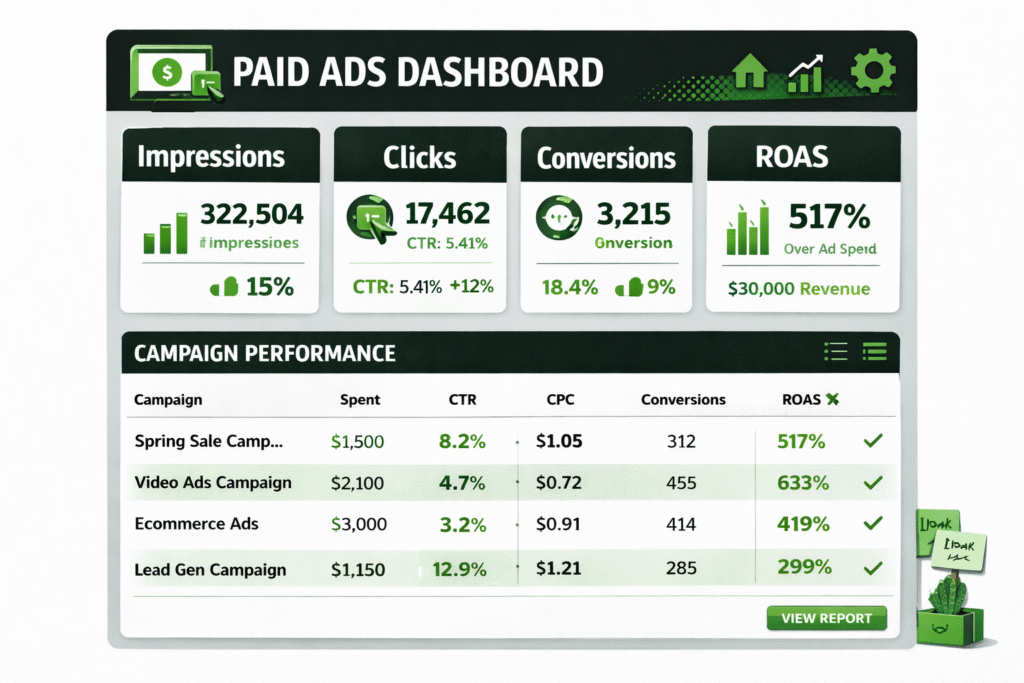
Paid advertising is one of the fastest ways to drive traffic, leads, and sales — and learning it becomes much easier when you practice with real ad platforms and tools. Instead of only studying ad theory, paid ads tools allow you to create campaigns, set budgets, target audiences, analyze results, and optimize performance like a professional media buyer.
When you’re learning digital marketing, understanding paid ads helps you master customer targeting, ad copywriting, creative testing, bidding strategies, and ROI tracking. These skills are highly in demand for jobs, freelancing, and agency work.
One of the most important platforms to learn is Google Ads. It teaches you how to create search ads, display ads, YouTube ads, and performance campaigns. You learn keyword targeting, bidding strategies, Quality Score optimization, ad copy creation, and conversion tracking — all essential skills for running profitable campaigns.
Also Read Our: Create a Video Campaign Google Ads Help – Complete Guide
Another valuable tool is Google Keyword Planner, which helps you research paid keyword ideas, search volume, competition, and estimated cost-per-click (CPC). This teaches you how to choose the right keywords based on budget and intent.
For social media advertising, Meta Ads Manager (Facebook & Instagram Ads) is essential. It helps you learn audience targeting, interest-based ads, retargeting, creative testing, funnel building, and campaign optimization. You can practice creating lead ads, website traffic ads, and conversion campaigns.
If you want to expand into emerging platforms, TikTok Ads Manager is great for learning short-form video ads, trend-based marketing, and Gen Z targeting — a growing skill in 2026.
By practicing with paid ads tools, you can learn to:
- Create and structure ad campaigns
- Write high-converting ad copy
- Design engaging ad creatives
- Set and manage ad budgets
- Track performance (CTR, CPC, CPA, ROAS)
- Optimize campaigns for better results
- Build ad campaign case studies for your portfolio
Even with a small practice budget (or demo accounts), you can simulate real campaign setups and understand how paid advertising works in real business environments.
In short, paid ads tools help you turn marketing theory into measurable results, making you skilled in performance marketing, paid media, and digital advertising — some of the highest-paying areas in digital marketing.
Popular Paid Ads Tools to Learn
| Tool | What You Learn | Best For |
| Google Ads | Search, display & YouTube advertising | Beginners to Advanced |
| Google Keyword Planner | Paid keyword research & CPC planning | Beginners |
| Meta Ads Manager | Facebook & Instagram advertising | All levels |
| TikTok Ads Manager | Video ads & trend marketing | Growth marketers |
Email Marketing Tools — Learn Funnels & Automation
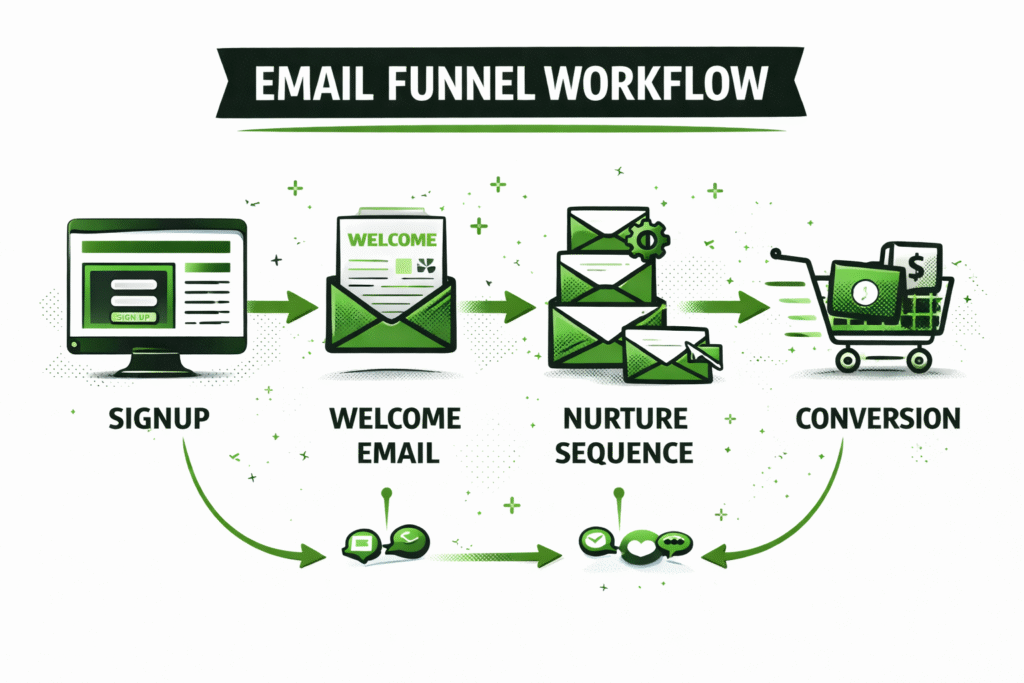
Email marketing is one of the highest-ROI digital marketing channels, especially in B2B and eCommerce. Learning email marketing becomes much easier when you use tools that help you build campaigns, automate emails, segment audiences, and track performance in real time.
Instead of only learning email theory, email marketing tools let you practice building real email funnels — from welcome emails and newsletters to lead nurturing and sales sequences. This helps you understand how brands convert subscribers into customers.
One of the best beginner-friendly tools is Mailchimp, which allows you to create email campaigns, design templates, manage subscribers, and track open rates and clicks. It’s perfect for learning the basics of email design, campaign scheduling, and performance tracking.
Another powerful tool is Brevo (Sendinblue), which helps you learn email automation, transactional emails, and customer segmentation. It teaches you how to send targeted messages based on user behavior — a key skill in modern marketing.
For creators and personal brands, ConvertKit is great for learning email funnels, lead magnets, and audience nurturing. You can practice building automated sequences that guide subscribers from signup to conversion.
If you want to explore enterprise-level tools, HubSpot Email Marketing helps you learn CRM integration, email automation, advanced segmentation, and lifecycle marketing — essential for B2B and SaaS marketers.
By using email marketing tools, you can learn to:
- Build email lists and lead magnets
- Design professional email templates
- Create automated email funnels
- Segment subscribers based on behavior
- Track open rates, click-through rates, and conversions
- Nurture leads and build long-term customer relationships
These tools also allow you to create real email campaigns for your portfolio, showing recruiters and clients that you understand email strategy, automation, and data-driven optimization.
In short, email marketing tools help you master lead nurturing, retention, and automation, making you a more complete and in-demand digital marketer in 2026.
Popular Email Marketing Tools to Learn
| Tool | What You Learn | Best For |
| Mailchimp | Email campaigns & newsletters | Beginners |
| Brevo (Sendinblue) | Automation & segmentation | Beginners to Intermediate |
| ConvertKit | Funnels & creator-focused email | Content creators |
| HubSpot Email | CRM-integrated email marketing | Advanced / B2B |
Graphic Design & Video Tools — Create High-Impact Marketing Creatives
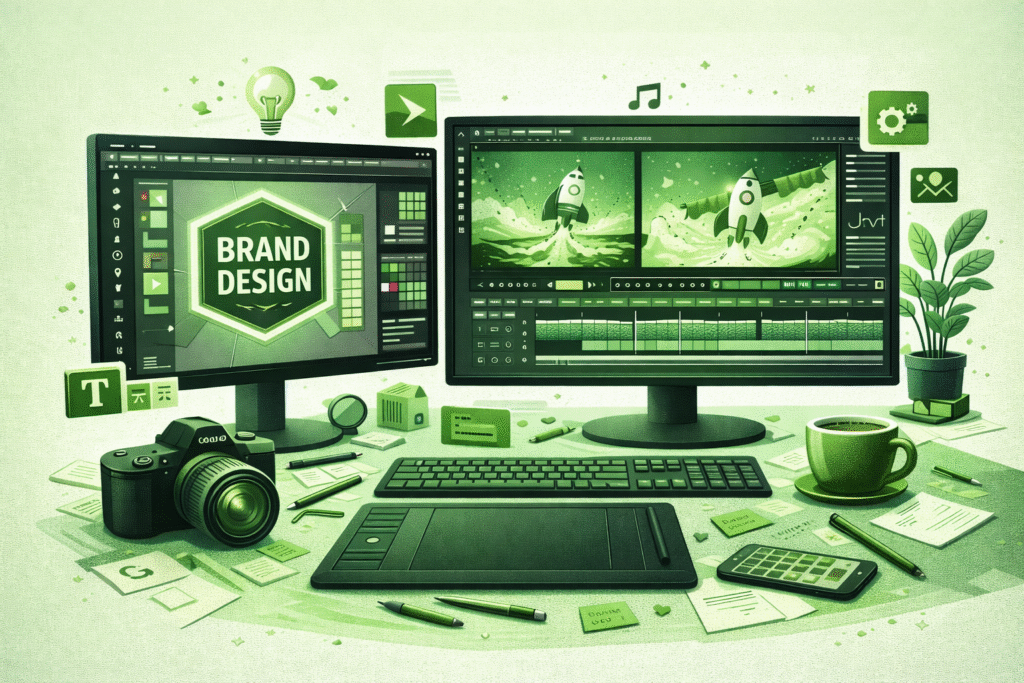
In digital marketing, visual content plays a major role in grabbing attention, increasing engagement, and improving conversions. From social media posts and ad creatives to website banners and video ads, graphic design and video tools help you turn ideas into eye-catching marketing assets — even if you’re not a professional designer.
When you’re learning digital marketing, design tools help you understand branding, visual storytelling, creative strategy, and content presentation. Instead of relying only on text, you can practice creating scroll-stopping visuals that perform better on social media, ads, and websites.
One of the most beginner-friendly tools is Canva, which allows you to design social media posts, thumbnails, ad banners, presentations, and brand kits with ready-made templates. It’s perfect for learning basic design principles, color psychology, typography, and visual hierarchy.
For more advanced design needs, Adobe Express and Figma help you explore brand design, UI/UX mockups, marketing creatives, and collaborative design workflows. These tools are useful if you want to build a more professional-level design skill set.
If you want to learn video marketing, tools like CapCut and Adobe Premiere Pro are excellent for creating short-form videos, reels, YouTube content, ad videos, and promotional edits. Video content is one of the fastest-growing digital marketing formats in 2026, making video editing a highly valuable skill.
By using design and video tools, you can learn to:
- Create social media graphics and ad creatives
- Design branding assets (logos, banners, thumbnails)
- Produce short-form videos, reels, and ad clips
- Apply marketing-focused design principles
- Build a visual content portfolio
- Improve engagement through better creative strategy
These tools also help you build a creative portfolio, which is a big advantage if you want to work in social media marketing, performance marketing, content creation, or branding.
In short, graphic design and video tools help you transform marketing ideas into visual impact, making your campaigns more engaging, professional, and effective.
Popular Graphic Design & Video Tools to Learn
| Tool | What You Learn | Best For |
| Canva | Social media & marketing design | Beginners |
| Adobe Express | Quick branded creatives | Beginners to Intermediate |
| Figma | UI/UX & design collaboration | Designers & marketers |
| CapCut | Short-form video editing | Beginners |
| Adobe Premiere Pro | Professional video editing | Advanced users |
Website & Funnel Building Tools — Create Websites That Convert
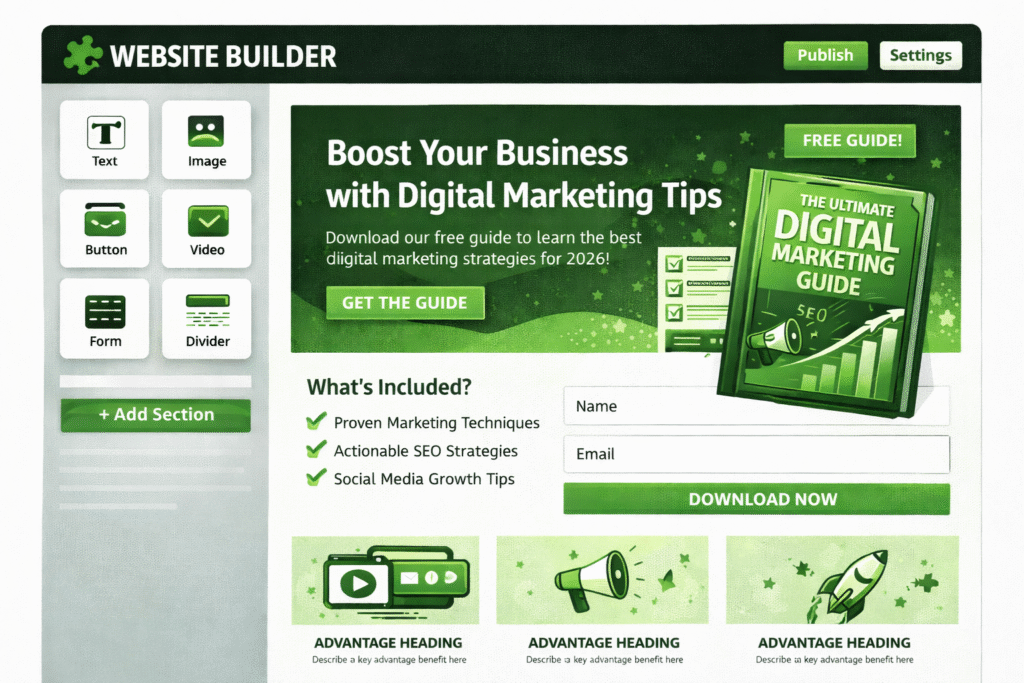
A website is the foundation of digital marketing — it’s where traffic turns into leads, customers, and sales. Learning website and funnel-building tools helps you understand how landing pages work, how users navigate websites, and how conversions actually happen in real business scenarios.
Instead of only learning web theory, these tools let you build real websites, landing pages, and marketing funnels — giving you hands-on experience in SEO structure, UX design, lead generation, and conversion optimization.
One of the most popular platforms to learn is WordPress, which allows you to build blogs, business websites, and SEO-friendly pages. With tools like Elementor, you can design pages visually without coding, making it ideal for beginners who want to learn page layout, CTAs, and content placement.
For modern and design-focused websites, Webflow is a powerful tool that helps you create high-quality, responsive, and visually stunning websites. It’s great for learning layout control, animations, and professional web design.
If you want a beginner-friendly drag-and-drop builder, Wix is an easy way to practice creating small business websites, portfolios, and landing pages quickly.
For eCommerce-focused learning, Shopify helps you understand product pages, checkout optimization, conversion funnels, and online store marketing — a valuable skill if you want to work in eCommerce marketing.
By using website and funnel tools, you can learn to:
- Build SEO-optimized websites and blogs
- Create high-converting landing pages
- Design sales funnels and lead capture pages
- Optimize user experience (UX) and navigation
- Track website performance and conversions
- Build real demo websites for your portfolio
These tools also help you understand how traffic, content, design, and conversion strategy work together, making you a more well-rounded digital marketer.
In short, website and funnel building tools help you turn traffic into results, teaching you essential skills in web design, CRO (conversion rate optimization), and online business growth.
Popular Website & Funnel Building Tools to Learn
| Tool | What You Learn | Best For |
| WordPress | Website building & SEO | Beginners to Advanced |
| Elementor | Visual page building | Beginners |
| Webflow | Advanced design & responsiveness | Designers & marketers |
| Wix | Simple website creation | Beginners |
| Shopify | eCommerce & funnel optimization | Online store marketers |
Marketing Automation & CRM Tools — Manage Leads Like a Pro
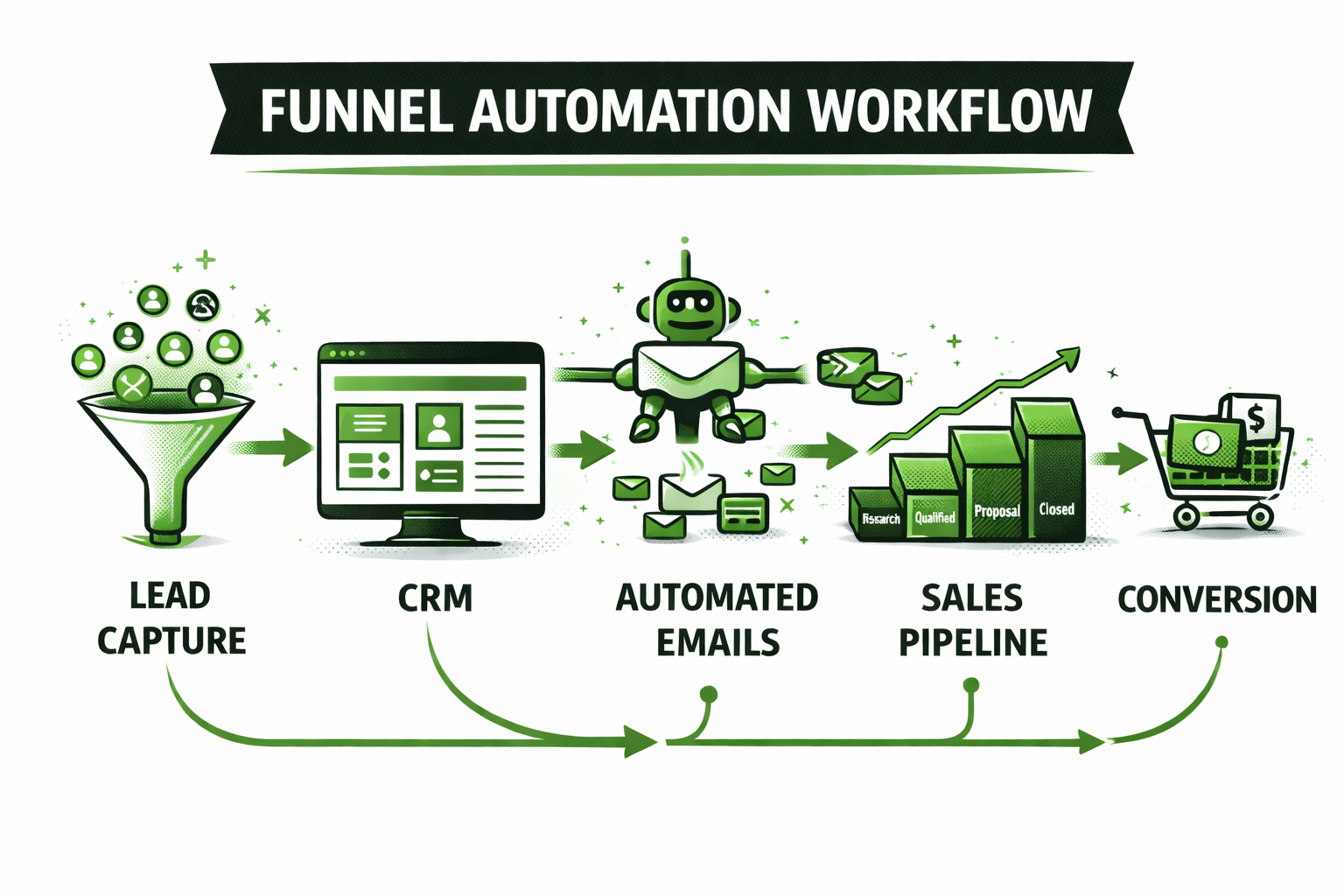
As you grow in digital marketing, it’s important to understand how leads are tracked, nurtured, and converted into customers. That’s where Marketing Automation and CRM (Customer Relationship Management) tools come in. These tools help you learn how businesses manage customer data, automate follow-ups, and build long-term relationships.
When you’re learning digital marketing, CRM tools teach you how the sales funnel works beyond just traffic and clicks. You get hands-on experience with lead tracking, pipeline management, email automation, and customer segmentation — all essential for B2B, SaaS, and service-based businesses.
One of the most popular tools to learn is HubSpot, which combines CRM, email marketing, automation, and analytics in one platform. It helps you understand how marketing and sales teams work together to convert leads into paying customers.
Another beginner-friendly option is Zoho CRM, which allows you to manage leads, track customer interactions, and automate basic workflows. It’s great for learning how businesses organize and follow up with prospects.
If you want to explore more advanced automation, tools like GoHighLevel and ActiveCampaign help you build automated funnels, SMS/email sequences, lead scoring systems, and retargeting workflows — giving you experience with high-level growth marketing systems.
By using automation and CRM tools, you can learn to:
- Track leads from first click to final sale
- Build automated follow-up email & SMS sequences
- Manage sales pipelines and deal stages
- Segment customers based on behavior
- Improve retention with personalized communication
- Understand how marketing connects to revenue
These tools are especially valuable if you want to work in B2B marketing, SaaS growth, agency work, or performance marketing, where lead management and automation are critical.
In short, CRM and automation tools help you move beyond basic marketing into a revenue-driven strategy, making you a smarter and more business-focused digital marketer.
Popular Marketing Automation & CRM Tools to Learn
| Tool | What You Learn | Best For |
| HubSpot | CRM + automation + email marketing | B2B & SaaS marketers |
| Zoho CRM | Lead tracking & customer management | Beginners |
| GoHighLevel | Funnels & advanced automation | Agencies |
| ActiveCampaign | Email + automation + segmentation | Growth marketers |
Analytics & Tracking Tools — Measure Marketing Success
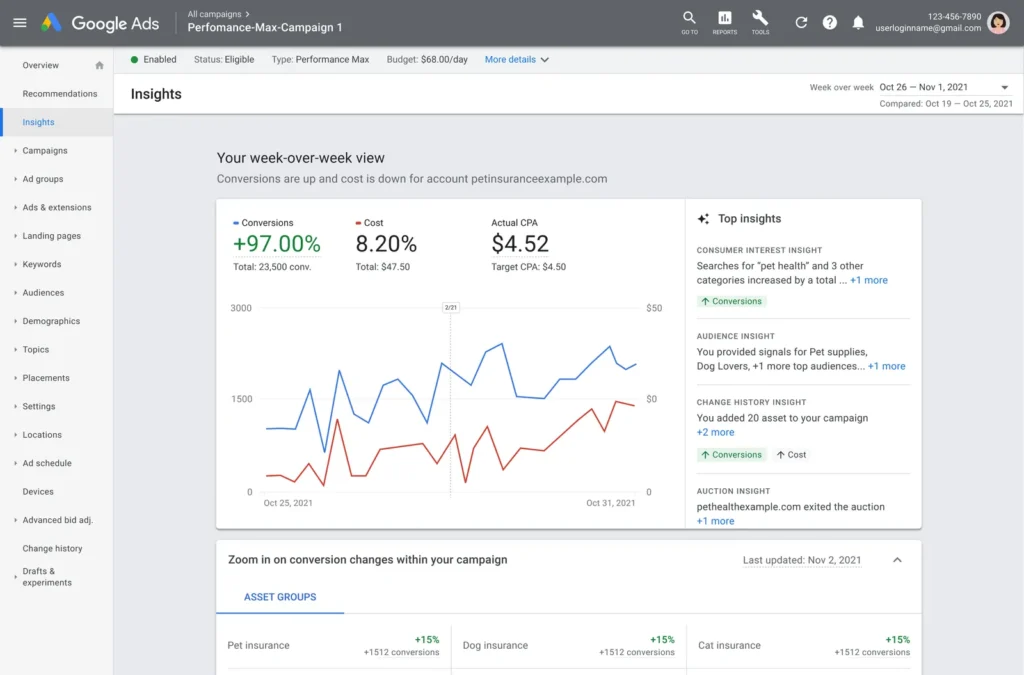
Learning digital marketing is incomplete without understanding data, analytics, and performance tracking. Analytics tools help you see what’s working, what’s not, where traffic comes from, and how users behave — turning guesses into data-driven decisions.
When you’re learning digital marketing, analytics tools teach you how to measure campaign results, track user journeys, optimize conversions, and improve ROI. These tools are essential for SEO, paid ads, social media, email marketing, and website optimization.
One of the most important tools to learn is Google Analytics (GA4). It helps you track website traffic, user behavior, traffic sources, session duration, bounce rate, and conversions. By using GA4, you learn how different marketing channels contribute to business goals.
Another key platform is Google Search Console, which focuses on organic search performance. It allows you to monitor keyword impressions, clicks, indexing issues, page performance, and SEO health — making it a must-have for learning SEO analytics.
To understand user behavior visually, tools like Hotjar and Microsoft Clarity provide heatmaps, session recordings, scroll tracking, and click insights. These tools teach you how real users interact with websites — helping you improve UX and conversions.
For reporting and dashboard creation, Google Looker Studio (formerly Data Studio) helps you create visual analytics dashboards by connecting data from GA4, Search Console, Ads, and social platforms. This is a valuable skill for presenting insights to clients, managers, or teams.
By using analytics and tracking tools, you can learn to:
- Track website traffic and marketing performance
- Analyze user behavior and engagement
- Measure conversions, leads, and revenue
- Understand which channels drive the best ROI
- Build professional marketing reports and dashboards
- Optimize campaigns based on real performance data
These tools also help you build case studies backed by real metrics, which is highly impressive for employers and clients.
In short, analytics tools help you turn marketing efforts into measurable results, making you a smarter, more strategic, and performance-focused digital marketer in 2026.
Popular Analytics & Tracking Tools to Learn
| Tool | What You Learn | Best For |
| Google Analytics (GA4) | Website & campaign tracking | Beginners to Advanced |
| Google Search Console | SEO & search performance | SEO learners |
| Hotjar | Heatmaps & behavior tracking | UX & CRO |
| Microsoft Clarity | Session recordings & insights | Beginners |
| Google Looker Studio | Dashboard reporting & data visualization | Analysts & marketers |
AI Tools — Learn Digital Marketing Faster with Artificial Intelligence
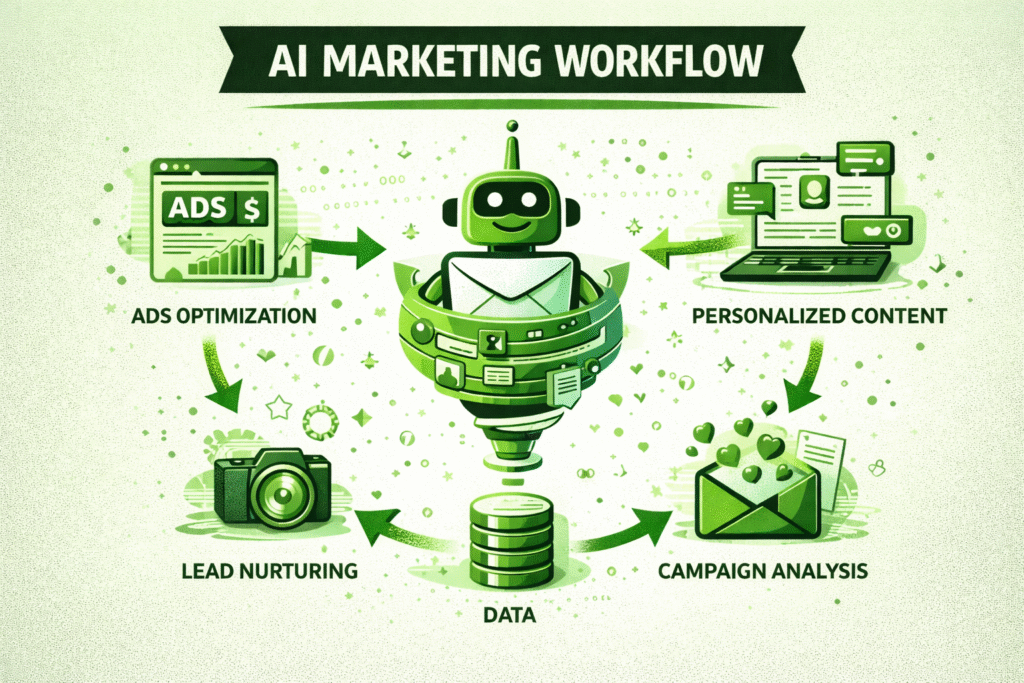
Artificial Intelligence (AI) is transforming digital marketing in 2026, and learning how to use AI tools can speed up your skill development, boost productivity, and improve creativity. Instead of spending hours on research, writing, or design, AI tools help you work smarter while learning faster.
When you’re learning digital marketing, AI tools act like a smart assistant — helping you generate content ideas, write ad copy, analyze data, create visuals, and automate repetitive tasks. This allows you to focus more on strategy, creativity, and real-world practice.
One of the most powerful AI tools to learn is ChatGPT, which can help you brainstorm blog topics, write drafts, create social media captions, generate ad copy, plan content calendars, and even simulate marketing strategies. It’s especially useful for learning content marketing, copywriting, and campaign planning.
For AI-powered writing and marketing copy, tools like Jasper AI and Copy.ai help you create high-converting ad text, email campaigns, landing page copy, and product descriptions — teaching you how persuasive content is structured.
If you want to learn AI design and visual creation, tools like Midjourney and DALL·E help generate images, illustrations, thumbnails, and creative visuals — useful for social media marketing, branding, and ad creatives.
For AI video and editing, tools like Pictory and Runway AI allow you to turn text into videos, edit clips automatically, and create engaging marketing videos — a highly valuable skill as video marketing grows.
By using AI tools, you can learn to:
- Generate content ideas and marketing copy faster
- Create ad creatives, images, and videos with AI
- Automate repetitive marketing tasks
- Analyze data and summarize insights
- Improve creativity and campaign efficiency
- Work like a modern, AI-powered digital marketer
AI tools don’t replace skills — they enhance your learning and productivity, helping you become more efficient, competitive, and future-ready in the digital marketing industry.
In short, learning AI tools gives you a major edge in digital marketing, allowing you to learn faster, create more, and scale your marketing efforts in 2026.
Popular AI Tools for Digital Marketing Learners
| Tool | What You Learn | Best For |
| ChatGPT | Content ideas, copywriting & strategy | All levels |
| Jasper AI | Marketing copy & ad writing | Marketers |
| Copy.ai | Ad copy & email content | Beginners |
| Midjourney / DALL·E | AI image & creative generation | Designers |
| Pictory / Runway AI | AI video creation & editing | Video marketers |
Free vs Paid Tools — What Beginners Should Use First
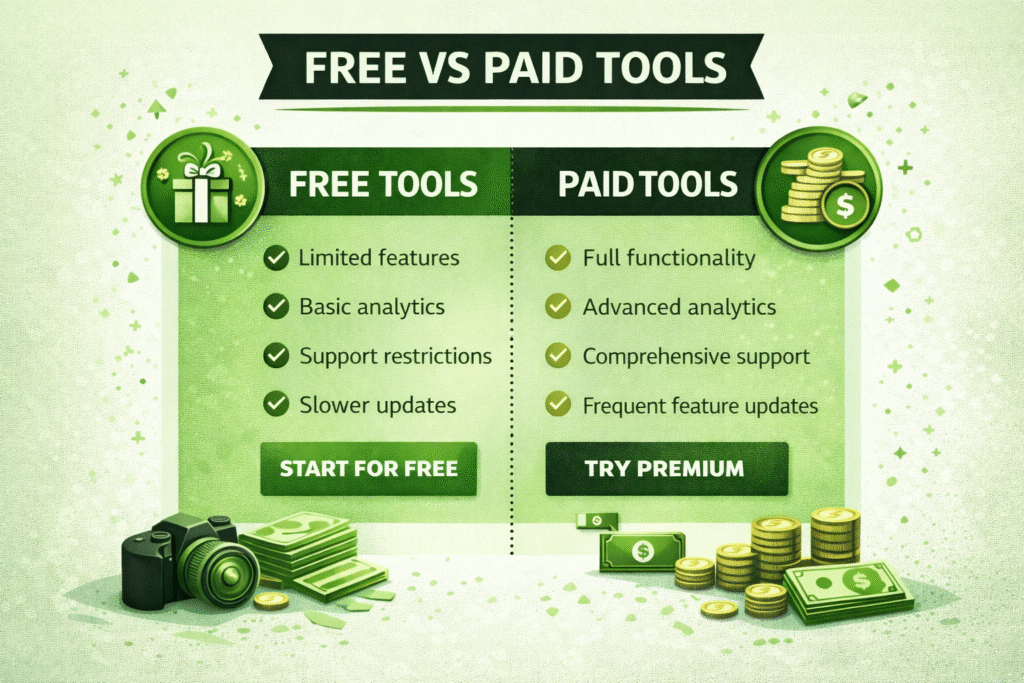
When you’re starting to learn digital marketing, it’s easy to feel overwhelmed by the number of tools available — especially when many of them are paid. The good news? You don’t need expensive tools at the beginning. Many free tools are powerful enough to help you learn, practice, and build real skills.
Free tools are perfect for beginners because they allow you to experiment, make mistakes, and learn fundamentals without financial pressure. Tools like Google Analytics, Google Search Console, Canva Free, Mailchimp Free, and ChatGPT Free can help you understand SEO, content creation, email marketing, design, and analytics at no cost.
However, paid tools become valuable when you move into more advanced learning, freelancing, or professional work. Premium platforms like Ahrefs, SEMrush, HubSpot, Canva Pro, and advanced ad tools offer deeper insights, automation, competitor analysis, and scaling features that free versions often limit.
The smart approach is to start with free tools, master the basics, and upgrade only when you need advanced features. This helps you avoid wasting money while still gaining real experience.
Free vs Paid Tools Comparison Table
| Category | Free Tools | Paid Tools | Best For |
| SEO | Google Search Console, Ubersuggest | Ahrefs, SEMrush | SEO learners |
| Design | Canva Free | Canva Pro, Adobe | Creatives |
| Email Marketing | Mailchimp Free | HubSpot, ConvertKit | Email marketers |
| Ads | Google Ads Demo Mode | Advanced Ad Platforms | Performance marketers |
| Analytics | Google Analytics | Premium BI tools | Data-focused learners |
Beginner Recommendation Strategy
- Start with free tools to build fundamentals
- Upgrade to paid tools when working with clients or monetizing skills
- Focus on learning strategy first, tools second
How to Practice Digital Marketing Using These Tools
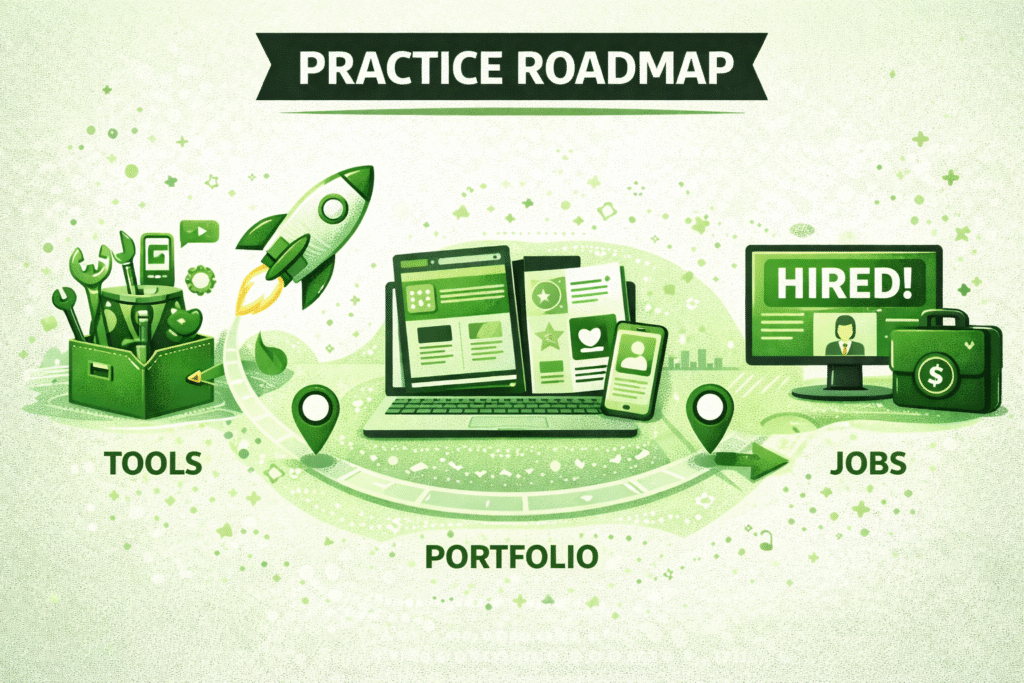
Learning digital marketing becomes truly effective when you apply tools in real-world practice instead of just reading or watching tutorials. The best way to master digital marketing is by building projects, experimenting with campaigns, and testing strategies using actual tools.
Start by creating practice projects that simulate real business scenarios. For example, you can build a sample website using WordPress or Wix, optimize it for SEO using Google Search Console, and track traffic using Google Analytics. This helps you understand how SEO, content, and analytics work together in a real environment.
If you’re learning social media marketing, create a test Instagram or LinkedIn page and use tools like Canva and Meta Business Suite to design posts, schedule content, and track engagement. This will teach you content planning, branding, analytics, and audience growth in a practical way.
For paid advertising practice, you can:
- Use Google Ads demo mode
- Run a small-budget test campaign (₹300–₹1000)
- Practice writing ad copy and setting targeting
- Analyze performance metrics like CTR, CPC, and conversions
To learn email marketing, create a sample email list and build a mock email funnel using Mailchimp or Brevo — such as a welcome email sequence, newsletter campaign, or lead nurturing flow.
You can also practice content marketing by writing blog posts using Google Docs, optimizing them with Grammarly and SEO tools, and publishing them on Medium, WordPress, or a personal blog. This helps you build a real content portfolio.
Practice Ideas Table
| Skill Area | Practice Task | Tools to Use |
| SEO | Rank a test blog page | Search Console, Ubersuggest |
| Social Media | Grow a niche page | Canva, Meta Suite |
| Paid Ads | Run a sample ad campaign | Google Ads |
| Email Marketing | Build a welcome email funnel | Mailchimp |
| Content | Publish 5 SEO blog posts | Grammarly, ChatGPT |
| Analytics | Track website traffic | Google Analytics |
Pro Tip
Document your results and turn them into mini case studies — this will help you build a strong portfolio for jobs, internships, and freelancing.
Common Mistakes Beginners Make with Marketing Tools
When learning digital marketing, tools can speed up growth — but only if used correctly. Many beginners make common mistakes that slow learning, waste time, or create confusion. Understanding these mistakes early can help you learn smarter, faster, and more effectively.
One of the most common mistakes is using too many tools at once. Beginners often sign up for multiple platforms and try to learn everything together, which leads to overwhelm. Instead, it’s better to master a few essential tools first before expanding your toolkit.
Another major mistake is focusing on tools instead of strategy. Tools are just instruments — without understanding SEO strategy, content planning, audience targeting, or funnel logic, tools won’t deliver meaningful results. Always learn the marketing concept first, then apply it using tools.
Many learners also ignore analytics and performance tracking. They create content, ads, or posts but fail to analyze what’s working. Without reviewing metrics like traffic, engagement, conversions, or CTR, you miss valuable insights that help you improve.
Another common issue is depending too heavily on AI tools without learning the fundamentals. While AI can help generate content and ideas, relying on it without understanding marketing basics can limit your real skill development.
Some beginners also avoid practical implementation — they watch tutorials but don’t run real campaigns or build projects. Digital marketing is best learned through hands-on practice, experimentation, and trial-and-error.
Common Tool Mistakes Table
| Mistake | Why It’s a Problem | Better Approach |
| Using too many tools | Causes confusion | Master a few tools first |
| Ignoring strategy | No meaningful results | Learn concepts before tools |
| Skipping analytics | No improvement insights | Track and optimize performance |
| Overusing AI | Weak real skills | Use AI as support, not replacement |
| No real practice | Slow skill growth | Build real projects & campaigns |
Pro Tip
Focus on learning fundamentals, practicing consistently, tracking results, and improving step by step — tools should support your growth, not distract you.
Final Thoughts — Master Tools to Build a Successful Digital Marketing Career
Learning digital marketing in 2026 is no longer just about understanding theory — it’s about mastering the right tools, applying real strategies, and gaining hands-on experience. As the industry evolves, marketers who know how to use modern tools effectively will always have a strong competitive advantage.
The tools covered in this guide — from SEO and social media to paid ads, email marketing, analytics, AI, and automation — are not just platforms. They are career-building resources that help you practice real-world marketing, build portfolios, improve performance, and prepare for high-demand roles.
However, remember that tools alone don’t guarantee success. Real growth comes from understanding marketing fundamentals, testing ideas, analyzing results, and continuously improving. Focus on building strong foundations in strategy, communication, creativity, and data — then use tools to amplify your skills and productivity.
If you’re a beginner, start small:
- Learn one skill at a time
- Practice using free tools first
- Build real projects and case studies
- Track your progress and improve consistently
Over time, your experience with these tools will help you land internships, freelance clients, remote jobs, or full-time roles in digital marketing. Whether your goal is to become an SEO specialist, social media manager, performance marketer, content strategist, or digital marketing consultant — mastering the right tools will accelerate your journey.
In the fast-changing digital world, the most successful marketers are those who keep learning, keep experimenting, and keep adapting. Start using these tools today, and take your first confident step toward a future-ready digital marketing career.
What are the best tools to learn digital marketing in 2026?
The best tools include Google Analytics, Google Ads, Canva, ChatGPT, SEO tools like Ahrefs, email tools like Mailchimp, and social media tools like Meta Business Suite.
Can I learn digital marketing using only free tools?
Yes, beginners can learn digital marketing effectively using free tools like Google Search Console, Google Analytics, Canva Free, Mailchimp Free, and ChatGPT Free.
Which tools should beginners learn first in digital marketing?
Beginners should start with Canva (design), Google Analytics (analytics), SEO tools (keyword research), social media schedulers, and basic email marketing tools.
Are paid digital marketing tools worth it for learners?
Paid tools are useful once you move into advanced learning, freelancing, or client work, but free tools are enough for building strong foundations.
What tools do digital marketers use daily?
Digital marketers commonly use Google Analytics, Google Ads, SEO tools, email marketing platforms, social media schedulers, content tools, and AI tools.
Can I get a digital marketing job by learning tools?
Yes, mastering tools along with strategy and real project experience can help you get internships, freelance work, and full-time digital marketing jobs.
How long does it take to learn digital marketing tools?
You can learn basic tools in 2–3 months, but mastering advanced tools and building real experience may take 6–12 months.
Which AI tools are best for digital marketing?
Popular AI tools include ChatGPT, Jasper AI, Copy.ai, Midjourney, DALL·E, and AI video editing tools like Runway.
Do I need coding skills to use digital marketing tools?
No, most digital marketing tools are beginner-friendly and don’t require coding, especially tools for SEO, ads, content, email, and design.
How can I practice digital marketing tools without real clients?
You can build test websites, run small-budget ad campaigns, manage demo social pages, create mock email funnels, and publish sample blog content.

Founder at Digital Marketing Marvel | Founder at RKDMT – Raju Kumar Digital Marketing Trainer | Best Digital Marketing Trainer in Delhi/NCR – Digiperform | Project Manager | 5+ years | Genius Study Abroad & Inlingua’s Digital Marketing Head | Learn Digital Marketing