


Learn Digital Marketing With Google Analytics Like a Pro
In today’s digital-first world, data is the foundation of effective marketing. Every click, visit, andinteraction tells a story about user behavior. Modern digital marketing relies on this data to understand audiences, measure performance, and optimize strategies for better results. Without data, marketing decisions are based on assumptions rather than facts.
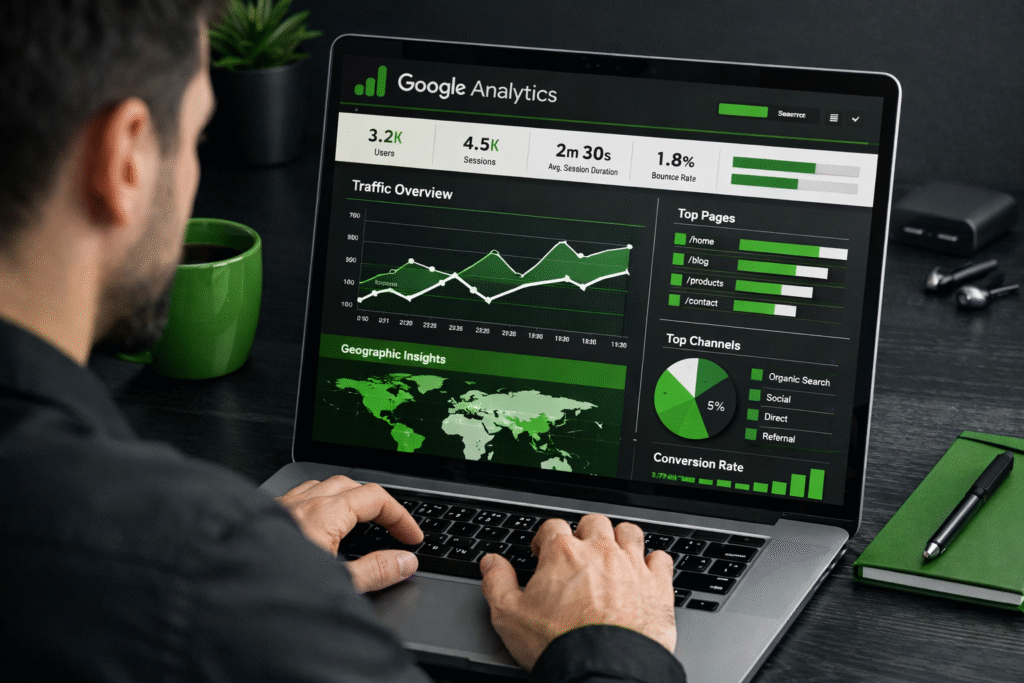
Learning digital marketing without analytics leads to guesswork. You may create campaigns, publish content, or run ads—but without knowing what’s working and what’s not, growth becomes unpredictable. This is where Google Analytics plays a crucial role. It provides clear insights into traffic sources, user behavior, conversions, and engagement, helping marketers make informed decisions instead of relying on intuition.
When you Learn Digital Marketing With Google Analytics, you gain the ability to track performance, identify opportunities, and improve results consistently. This guide is designed to take you from beginner-level understanding to advanced, practical application, covering everything from basic metrics to growth-focused strategies.
This guide is ideal for students exploring digital marketing, marketers aiming to sharpen their skills, business owners focused on ROI, and career switchers looking to enter a data-driven field.
What Does It Mean to Learn Digital Marketing With Google Analytics?
Learning digital marketing with Google Analytics means understanding how data guides every marketing decision, not just how to use a tool. In digital marketing, Google Analytics helps track and analyze how users find your website, how they interact with content, and what actions they take before converting. It turns raw data into meaningful insights that marketers can use to improve performance.
Analytics plays a critical role in understanding users, traffic, and overall marketing performance. It shows which channels bring quality visitors, which pages engage users, and where potential customers drop off. This visibility allows marketers to optimize campaigns, content, and user journeys based on real behavior rather than assumptions.
There’s a major difference between learning tools and learning decision-making. Simply knowing where to click inside Google Analytics is not enough. True learning happens when you can interpret data, identify patterns, and make strategic decisions that improve results.
Google Analytics is the backbone of data-driven marketing because it connects all digital efforts—SEO, paid ads, content, and social media—into one measurable system, enabling smarter, scalable marketing growth.
How Google Analytics Works (Beginner-Friendly Explanation)
Google Analytics works by collecting data about how users interact with your website or app and organizing it into clear, actionable reports. For beginners, the goal is not to memorize reports but to understand the core concepts that explain who your users are, where they come from, and what they do.
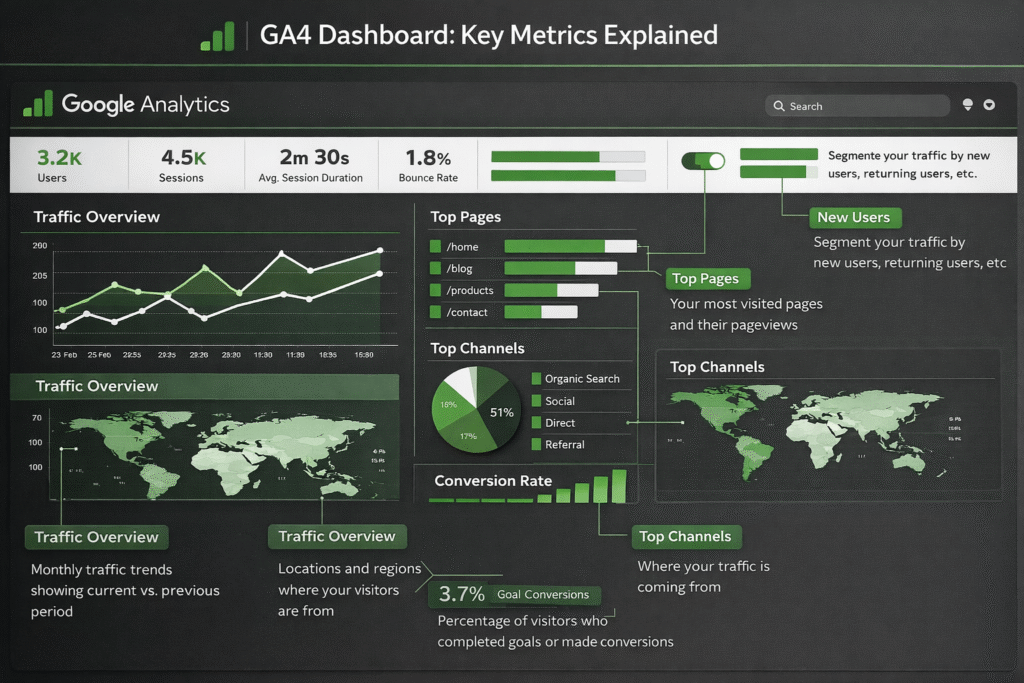
Core Concepts You Must Understand
- Users: The number of unique people visiting your website. This helps measure reach and audience size.
- Sessions: A session represents a visit, including all actions a user takes within a given time frame.
- Events: Specific interactions such as clicks, scrolls, video plays, or form submissions.
- Conversions: Important actions that support business goals, like sign-ups, leads, or purchases.
- Traffic sources and channels: These show where users come from—organic search, paid ads, social media, referrals, or direct visits.
- User behavior and engagement: Metrics like engagement rate, time on page, and interactions reveal how users experience your content.
Google Analytics 4 (GA4) Overview
GA4 is designed for modern, privacy-focused, cross-device tracking. It uses an event-based model that provides deeper insights into user behavior across websites and apps. For future marketers, GA4 is essential because it supports predictive insights, AI-powered metrics, and better customer journey tracking—making it far more powerful than older analytics models.
Also Read Our: What are Google Display Ads: Basics & Best Practices
Why Google Analytics Is a Must-Have Skill for Digital Marketers
In today’s competitive digital landscape, top marketers don’t rely on assumptions—they rely on data. Google Analytics allows them to understand what drives traffic, conversions, and revenue, helping them outperform competitors who still make decisions based on guesswork. Analytics tools provide insights into user behavior, campaign performance, and ROI, enabling marketers to refine strategies continuously.
Across digital marketing channels, analytics plays a critical role. In SEO, it reveals which keywords and pages bring the most organic traffic. For PPC ads, it shows which campaigns produce profitable results. In social media and email marketing, analytics measures engagement and helps improve messaging and targeting. Without analytics, these efforts lack direction and measurable impact.
From a career perspective, learning digital marketing with Google Analytics gives professionals a significant competitive edge. Employers increasingly seek marketers who can interpret data and justify decisions with insights. For example, digital analytics specialists in India earn an average salary of around ₹26.5 lakhs per year, with top performers earning over ₹40 lakhs annually.
Even outside analytics-specific roles, data-savvy marketers command higher salaries and better opportunities. Senior digital marketing positions—such as Head of Growth or Performance Marketing Director—typically range from ₹20–50 LPA and above, reflecting the premium placed on analytical skills.
Setting Up Google Analytics for Digital Marketing Learning
To effectively learn digital marketing with Google Analytics, the foundation must be set up correctly. A proper setup ensures that the data you see is accurate, meaningful, and useful for decision-making. Without this step, even the best strategies can fail due to unreliable insights.
Essential Setup Steps
The first step is creating a Google Analytics account using a Google email ID. Once the account is created, you can add a property for your website or app. This property is where all your data will be collected and analyzed.
Next comes installing GA4 correctly. GA4 is the latest version of Google Analytics and works on an event-based model. Proper installation ensures that user interactions such as page views, clicks, and scrolls are tracked automatically. Incorrect installation often leads to missing or inaccurate data, which can misguide learning.
Finally, connecting Google Analytics with websites and apps allows you to track user behavior across platforms. This is especially important for marketers who want a complete view of the customer journey.
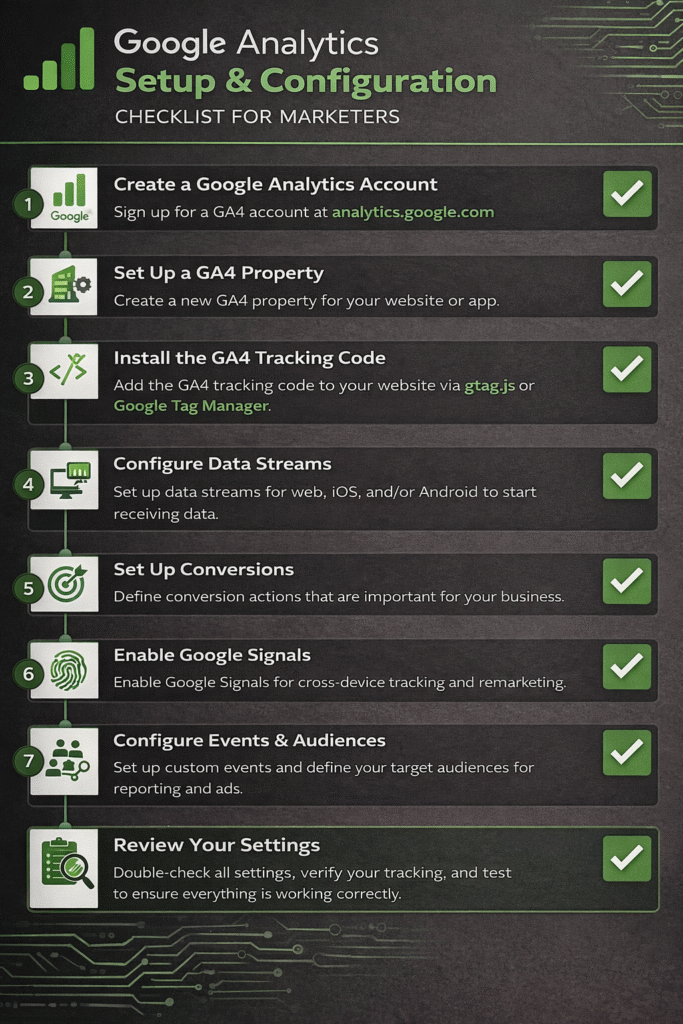
Key Configurations for Marketers
Once setup is complete, marketers should focus on configuration:
- Event tracking basics: Track important user actions like button clicks, form submissions, and downloads.
- Conversion setup: Define what success looks like—leads, sign-ups, purchases—and track them properly.
- Audience creation: Segment users based on behavior, traffic source, or engagement to improve targeting and personalization.
Also Read Our: What are Different Types of Google Ads Campaign Objectives
Using Google Analytics to Master SEO
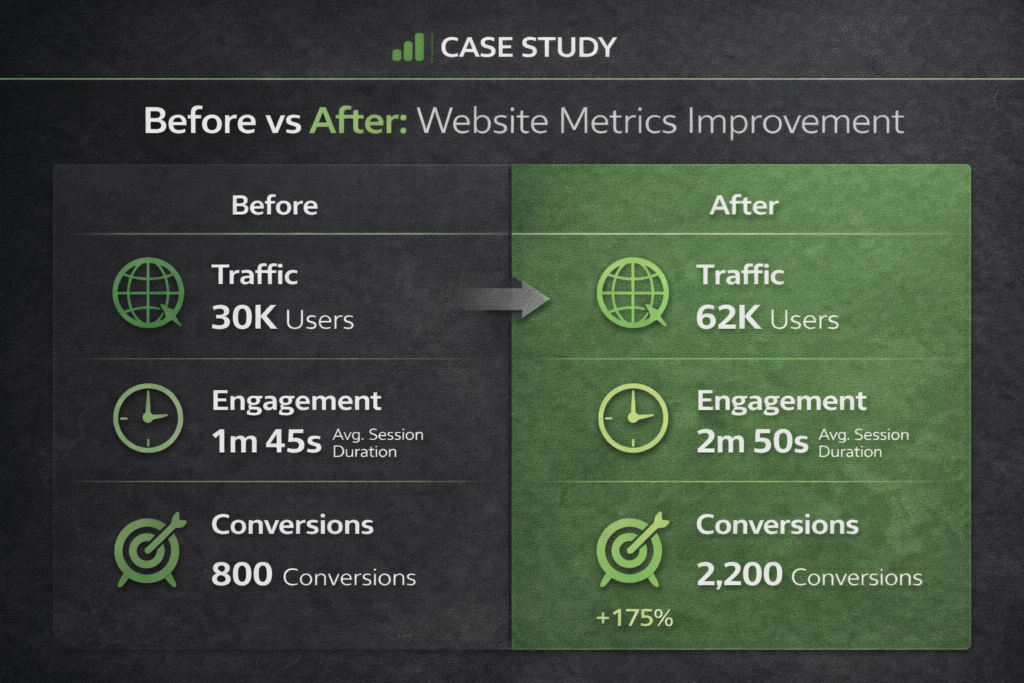
Google Analytics plays a vital role in helping marketers move beyond rankings and focus on real SEO performance. Instead of guessing which keywords or pages work, analytics provides clear insights into how organic users actually behave on your website.
By tracking organic traffic performance, you can see how many users arrive through search engines, which pages attract them, and how this traffic changes over time. This helps evaluate whether your SEO efforts are driving consistent, high-quality visits rather than short-term spikes.
Google Analytics also helps in identifying top-performing landing pages. You can analyze which pages generate the most organic traffic, engagement, and conversions. These insights reveal what type of content aligns best with user expectations and search queries.
To understand search intent, behavior metrics such as engagement rate, time on page, and scroll depth become crucial. When users stay longer and interact more, it indicates strong intent matching. High bounce or low engagement often signals a mismatch between content and intent.
Most importantly, Google Analytics allows you to measure SEO success beyond rankings by focusing on conversions, lead quality, and user engagement—metrics that directly impact business growth.
Learn Digital Marketing With Google Analytics for Paid Ads Optimization
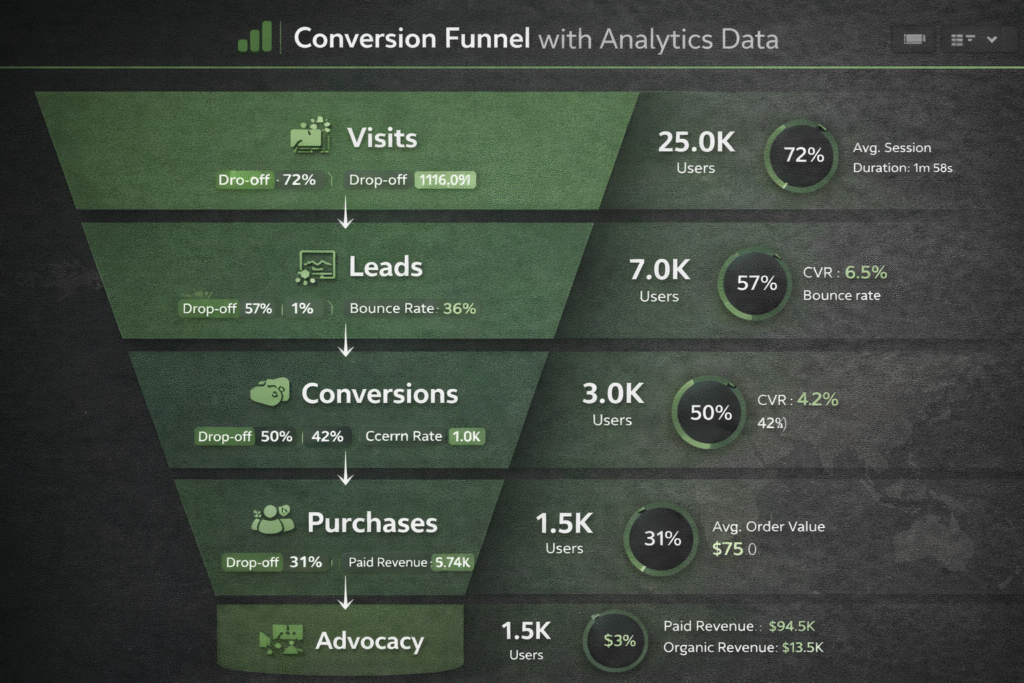
Paid advertising can drive fast results, but without analytics, it often leads to wasted budget. When you learn digital marketing with Google Analytics, paid ads become measurable, optimized, and scalable rather than experimental.
Google Analytics helps in measuring campaign performance accurately by showing how users from paid ads behave after clicking. Instead of relying only on ad platform metrics like impressions or clicks, marketers can track engagement, session quality, and conversions on the website.
Paid Ads Performance: With Analytics vs Without Analytics
| Aspect | Paid Ads With Google Analytics | Paid Ads Without Analytics |
| Campaign Measurement | Tracks user behavior after the click | Limited to clicks and impressions only |
| ROI Visibility | Clear view of cost vs conversions | ROI remains unclear or estimated |
| Traffic Quality Analysis | Identifies high-intent and low-intent users | All traffic treated the same |
| Conversion Tracking | Accurately tracks leads, sales, and actions | Conversions often missed or misattributed |
| Budget Optimization | Budget shifted to high-performing campaigns | Budget wasted on underperforming ads |
| Audience Targeting | Refined using real behavior insights | Based on assumptions or platform guesses |
| Decision Making | Data-driven and scalable | Guesswork-based and risky |
This table visually reinforces why learning digital marketing with Google Analytics is critical for paid ads success and improves content clarity, dwell time, and SEO value.
By tracking ROI and cost efficiency, Google Analytics reveals which campaigns generate real value. You can compare ad spend with conversions, leads, or revenue to understand which ads deserve more budget and which should be paused or optimized.
Analytics also makes it easier to identify high-converting traffic sources. You can pinpoint whether paid search, display ads, or social ads drive better results and focus on the channels that bring quality users.
Finally, audience insights help improve ad targeting. By analyzing demographics, interests, and behavior patterns, marketers can refine targeting strategies and create ads that resonate with the right audience.
Understanding User Behavior Through Google Analytics
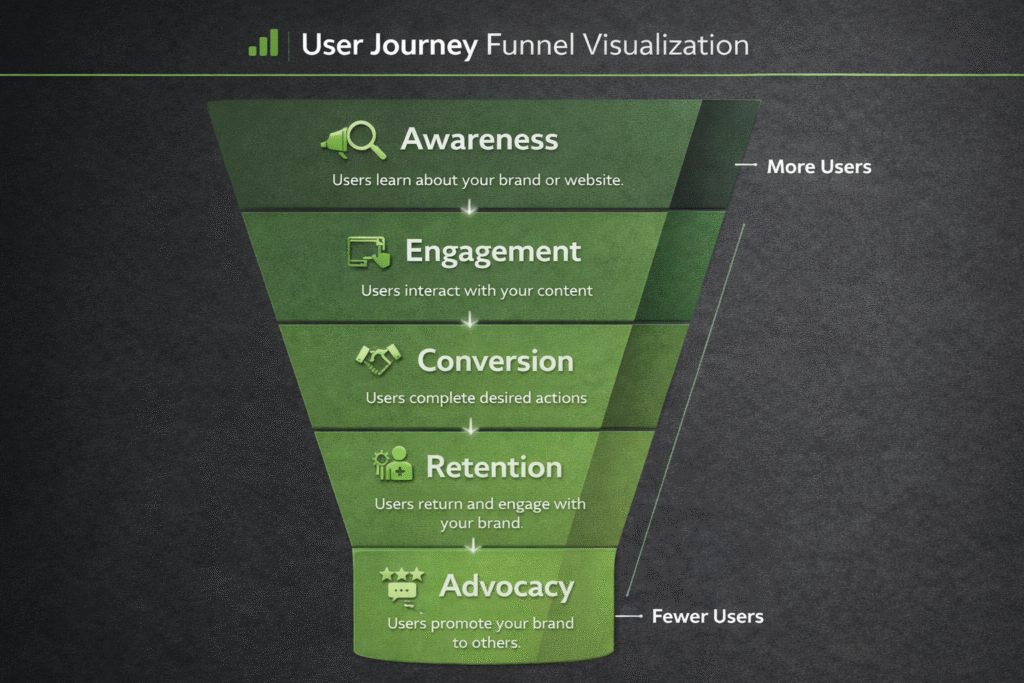
Understanding user behavior is one of the most powerful benefits of Google Analytics. It helps marketers see how users move through a website, where they lose interest, and what encourages them to take action. These insights allow you to optimize experiences based on real behavior, not assumptions.
Behavior Flow and User Journey Analysis
Google Analytics makes it easier to visualize the user journey from entry to exit. By analyzing behavior flow and path reports, marketers can see which pages users visit first, where they go next, and where they drop off. Identifying drop-offs and exit points highlights problem areas such as confusing navigation, slow-loading pages, or weak content. Once these issues are identified, improvements can be made to create smoother journeys and better conversion paths.
Engagement Metrics That Matter
Engagement metrics reveal how users interact with content:
- Engagement rate: Shows how many users actively interact with your site instead of leaving immediately.
- Time on page: Indicates how valuable and relevant your content is to visitors.
- Scroll and interaction tracking: Measures how deeply users engage with pages, videos, buttons, and forms.
By using these insights, marketers can continuously improve website experience, increase engagement, and guide users toward conversions.
Also Read Our: Benefits of Digital Marketing Course: How It Can Transform Your Career
Conversion Tracking: Turning Traffic Into Results
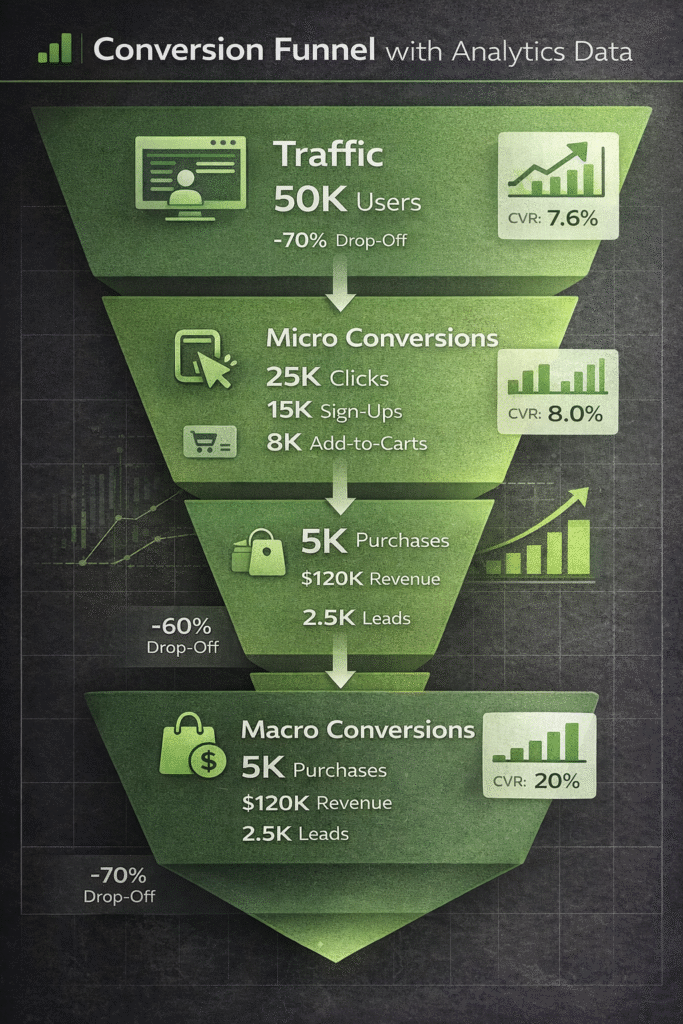
Conversion tracking is what transforms website traffic into measurable business outcomes. In digital marketing, conversions represent the actions that matter most—such as form submissions, sign-ups, purchases, or downloads. Without tracking these actions, traffic numbers alone have little real value.
Setting up lead and sales tracking in Google Analytics allows marketers to see which campaigns, pages, and channels actually drive results. By defining key events as conversions, businesses can measure success accurately instead of relying on assumptions or surface-level metrics.
It’s also important to understand the difference between micro and macro conversions. Micro conversions include actions like button clicks, video views, or newsletter sign-ups, which indicate user interest. Macro conversions represent the primary business goals, such as completed purchases or qualified leads. Tracking both helps identify where users engage and where they hesitate.
Using analytics to improve conversion rates involves analyzing funnel drop-offs, testing landing pages, and optimizing user journeys. With consistent tracking and insights, marketers can continuously refine strategies and turn more visitors into customers.
Advanced Google Analytics Skills for Pro Marketers
Advanced Google Analytics skills help marketers shift from basic analysis to growth-focused decision-making. At this level, analytics is used not just to understand past performance but to optimize experiences and predict future outcomes.
Custom events and advanced tracking allow marketers to measure meaningful user interactions beyond page views. This includes tracking scroll depth, video engagement, button clicks, form interactions, and other micro-actions that signal intent. These insights help identify friction points and opportunities for optimization.
Funnel and path exploration reports provide a clear view of how users navigate through a website or app. By analyzing these journeys, marketers can pinpoint where users drop off, which paths lead to conversions, and how to simplify steps that block progress.
With audience segmentation for personalization, users can be grouped based on behavior, engagement level, traffic source, or conversion likelihood. This enables more targeted campaigns, personalized messaging, and higher conversion rates.
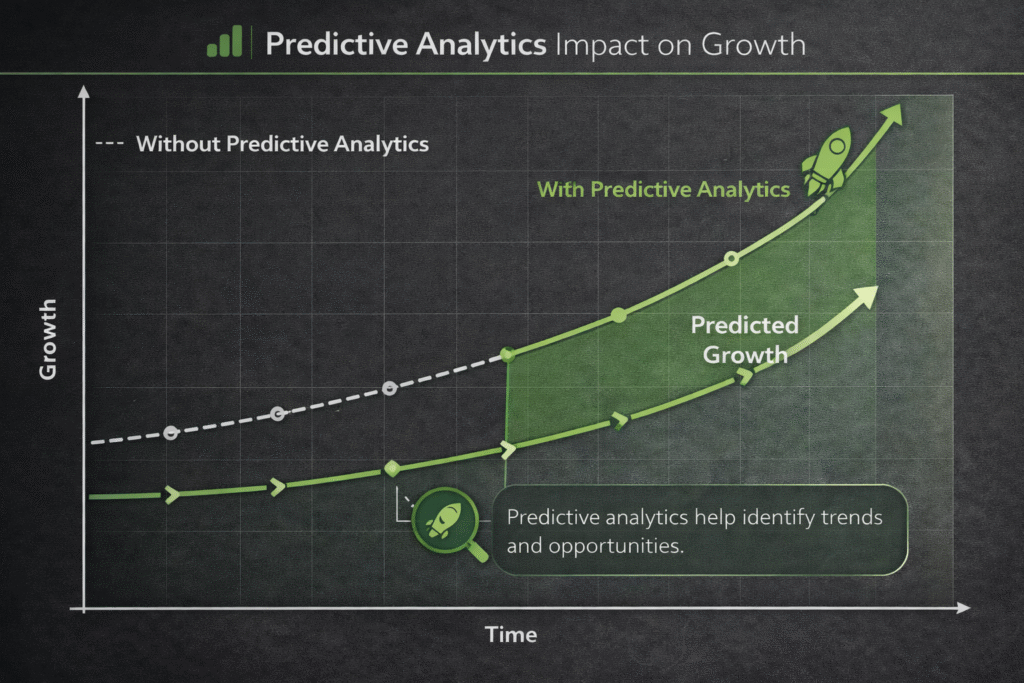
GA4’s predictive metrics and AI-powered insights—such as purchase probability and churn prediction—help marketers anticipate user behavior. These insights support smarter planning, proactive optimization, and scalable growth strategies.
Also Read Our : Must-Have Tools to Learn Digital Marketing in 2026
Common Mistakes When Learning Digital Marketing With Google Analytics
While Google Analytics is a powerful tool, many learners fail to unlock its full potential due to common mistakes. Avoiding these errors early can significantly improve learning outcomes and marketing performance.
One of the biggest mistakes is focusing on vanity metrics such as page views or session counts without context. These numbers may look impressive but don’t reveal whether users are engaging, converting, or driving real business value.
Another frequent issue is ignoring conversion tracking. Without tracking leads, sales, or key actions, it becomes impossible to measure success or understand which strategies are working. Traffic alone does not equal growth.
Many beginners also experience data overload without action. Google Analytics offers extensive data, but reviewing reports without clear goals leads to confusion rather than insight. Data should always guide decisions and optimization.
Lastly, not aligning analytics with marketing goals limits effectiveness. When analytics is disconnected from business objectives, insights lose relevance and fail to support growth-focused strategies.
Mistake vs Correct Approach
| Common Mistake | Correct Approach |
| Tracking only page views | Focus on engagement and conversions |
| No conversion setup | Define and track key goals |
| Reviewing too many reports | Focus on KPIs that matter |
| Data without strategy | Use insights to guide decisions |
| Analytics separate from goals | Align tracking with business objectives |
This comparison helps learners understand how to use Google Analytics correctly for meaningful digital marketing success.
Best Practices to Learn Digital Marketing With Google Analytics Faster
Learning digital marketing with Google Analytics becomes much easier and more effective when approached with the right practices. Instead of exploring reports randomly, a structured learning method helps turn data into actionable skills faster.
Start by setting clear learning goals and KPIs. Define what you want to achieve—such as improving website engagement, increasing conversions, or understanding traffic sources. Aligning these goals with measurable KPIs keeps learning focused and purposeful.
Develop weekly and monthly data review habits. Weekly reviews help identify short-term trends and issues, while monthly analysis provides a broader view of performance and growth. Consistent review builds confidence in interpreting data and spotting patterns over time.
Using dashboards for clarity simplifies complex data. Custom dashboards highlight key metrics at a glance, reducing confusion and helping learners focus on what truly matters instead of getting lost in multiple reports.
Most importantly, focus on applying insights immediately in campaigns. Whether it’s adjusting SEO content, refining ad targeting, or improving landing pages, real learning happens when insights are tested in real-world scenarios.
Actionable Takeaways
- Set clear goals before analyzing data
- Track only metrics that support those goals
- Review data consistently, not occasionally
- Use dashboards to stay focused
- Apply insights quickly to reinforce learning
Real-World Use Cases of Google Analytics in Digital Marketing
Google Analytics becomes truly valuable when it’s applied to real marketing scenarios. Below are practical use cases that show how data-driven insights lead to measurable growth across key digital marketing channels.
SEO Performance Improvement Example
A content-driven website used Google Analytics to identify high-traffic pages with low engagement. By optimizing content structure, improving internal linking, and aligning pages with search intent, the site saw higher engagement rates and longer session durations, leading to improved organic visibility.
Add stats here: organic traffic growth %, engagement rate increase, lead growth from SEO.
Paid Ads Optimization Example
An e-commerce brand analyzed paid traffic behavior using Google Analytics instead of relying only on ad platform data. Low-performing campaigns were paused, and budget was shifted to high-converting sources. This resulted in better ROI and reduced cost per conversion.
Add stats here: ROI improvement %, cost per acquisition reduction, conversion lift.
Content Marketing Growth Example
A blog-focused business tracked which articles drove conversions, not just traffic. By doubling down on high-converting topics and improving CTAs, content became a major growth driver.
Add stats here: content-driven conversion growth, newsletter sign-ups, assisted revenue.
These real-world use cases highlight how Google Analytics helps marketers move from assumptions to measurable, scalable results.
Tools That Enhance Google Analytics Learning
While Google Analytics is powerful on its own, combining it with the right tools can significantly accelerate learning and improve results. These tools help marketers collect better data, visualize insights clearly, and connect analytics with real marketing actions.
Google Tag Manager simplifies tracking by allowing marketers to add and manage tags without editing website code. It makes event tracking easier, cleaner, and more flexible—especially useful when learning advanced analytics setups.
Looker Studio (formerly Data Studio) helps transform raw analytics data into visual dashboards and reports. It’s ideal for beginners and professionals who want to understand trends quickly and present insights clearly to teams or clients.
CRM and ad platform integrations connect Google Analytics with tools like email platforms and ad networks. This integration helps track the complete customer journey—from first click to final conversion—making performance measurement more accurate. Heatmaps and session recording tools show how users interact visually with pages. They complement Google Analytics by revealing where users click, scroll, or get stuck, helping marketers improve user experience and conversions.
Conclusion: Learn Digital Marketing With Google Analytics Like a Pro
Google Analytics is the foundation of smart, results-driven digital marketing. It transforms raw data into insights that help marketers understand users, measure performance, and improve strategies with clarity and confidence. Without analytics, marketing efforts rely on assumptions; with analytics, every decision is backed by real evidence.
To truly grow as a marketer, it’s essential to shift from guessing to data-driven execution. Google Analytics empowers you to identify what’s working, fix what’s not, and continuously optimize campaigns across SEO, paid ads, content, and user experience. This approach leads to consistent improvement rather than random outcomes.
When you Learn Digital Marketing With Google Analytics, you gain more than a technical skill—you build a mindset focused on analysis, optimization, and growth. This capability supports long-term career advancement, higher earning potential, and stronger business results. Whether you’re a student, professional, or business owner, mastering analytics positions you as a marketer who delivers measurable impact and sustainable success.
How does Google Analytics help in digital marketing?
Google Analytics helps track user behavior, campaign performance, and conversions, enabling marketers to optimize strategies using real data.
Is Google Analytics enough to learn digital marketing?
Google Analytics is essential, but it works best when combined with SEO, ads, and content marketing knowledge.
Can beginners learn digital marketing with Google Analytics?
Yes, beginners can easily start by understanding basic reports and gradually move to advanced insights.
How long does it take to learn Google Analytics for marketing?
Basic understanding can take a few weeks, while mastery develops with continuous hands-on practice.
Is GA4 important for digital marketers?
GA4 provides advanced tracking, cross-device insights, and predictive metrics, making it crucial for modern marketers.
What skills can I gain by learning Google Analytics?
Skills include data analysis, conversion optimization, audience targeting, and performance measurement.
Does Google Analytics help improve ROI?
Yes, it helps identify profitable channels and reduce wasted marketing spend.
Is Google Analytics free to learn?
Google Analytics is free and widely accessible for individuals and businesses.

Founder at Digital Marketing Marvel | Founder at RKDMT – Raju Kumar Digital Marketing Trainer | Best Digital Marketing Trainer in Delhi/NCR – Digiperform | Project Manager | 5+ years | Genius Study Abroad & Inlingua’s Digital Marketing Head | Learn Digital Marketing