


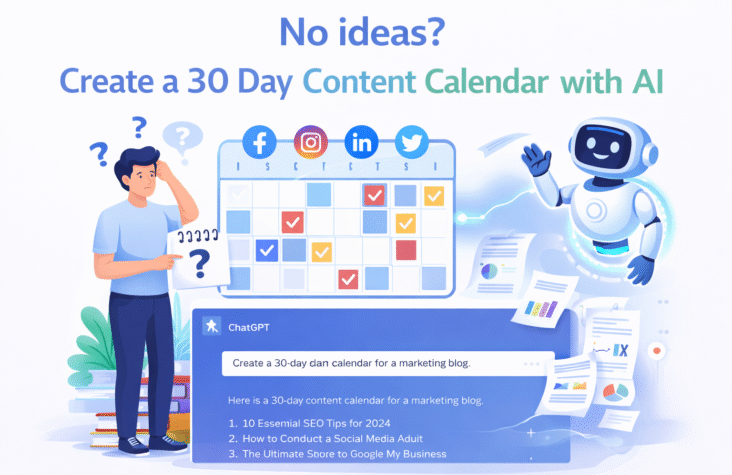
No Ideas? Create a 30-Day Content Calendar with AI
Staring at a blank screen, switching tabs, overthinking ideas—and still posting nothing. That’s not a creativity problem. That’s a system problem.
If you’ve ever felt stuck wondering what to post next, you’re not alone. According to the Content Marketing Institute, nearly 60% of marketers struggle to create content consistently. Not because they lack ideas—but because they lack a repeatable process.
This is where most people get AI wrong.
They treat it like a shortcut to generate random posts. But in reality, AI works best as a planner, organizer, and execution assistant—not a replacement for your thinking. When used correctly, it doesn’t just give you ideas. It builds you a system.
In this guide, you’ll learn how to create a content calendar with AI that actually works—a structured, 30-day plan that removes guesswork, reduces burnout, and keeps your content aligned with real goals.
No vague tips. No generic advice.
Just a step-by-step framework you can follow and repeat every month.
Why Content Planning Fails Without a System
Posting randomly might feel productive in the moment—but over time, it quietly kills your growth.
Most creators and businesses don’t fail because they lack ideas. They fail because every piece of content is created in isolation, with no structure guiding what comes next. One day it’s a reel, the next day a blog, then nothing for a week. This inconsistency confuses both your audience and the algorithm.
The result? Low reach, weak brand recall, and zero momentum.
Another hidden problem is decision fatigue. When you’re forced to “think of something new” every day, your brain burns out quickly. Instead of focusing on quality, you spend most of your energy just deciding what to post. Over time, this leads to creative exhaustion—what people often mistake as “running out of ideas.”
There’s also a bigger strategic gap. Without a system, your content isn’t aligned with any real business goal. You might be posting regularly, but if it’s not connected to traffic, leads, or conversions, it becomes noise rather than growth.
This is why structured planning matters.
According to a Content Marketing Institute (CMI) study, brands with a documented content strategy are 313% more successful than those without one. That’s not a small improvement—that’s the difference between guessing and operating with intent.
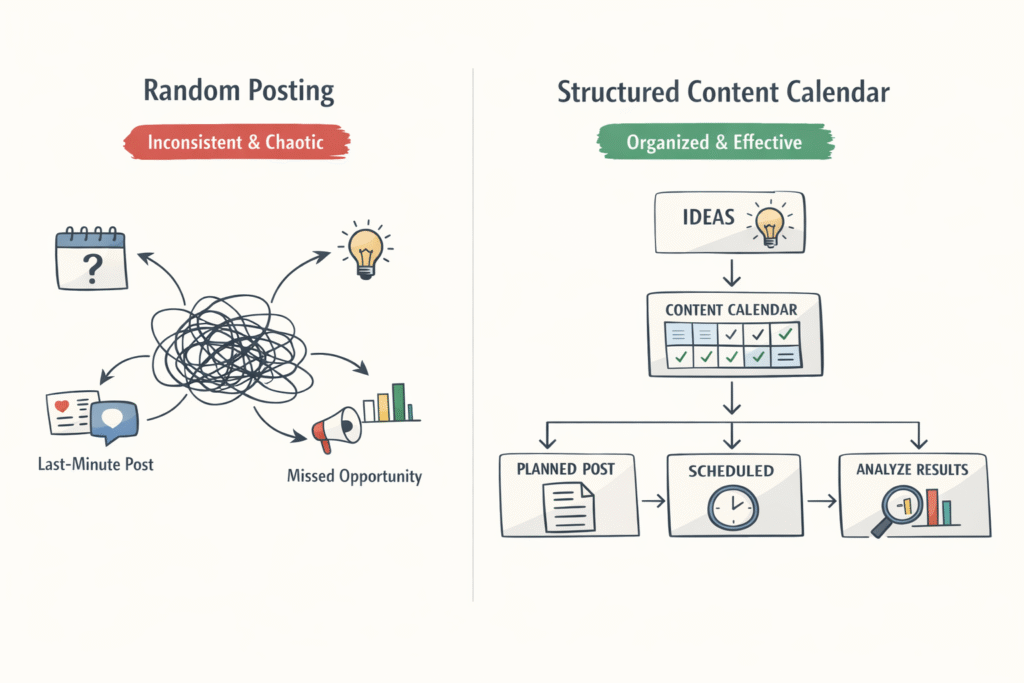
To make the contrast clearer, here’s how a system changes everything:
| Without Calendar | With AI Content Calendar |
| Irregular posts | Consistent schedule |
| Low engagement | Predictable growth |
A structured system—especially a content calendar with AI—removes randomness. It replaces daily confusion with clarity, giving you a clear roadmap of what to post, when to post, and why it matters.
What Is a Content Calendar with AI (And How It’s Different)
Most people think a content calendar is just a list of post ideas on a spreadsheet. That worked a few years ago. Today, it’s not enough.
A content calendar with AI is a dynamic system that not only plans your content but also helps you generate ideas, organize them strategically, and optimize them based on real data. It combines AI-powered ideation, scheduling, and performance insights into one continuous workflow.
Instead of manually brainstorming topics and guessing what might work, AI analyzes patterns—search trends, audience behavior, and keyword opportunities—to suggest content that actually has potential to perform.
The difference becomes obvious when you compare it to traditional planning.
Where Traditional Content Calendars Fall Short
Traditional calendars are static. You sit down once, fill in a few ideas for the month, and hope they work. There’s no real feedback loop.
- Ideas are based on assumptions, not data
- No connection to keyword trends or search intent
- Difficult to adapt when something isn’t working
- Manual effort increases as content volume grows
In short, it’s planning without intelligence.
How AI Transforms Content Planning
AI shifts content planning from guesswork to strategy.
- Ideation becomes faster and smarter: AI generates topic clusters based on your niche and audience
- Keyword integration is built in: It aligns content with what people are actually searching for
- Trends are easier to capture: AI can identify emerging topics before they peak
- Optimization is continuous: You can refine content ideas based on performance data
This turns your calendar into a living system rather than a fixed document.
Dynamic vs Static Planning
The real advantage of AI lies in adaptability.
A traditional calendar is static—you create it once and follow it blindly.
An AI-driven calendar is dynamic—it evolves based on:
- Performance insights (what’s working, what’s not)
- Changing trends in your niche
- Audience engagement patterns
This means your strategy improves over time instead of staying stuck.
Tools That Power an AI Content Calendar
You don’t need complex software to make this work. A few well-used tools can create a powerful system:
- ChatGPT for idea generation, topic clustering, and outlines
- Notion AI for organizing and managing your content pipeline
- Trello for visual workflow tracking and scheduling
When combined, these tools act like a lightweight content engine—handling planning, execution, and organization without overwhelming you.
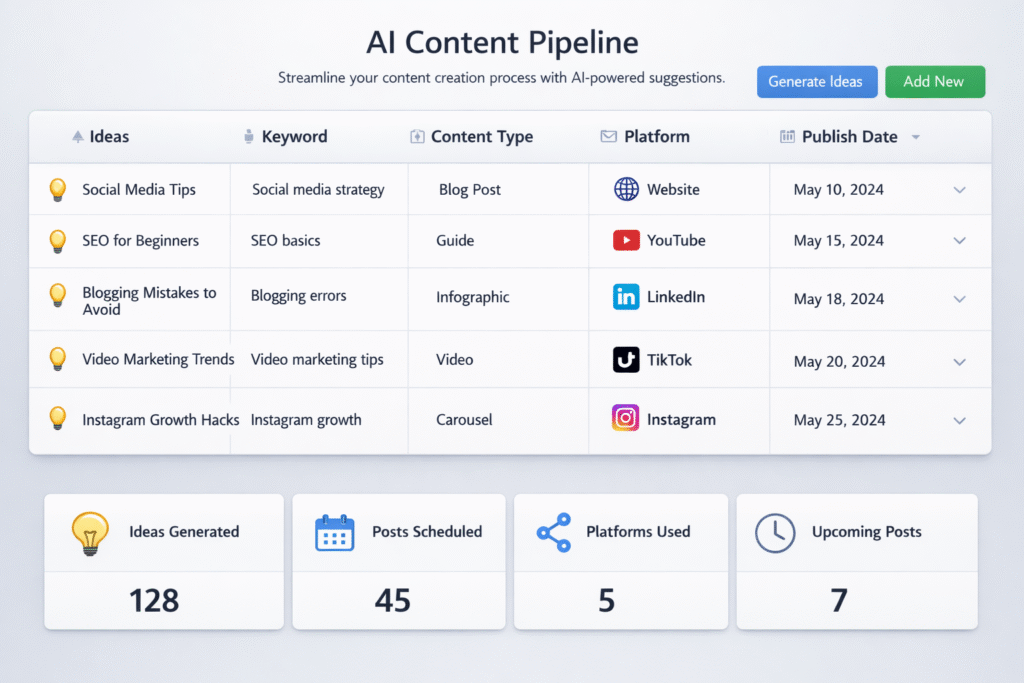
A well-built content calendar with AI doesn’t just tell you what to post. It tells you what matters, why it matters, and how to execute it efficiently.
Benefits of Using AI for Content Planning
Most people hesitate to use AI for content because they assume one thing: faster means worse. But in reality, the opposite is often true.
When used correctly, AI doesn’t replace your creativity—it removes the friction around it. Instead of spending hours figuring out what to post, you can focus on how to make it better. That shift alone changes everything.
A well-structured content calendar with AI turns content planning from a time-consuming task into a streamlined system that supports both speed and quality.
It Saves Time Without Sacrificing Quality
Planning content manually can take hours—or even days—every month. From brainstorming ideas to organizing them into a schedule, the process is slow and mentally draining.
With AI, this timeline compresses dramatically.
- AI can generate weeks of content ideas in minutes
- It helps structure topics into themes instantly
- It reduces repetitive decision-making
According to various industry estimates, AI can reduce content planning time by 30–70%, depending on how it’s used. The key is not to let AI do everything, but to let it handle the heavy lifting.
This is where the “speed vs quality” myth breaks.
Speed doesn’t reduce quality—lack of direction does. AI gives you direction faster.
It Improves Idea Generation (No More Blank Screens)
The hardest part of content creation isn’t writing—it’s starting.
AI eliminates that initial friction by generating:
- Topic clusters based on your niche
- Variations of a single idea for different platforms
- Content angles you might not have considered
Instead of forcing creativity, you’re reacting to structured suggestions. This makes the process feel easier and more natural.
Over time, this also trains your thinking. You start seeing patterns—what works, what doesn’t, and what your audience responds to.
It Enables Data-Backed Decisions
Guessing what your audience wants is risky. AI reduces that guesswork.
A strong content calendar with AI integrates:
- Keyword insights (what people are searching for)
- Trend signals (what’s gaining attention)
- Performance patterns (what’s already working)
This means your content is not just consistent—it’s strategically aligned with demand.
Instead of asking, “What should I post?”
You start asking, “What is likely to perform—and why?”
That shift moves you from content creator to content strategist.
It Scales Your Content Without Chaos
Creating more content usually leads to more confusion. More ideas, more platforms, more decisions.
AI brings structure to that complexity.
- You can plan content across multiple platforms in one system
- You can repurpose one idea into multiple formats
- You can maintain consistency without increasing effort
This makes it possible to scale your output without feeling overwhelmed.
It Reduces Creative Burnout
Constantly coming up with new ideas is exhausting. Over time, it leads to burnout—not because you lack creativity, but because you lack support.
AI acts as that support system.
- It removes daily decision pressure
- It provides a starting point when you feel stuck
- It helps maintain consistency without mental fatigue
Instead of forcing yourself to “be creative,” you’re working within a structure that supports creativity.
Manual vs AI Content Planning
Here’s a clear comparison of how the process changes:
| Manual Planning | AI Content Planning |
| Time-consuming | Fast and efficient |
| Idea generation is manual | AI-assisted idea generation |
| Based on assumptions | Data-driven insights |
| Hard to scale | Easily scalable |
| High mental effort | Reduced decision fatigue |
A content calendar with AI doesn’t just make planning easier—it makes it smarter. It replaces scattered effort with a system that supports consistency, clarity, and long-term growth.
Step-by-Step: How to Create a 30-Day Content Calendar with AI
Most people don’t fail at content because they lack ideas—they fail because they lack a process they can repeat.
This is where a content calendar with AI becomes powerful. Not as a tool, but as a system. What you’re about to build is not just a one-time plan—it’s a workflow you can reuse every month without starting from scratch.
Step 1 – Define Your Content Goals
If your content has no goal, your calendar is just decoration.
Before you generate ideas, get clear on what you want your content to achieve:
- Traffic → Bring more people to your website
- Leads → Capture potential clients
- Brand awareness → Build visibility and trust
Each goal changes the type of content you create. For example, SEO blogs drive traffic, while case studies and testimonials drive conversions.
Your content calendar should align with your broader business direction. If you don’t have that clarity yet, refer to your digital marketing strategy guide to define your objectives before planning content.
Step 2 – Identify Your Target Audience & Pain Points
Content without audience clarity is just noise.
Instead of guessing what your audience wants, use AI to extract insights:
- Ask AI to define your target audience based on your niche
- Identify their problems, goals, and objections
- Group these into content themes
For example:
- Beginners → “How to start” content
- Intermediate → “How to improve” content
- Advanced → “How to scale” content
This helps you create content that actually resonates.
Table: Audience Persona Breakdown
| Audience Type | Pain Point | Content Theme |
| Beginners | Don’t know where to start | Guides & tutorials |
| Intermediate | Not getting results | Optimization strategies |
| Advanced | Want to scale | Advanced systems & workflows |
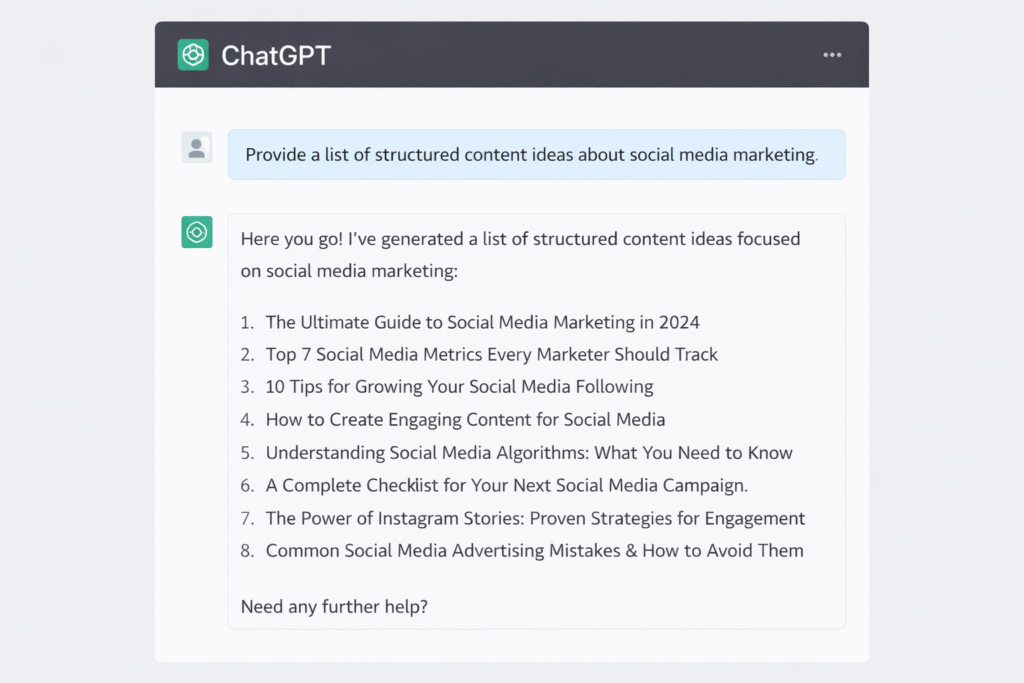
Step 3 – Generate Content Ideas Using AI
This is where most people expect magic—and AI actually delivers, if you guide it properly.
Instead of asking for random ideas, use structured prompts like:
- “Generate 30 content ideas for [your niche] based on beginner to advanced levels.”
- “Create SEO blog topics + social media post ideas for [topic].”
Focus on topic clusters, not isolated ideas. This helps you build authority instead of scattered content.
Also, align your ideas with search intent. According to Google Search Central, content that matches user intent performs better in rankings because it directly answers what users are looking for.
Step 4 – Perform Keyword Research with AI
Ideas are good. Search demand is better.
Once you have topics, validate them with keyword research:
- Use AI to generate keyword variations
- Combine with tools like Google Keyword Planner or Ubersuggest
- Focus on long-tail keywords (lower competition, higher intent)
Example:
Instead of “content marketing,” → use
“How to create a content calendar with AI.”
If you’re new to this process, refer to your keyword research for beginners guide to understand how to select the right keywords.
Step 5 – Organize Topics into a 30-Day Calendar
Now comes the structure.
Take your validated topics and map them across 30 days:
- Assign dates
- Define content type (blog, reel, carousel, etc.)
- Balance educational, promotional, and engaging content
Avoid posting the same type of content every day. Variety keeps your audience interested.
Table: 30-Day Content Calendar Sample
| Day | Topic | Format | Platform |
| 1 | SEO basics for beginners | Blog | Website |
| 2 | Quick SEO tips | Reel | |
| 3 | AI content tools | Carousel | |
| … | … | … | … |
This is the backbone of your content calendar with AI—clear, structured, and actionable.
Step 6 – Assign Platforms & Content Types
Not all content belongs everywhere.
Different platforms serve different purposes:
- Blogs → SEO + long-term traffic
- Instagram → engagement + reach
- LinkedIn → authority + professional audience
Here’s where repurposing becomes powerful.
One blog can become:
- 3–4 social media posts
- 1 short video
- 1 carousel
This multiplies your output without increasing effort.
Step 7 – Automate & Schedule Content
Consistency doesn’t come from motivation—it comes from systems.
Use tools like:
- Buffer or Hootsuite for scheduling posts
- Notion AI for managing your content pipeline
Batch your content:
- Plan once
- Create in batches
- Schedule for the entire week or month
This removes daily pressure and ensures you never miss a posting day.
Step 8 – Track Performance & Optimize
If you’re not tracking performance, you’re guessing.
Focus on key metrics:
- CTR (Click-Through Rate) → Are people clicking?
- Engagement → Likes, comments, shares
- Conversions → Leads or sales
AI can help analyze patterns and suggest improvements based on what’s working.
According to industry reports, marketers who actively use analytics tools can improve ROI by 20% or more, because decisions are based on data—not assumptions.
A content calendar with AI is not just about planning content—it’s about creating a system that learns, adapts, and improves over time. Once this workflow is in place, content creation stops feeling like a daily struggle and starts becoming a predictable process.
Best AI Tools to Build a Content Calendar
Trying to manage content without the right tools is like trying to run ads without targeting—technically possible, but painfully inefficient.
The goal isn’t to find one “perfect” tool. It’s to build a simple ecosystem where each tool handles a specific part of your workflow. When combined, these tools create a powerful system behind your content calendar with AI—from idea generation to execution.
1. ChatGPT – Your Idea Engine
Every content system starts with ideas. This is where ChatGPT becomes your starting point.
It helps you:
- Generate content topics in seconds
- Create content clusters (not random ideas)
- Write outlines, captions, and drafts
According to industry insights, tools like ChatGPT are best used as starting points for ideation and short-form content, especially when guided with strong prompts (Leaps)
Think of it as your brainstorming partner—not your final writer.
Best for: Idea generation, outlines, content angles
2. Notion AI – Your Planning System
Ideas without structure don’t scale.
Notion AI helps you turn raw ideas into an organized system:
- Create content calendars
- Manage workflows
- Store and refine ideas
It works like a digital workspace where everything connects—ideas, drafts, schedules, and tasks. Notion also supports AI features like summarizing, rewriting, and organizing content automatically (Wikipedia)
This is where your content calendar with AI actually lives.
Best for: Planning, organizing, and managing content pipelines
3. Trello – Your Workflow Tracker
Planning is one thing. Execution is another.
Trello gives you a visual workflow to track content from idea to publishing:
- “To Do → In Progress → Completed” boards
- Assign deadlines and tasks
- Collaborate with team members
It’s especially useful if you’re managing multiple content pieces at once.
Even in basic setups, tools like Trello (often with free tiers) help streamline workflows and keep everything aligned (skillifysolutions.com)
Best for: Workflow management and task tracking
4. Jasper – Your Content Creation Assistant
When you need to scale content production, Jasper steps in.
Unlike general AI tools, Jasper is built specifically for marketing:
- Generates blogs, ads, emails, and social content
- Maintains brand voice consistency
- Supports multi-channel campaigns
It’s widely used by businesses to create content at scale, with features designed for teams and marketing workflows (Averi)
In terms of pricing:
- Pro plan starts around $59–$69/month, depending on billing cycle (Jasper)
Best for: Writing and scaling content production
AI Tools Comparison Table
| Tool | Use Case | Pricing | Best For |
| ChatGPT | Idea generation | Free + Paid plans | Brainstorming & content ideas |
| Notion AI | Planning & organization | Free + Paid (limited AI features) | Content calendar & workflow |
| Trello | Workflow management | Free + Paid | Task tracking & team collaboration |
| Jasper | Content writing | ~$59/month (Pro plan) | Scalable content creation |
A strong content calendar with AI doesn’t rely on one tool—it runs on a system.
- ChatGPT gives you ideas
- Notion organizes them
- Trello tracks execution
- Jasper helps you scale
Individually, they’re useful. Together, they become a content engine.
Common Mistakes to Avoid When Using AI for Content Planning
AI can make content planning faster—but if used blindly, it can also make your content forgettable.
The difference between creators who grow and those who don’t isn’t access to AI. It’s how they use it. A content calendar with AI only works when it’s guided by strategy, not automation alone.
Over-Reliance on AI (Without Human Editing)
AI can generate ideas, outlines, and even full drafts—but it doesn’t understand your brand, your audience’s emotions, or your unique voice.
When people rely entirely on AI output without editing, the content starts to feel generic. It may be technically correct, but it lacks personality and depth. Over time, this reduces engagement because readers can sense when content feels “manufactured.”
Search engines are also getting better at identifying low-value, repetitive content. According to Google Search Central, content should be created for people first, not just for search engines. That means adding your insights, examples, and real-world context.
AI should assist your thinking—not replace it.
Ignoring Audience Intent
One of the biggest mistakes is creating content based on what you think is interesting instead of what your audience is actually looking for.
AI can generate hundreds of ideas, but not all of them are relevant to your audience’s needs. If your content doesn’t match user intent, it won’t perform—no matter how well it’s written.
For example:
- Writing advanced strategies for beginners creates confusion
- Posting generic tips for advanced users feels repetitive
A strong content calendar with AI must be built around audience pain points, not just keyword ideas. When your content directly answers questions your audience is already asking, engagement and visibility improve naturally.
Lack of Consistency in Posting
AI can help you plan content, but it cannot enforce discipline.
Many creators generate a full calendar and then fail to follow it. They post inconsistently, skip days, or abandon the plan after a week. This breaks momentum and affects both reach and audience trust.
Consistency is not just about frequency—it’s about predictability. When your audience knows you show up regularly, they are more likely to engage and return.
A content calendar with AI is only effective if it’s executed consistently. Planning without execution is just organized procrastination.
The pattern is simple:
- Overusing AI reduces quality
- Ignoring the audience reduces relevance
- Inconsistency reduces results
Avoid these, and your AI-powered system becomes a real advantage instead of just another tool.
Pro Tips to Maximize Your AI Content Calendar
Most people stop at “planning.” That’s why their results plateau.
If you want your content to actually perform, your content calendar with AI needs to evolve from a planning tool into a growth system. That happens when you go beyond basic usage and start applying smarter workflows.
Combine AI with Human Creativity (Not Replace It)
AI is excellent at generating structure, speed, and ideas—but it doesn’t understand nuance the way you do.
The real advantage comes from combining both:
- Use AI to generate topics, outlines, and drafts
- Add your personal insights, examples, and tone
- Refine content to match your audience’s expectations
This hybrid approach creates content that is both efficient and original. It also aligns with Google’s emphasis on helpful, people-first content—where experience and authenticity matter.
Think of AI as the engine. You’re still the driver.
Use Content Batching to Save Time and Stay Consistent
Creating content daily sounds productive, but it’s inefficient.
Batching flips the process:
- Plan all content at once
- Create multiple pieces in one sitting
- Schedule everything in advance
This reduces context switching and improves focus. Instead of constantly starting from zero, you build momentum.
For example:
- Day 1 → Plan entire month
- Day 2–3 → Create all content
- Day 4 → Schedule and automate
A well-structured content calendar with AI makes batching easier because your ideas, formats, and timelines are already organized.
Refresh Old Content Instead of Always Creating New
Not all growth comes from new content. Sometimes, the fastest gains come from improving what already exists.
Instead of constantly chasing new ideas:
- Update older blogs with new data or examples
- Improve SEO by adding keywords and internal links
- Repurpose old content into new formats
According to multiple SEO studies, updating existing content can significantly improve rankings because it signals freshness and relevance to search engines.
AI can help here too:
- Suggest updates
- Rewrite sections
- Identify gaps in existing content
This turns your content into an evolving asset rather than a one-time effort.
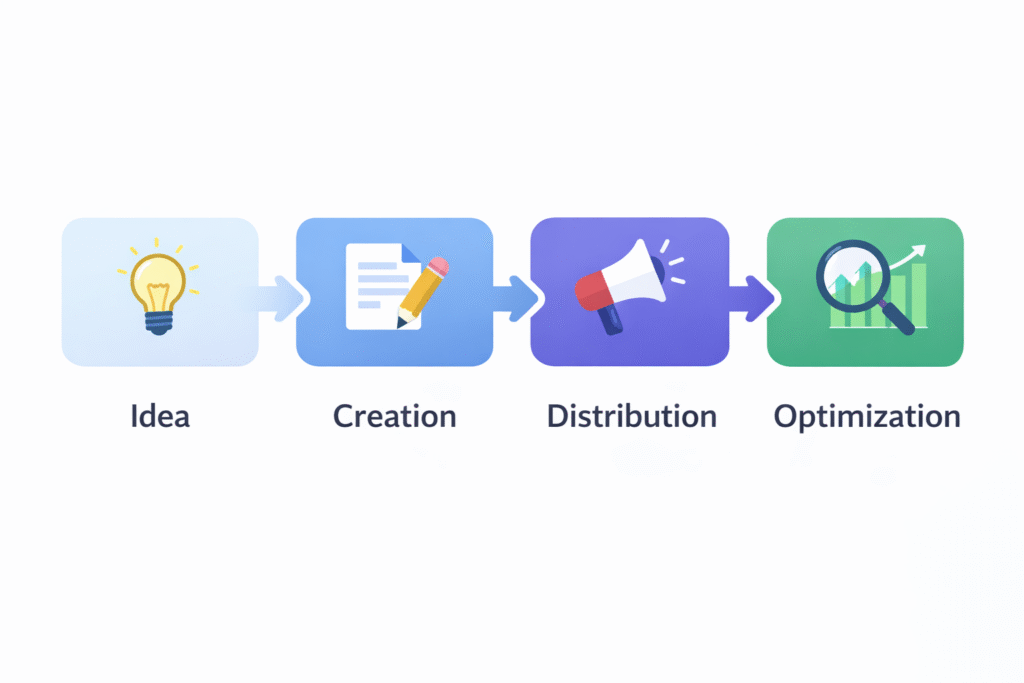
A high-performing content calendar with AI isn’t just about planning what to post next. It’s about building a system that continuously improves—where every piece of content feeds into the next stage of growth.
How This Strategy Impacts SEO & Traffic Growth
Posting content consistently might feel like a branding activity—but in reality, it’s one of the strongest SEO signals you can control.
When you implement a structured content calendar with AI, you’re not just organizing content. You’re building a system that directly influences how search engines discover, understand, and rank your website.
Consistency Improves Crawl Frequency
Search engines don’t just rank content—they first need to find it.
When your website is updated regularly, search engine crawlers (like Googlebot) visit your site more often. This increases the chances of your new content being indexed faster and appearing in search results sooner.
On the other hand, irregular posting sends the opposite signal:
- Your site appears inactive
- Crawlers visit less frequently
- New content takes longer to rank
A consistent publishing schedule, powered by a content calendar with AI, keeps your site active and visible.
Keyword Clustering Strengthens Topical Authority
Ranking today isn’t about a single keyword—it’s about covering a topic deeply.
When you plan content using AI, you naturally create topic clusters:
- One main topic (pillar)
- Multiple supporting articles around it
For example:
- Main topic → Content marketing
- Supporting topics → content calendar, AI tools, blog writing, SEO strategy
This structure signals to Google that your site has depth and expertise in a specific area. Over time, this improves your ability to rank across multiple related keywords—not just one.
Internal Linking Builds Authority and Improves Navigation
Internal linking is often overlooked, but it’s one of the simplest ways to improve SEO.
When your content is planned strategically, you can naturally link related posts together. This helps:
- Users navigate your site easily
- Search engines understand content relationships
- Distribute authority across pages
For example, when discussing optimization, you can guide readers to your SEO content writing guide to deepen their understanding.
A structured content calendar with AI makes this process easier because your topics are already connected, not scattered.
Data-Driven Planning Leads to Measurable Growth
Content without a strategy leads to random results. Content with a system leads to predictable growth.
According to HubSpot, businesses that publish content consistently can generate up to 3.5x more traffic compared to those that don’t. This is not just about volume—it’s about consistency combined with relevance.
With AI-driven planning:
- You target keywords with real demand
- You align content with user intent
- You continuously refine based on performance
This turns your content into a compounding asset rather than a one-time effort.
A well-executed content calendar with AI doesn’t just make your workflow easier—it directly impacts how your site grows in search rankings, visibility, and traffic over time.
Conclusion: From Content Chaos to AI-Driven Consistency
Content doesn’t fail because of a lack of ideas—it fails because of a lack of structure.
If you’ve been posting sporadically, overthinking every idea, or struggling to stay consistent, the problem wasn’t creativity. It was the absence of a system. And that’s exactly what you’ve built here.
An AI-powered content calendar transforms content creation from a daily struggle into a repeatable process. Instead of guessing what to post, you now have:
- A clear 30-day roadmap
- Data-backed content ideas
- A structured workflow from planning to publishing
- A system that adapts and improves over time
More importantly, it removes the mental load. You’re no longer starting from zero every day—you’re executing a plan that’s already aligned with your goals and audience.
This isn’t about replacing human creativity. It’s about supporting it with better tools and smarter processes. AI becomes your assistant, your planner, and your optimizer—while you focus on strategy, storytelling, and connection.
The real shift is this:
From chaos → to clarity
From inconsistency → to momentum
From effort → to system
Now the only thing left is execution.
Because a content calendar with AI doesn’t work when it’s saved in a document—it works when it’s implemented.
What is a content calendar with AI?
A content calendar with AI is a system that uses artificial intelligence to plan, organize, and optimize content. It helps generate ideas, structure posting schedules, and align content with audience demand and search trends.
How do I create a content calendar using AI?
Start by defining your goals, identifying your audience, generating ideas with AI, validating them through keyword research, and organizing them into a 30-day schedule. Then assign platforms, automate posting, and track performance.
Which AI tools are best for content planning?
Popular tools include ChatGPT for idea generation, Notion AI for planning, Trello for workflow management, and Jasper for content creation. Each tool supports a different stage of the process.
Can AI replace content strategists?
No. AI can assist with ideation, planning, and execution, but strategy, creativity, and audience understanding still require human input. The best results come from combining both.
Is AI content good for SEO?
Yes, if used correctly. According to Google’s guidelines, content should be helpful and user-focused. AI-generated content is acceptable as long as it provides value, accuracy, and originality.
How often should I update my content calendar?
Ideally, review and update your content calendar every month. You can also make small adjustments weekly based on performance and trends.
Can beginners use AI for content planning?
Yes. AI tools are beginner-friendly and can simplify the entire process. With basic prompts and structure, even beginners can plan content effectively.
What types of content should I include?
A balanced mix works best—blogs for SEO, social media posts for engagement, videos for reach, and educational or promotional content for conversions.
How do I track content performance?
Track metrics like click-through rate (CTR), engagement (likes, comments, shares), and conversions (leads or sales). These indicate how well your content is performing.
Is an AI content calendar suitable for small businesses?
Yes. It helps small businesses save time, reduce costs, and maintain consistency, making it easier to compete with larger brands.
💡 Interested in learning more? Contact RKDMT – Raju Kumar Digital Marketer – Best Digital Marketing Training Institute
🔗www.rajukumardigitalmarketing.com
📞 +91-7303933302, +91-9217057127
📧 rkdmt@rajukumardigitalmarketer.com

Founder at Digital Marketing Marvel | Founder at RKDMT – Raju Kumar Digital Marketing Trainer | Best Digital Marketing Trainer in Delhi/NCR – Digiperform | Project Manager | 5+ years | Genius Study Abroad & Inlingua’s Digital Marketing Head | Learn Digital Marketing