


5 Quick Fixes for Google Ads Disapproved Ads
Google Ads Disapproved Ads are one of the most frustrating and common challenges advertisers face when running paid campaigns. Whether you are a beginner or an experienced marketer, encountering Google Disapproved Ads can instantly stop your campaign from running.
When an ad gets disapproved, it becomes ineligible to show to users, which means you lose valuable impressions, clicks, leads, and potential sales. This can significantly impact your business growth, especially if your marketing strategy depends heavily on paid advertising.
According to industry estimates, nearly 20–30% of Google Disapproved Ads occur due to policy violations, landing page problems, or misleading content, making it a widespread issue across industries.
Google maintains strict advertising policies to protect users from harmful, misleading, or low-quality content. These policies ensure that ads shown on Google Search, YouTube, and partner networks are safe, relevant, and trustworthy. However, even small mistakes can trigger Disapproved Ads.
For example, using restricted keywords, making exaggerated claims, having a broken landing page link, poor website experience, or even formatting errors in ad copy can lead to disapproval. In many cases, advertisers don’t realize the exact reason behind Disapproved Ads, which causes delays and confusion in fixing the issue.
The impact of Disapproved Ads goes beyond just stopping your ads. It can reduce your campaign efficiency, delay launches, and affect your overall return on investment (ROI). If not resolved quickly, repeated Disapproved Ads can even affect your account reputation or lead to account suspension. That is why understanding the root causes and solutions is critical for anyone running Google Ads campaigns.
The good news is that most Google Ads Disapproved Ads can be fixed quickly once you identify the reason and apply the correct solution. By understanding Google’s policies, improving your ad copy, fixing landing page issues, and following best practices, you can prevent disapprovals and keep your campaigns running smoothly.
In this guide, you’ll learn:
- What Google Ads Disapproved Ads are and how they work
- Why Google Ads Disapproved Ads happen in the first place
- 5 quick fixes for Google Ads Disapproved Ads that you can apply immediately
- Prevention strategies to avoid future disapprovals
- Expert tips and best practices to maintain high approval rates
By the end of this guide, you’ll have a clear step-by-step understanding of how to fix Google Ads Disapproved Ads and ensure your campaigns run successfully without interruptions.
What Are Google Ads Disapproved Ads?
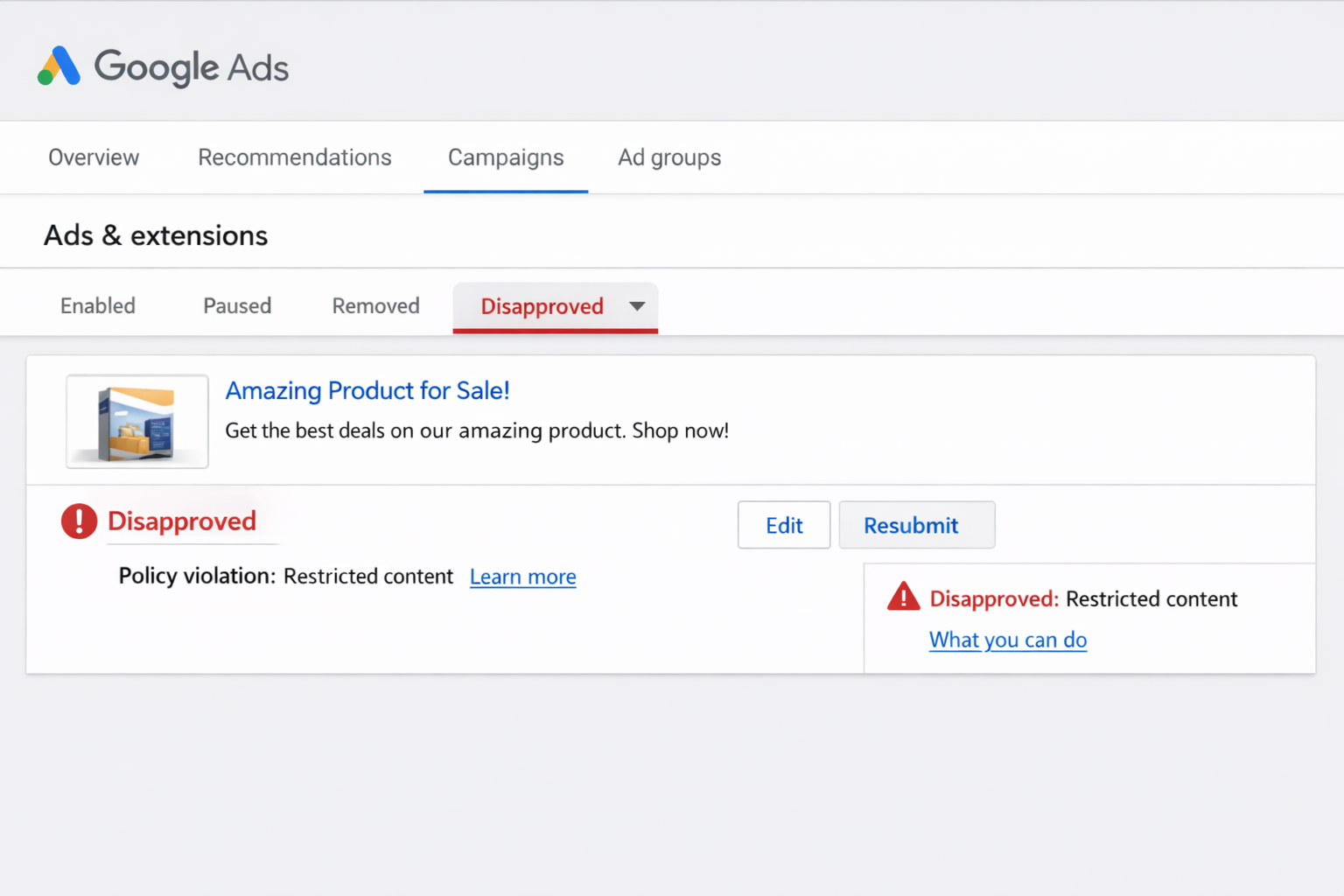
Google Ads Disapproved Ads are advertisements that Google has reviewed and rejected because they do not comply with its advertising policies or guidelines. When an ad becomes part of Google Ads Disapproved Ads, it is immediately marked as ineligible and will not be shown to users across Google Search, YouTube, or partner websites. This means your ad cannot generate impressions, clicks, or conversions until the issue is fixed and the ad is reviewed and approved again.
Google Ads Disapproved Ads usually occur when the ad copy, keywords, landing page, or overall campaign violates one or more of Google’s advertising policies. These policies are designed to protect users and ensure they see safe, honest, and high-quality ads.
Even small mistakes such as misleading claims, broken landing pages, restricted content, or poor formatting can result in Google Ads Disapproved Ads. In many cases, advertisers may not realize that their ads violate certain rules, which leads to unexpected disapproval.
When your ad is disapproved, Google will provide a specific reason in your Google Ads dashboard. This reason helps you understand what caused the Google Ads Disapproved Ads and what changes are needed. Once you correct the issue, you can resubmit the ad for review, and Google will check it again before approving or rejecting it.
Google uses both automated systems and manual reviewers to evaluate ads. These systems scan billions of ads daily to ensure compliance with advertising standards. This strict review process ensures that only trustworthy and relevant ads are shown to users, but it also means advertisers must be careful to avoid triggering Google Ads Disapproved Ads.
Approved Ads vs Google Ads Disapproved Ads
| Factor | Approved Ads | Google Ads Disapproved Ads |
| Policy compliance | Fully compliant | Violates policies |
| Visibility | Visible to users | Not shown |
| Traffic | Generates clicks | Zero traffic |
| Status | Eligible | Disapproved |
| Revenue impact | Positive | Negative |
As shown above, Google Ads Disapproved Ads can completely stop your campaign performance. Approved ads help generate traffic and revenue, while disapproved ads prevent your business from reaching potential customers.
Fact: Google processes billions of ads every day using advanced automated systems and human reviewers to detect violations and ensure policy compliance. This is why understanding and preventing Google Ads Disapproved Ads is essential for maintaining successful advertising campaigns.
Why Google Ads Disapproved Ads Happen
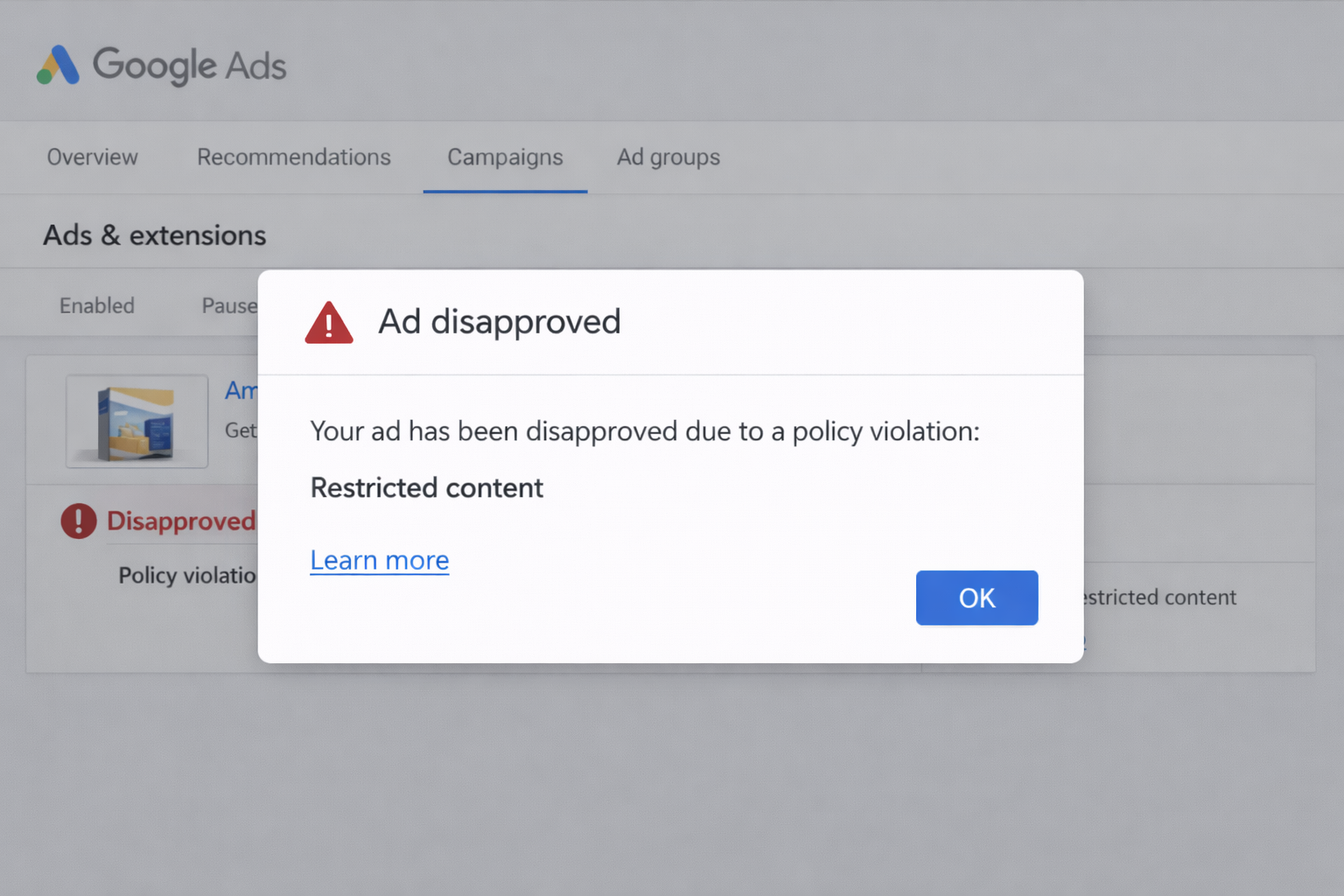
Google Ads Disapproved Ads happen when your advertisement fails to meet Google’s advertising policies, editorial standards, or technical requirements. Google’s primary goal is to provide users with a safe, trustworthy, and high-quality experience. To achieve this, Google uses automated systems and human reviewers to check ads, keywords, and landing pages. If your ad violates any rule, it becomes part of Google Ads Disapproved Ads and stops showing immediately.
Understanding the reasons behind Google Ads Disapproved Ads is essential because once you identify the cause, fixing the problem becomes much easier. Below are the most common reasons why Google Ads Disapproved Ads occur.
1. Policy Violations
Policy violations are the most common reason for Google Ads Disapproved Ads. Google has strict policies regarding what advertisers can promote and how they promote it. If your ad contains misleading, harmful, or restricted content, it will be disapproved.
Examples of policy violations include:
- Misleading claims: Making unrealistic promises like “100% guaranteed results” or “Instant success.”
- Prohibited content: Promoting illegal products, counterfeit goods, or harmful services
- Restricted industries: Advertising products or services that require special certification, such as healthcare, finance, or gambling
Google takes these violations seriously because misleading ads can harm user trust and experience. Even exaggerated marketing language can trigger Google Ads Disapproved Ads.
2. Destination Issues
Destination issues occur when the landing page linked to your ad does not meet Google’s standards. Google wants users to have a smooth and secure experience after clicking an ad. If your website is broken, slow, or unsafe, your ad may become one of the Google Ads Disapproved Ads.
Common destination issues include:
- Broken links: Landing pages that show 404 errors or do not load
- Slow loading pages: Websites that take too long to load, especially on mobile devices
- Malware detected: Websites containing harmful software or security risks
Google prioritizes user safety, so any website that appears unsafe or unreliable can cause Google Ads to disapprove.
3. Editorial Errors
Editorial errors refer to problems in ad formatting, grammar, and presentation. Google requires ads to be clear, professional, and easy to understand. Poor formatting or excessive promotional language can result in Google Ads Disapproved Ads.
Examples include:
- Excessive capitalization: Writing “BUY NOW BEST OFFER!!!”
- Grammar issues: Incorrect spelling or poor sentence structure
- Clickbait headlines: Misleading headlines that do not match the landing page
These errors reduce ad quality and user trust, which is why Google disapproves such ads.
4. Trademark Violations
Trademark violations happen when advertisers use brand names without permission. Google protects trademark owners and prevents unauthorized use of their brand names in ads.
Examples include:
- Using competitor brand names without authorization
- Misrepresenting affiliation with a brand
- Promoting branded products without approval
Trademark violations can quickly lead to Google Ads Disapproved Ads and may also cause account warnings.
5. Restricted Content
Certain industries have strict advertising rules. If your ad promotes restricted products or services without following proper guidelines, it may result in Google Ads Disapproved Ads.
Examples include:
- Healthcare claims: Making unverified medical promises
- Financial promises: Claiming guaranteed profits or instant loan approvals
These industries require transparency and compliance, and failure to follow guidelines can cause disapproval.
Common Causes of Google Ads Disapproved Ads
| Reason | Percentage |
| Policy violation | 35% |
| Destination issues | 28% |
| Editorial errors | 18% |
| Trademark issues | 10% |
| Other | 9% |
These statistics show that policy violations and landing page problems are the leading causes of Google Ads Disapproved Ads. By understanding and addressing these issues, advertisers can significantly reduce disapprovals and improve campaign performance.
Impact of Google Ads Disapproved Ads on Campaign Performance
Google Ads Disapproved Ads can have a serious negative impact on your overall campaign performance, visibility, and revenue generation. When your ads are disapproved, they immediately stop showing to potential customers, which means your business loses valuable opportunities to attract traffic and generate conversions. This interruption can affect both short-term campaign results and long-term advertising success, especially if your business depends heavily on paid traffic.
One of the biggest impacts of Google Ads Disapproved Ads is lost traffic. Since disapproved ads are not eligible to appear in search results or display networks, your target audience cannot see or click on your ads. This reduces your reach and prevents potential customers from discovering your products or services.
Fact: Businesses can lose up to 40% of potential conversions due to Google Ads Disapproved Ads, which shows how damaging disapprovals can be to campaign success. Even a short delay in fixing Google Ads Disapproved Ads can result in missed leads and lost sales opportunities.
Another major impact of Google Ads Disapproved Ads is lower conversions. Conversions happen when users take action, such as making a purchase, filling out a form, or contacting your business. When your ads are disapproved, users never reach your landing page, which completely stops the conversion process. This can disrupt your marketing funnel and reduce overall campaign effectiveness.
Google Ads Disapproved Ads also lead to a lower return on investment (ROI). Businesses invest time and money into creating campaigns, researching keywords, and optimizing ads. When ads get disapproved, that investment does not produce results. This reduces efficiency and increases the cost of customer acquisition.
Campaign delays are another common issue caused by Google Ads Disapproved Ads. If your ads are disapproved during a product launch, promotion, or seasonal campaign, you may miss critical marketing opportunities. These delays can give competitors an advantage and reduce your market visibility.
Finally, Google Ads Disapproved Ads can affect your Quality Score, which is Google’s rating of your ad quality and relevance. Frequent disapprovals signal poor ad quality or policy compliance, which can reduce your Quality Score over time. A lower Quality Score can increase your cost-per-click (CPC) and reduce your ad rankings, making your campaigns more expensive and less effective.
Overall, Google Ads Disapproved Ads can severely impact traffic, conversions, ROI, and campaign performance. Fixing disapprovals quickly and following Google Ads policies is essential to ensure your campaigns run smoothly and deliver consistent results.
5 Quick Fixes for Google Ads Disapproved Ads
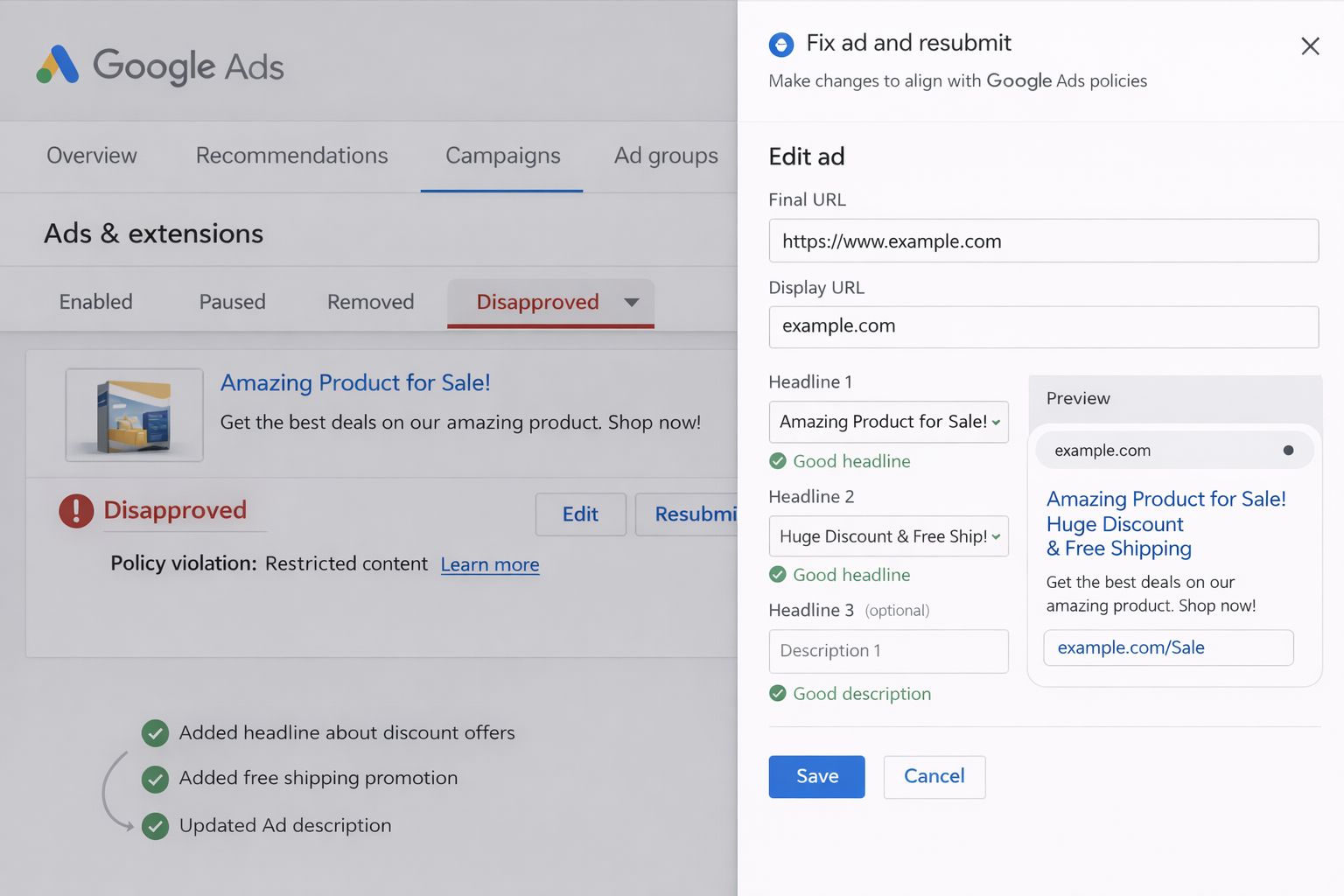
Google Ads Disapproved Ads can stop your campaigns instantly, but the good news is that most disapprovals can be fixed quickly if you follow the correct steps. Google provides clear reasons for disapproval, and once you identify the issue, you can take action to resolve it. Fixing Google Ads Disapproved Ads not only restores your campaign but also improves your ad quality, performance, and long-term approval rate. Below are the 5 most effective and quick fixes for Google Ads Disapproved Ads.
Fix #1: Check the Exact Disapproval Reason in Google Ads
The first and most important step to fix Google Ads Disapproved Ads is to identify the exact reason why your ad was disapproved. Google always provides a specific disapproval reason in the Google Ads dashboard. You can find this by going to your campaign, navigating to the “Ads & Assets” section, and checking the “Status” column.
When you click on the disapproved status, Google will show detailed information about the policy violation. This information helps you understand whether the issue is related to ad copy, landing page, keywords, or policy compliance. Fact: Over 60% of Google Ads Disapproved Ads can be fixed quickly once advertisers review the exact policy violation and make the necessary corrections.
Common disapproval reasons include:
- Destination not working
- Misleading content
- Restricted content
- Editorial violations
- Trademark violations
Once you understand the reason, you can make the appropriate changes. Never try to guess the issue without checking the official disapproval message, as incorrect fixes can delay approval further.
Fix #2: Fix Landing Page and Destination Issues
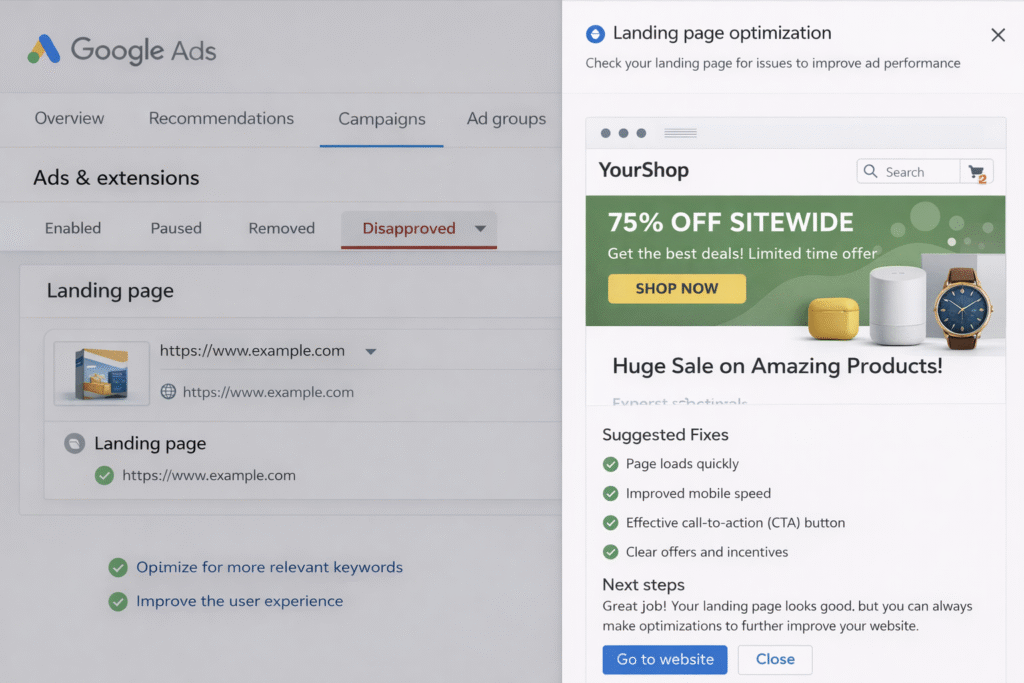
Landing page problems are one of the leading causes of Google Ads Disapproved Ads. Google requires landing pages to be functional, secure, relevant, and user-friendly. If your landing page does not meet these requirements, your ads may be disapproved.
Start by checking whether your landing page loads properly on both desktop and mobile devices. Make sure there are no broken links, error pages, or slow loading issues. Fact: Studies show that 53% of users leave a website if it takes more than 3 seconds to load, which is why Google prioritizes fast and responsive landing pages.
Checklist to fix landing page issues:
- Ensure the landing page URL works correctly
- Improve website loading speed
- Make your website mobile-friendly
- Remove malware or security risks
- Ensure landing page content matches ad copy
Google wants users to have a smooth and safe experience. Fixing landing page issues can quickly resolve many Google Ads Disapproved Ads and improve your campaign performance.
Fix #3: Correct Editorial and Ad Copy Errors
Editorial violations are another common reason for Google Ads Disapproved Ads. Google requires ads to be clear, professional, and easy to understand. Poor grammar, excessive capitalization, and misleading headlines can cause disapproval.
Examples of incorrect and correct ad copy:
| Incorrect Ad Copy | Correct Ad Copy |
| BUY NOW!!! BEST OFFER GUARANTEED!!! | Buy Now – Limited Time Offer |
| 100% Guaranteed Instant Results | Proven Strategies That Deliver Results |
| CLICK HERE NOW!!! | Learn More About Our Services |
Fact: Ads with clear, professional language have up to 25% higher approval and engagement rates compared to ads with poor formatting.
To fix editorial issues:
- Use proper grammar and spelling
- Avoid excessive punctuation
- Avoid exaggerated claims
- Write clear and honest ad copy
Improving your ad copy not only fixes Google Ads Disapproved Ads but also increases user trust and click-through rates.
Fix #4: Remove or Replace Restricted Keywords and Content
Using restricted or prohibited keywords is another major cause of Google Ads Disapproved Ads. Google restricts certain types of content, especially in industries like healthcare, finance, and legal services.
Examples of restricted vs safe alternatives:
| Restricted Keyword | Safe Alternative |
| Guaranteed income | Potential income opportunities |
| Instant approval | Fast approval process |
| Cure disease | Helps support health |
Fact: Policy-related keyword violations account for approximately 35% of all Google Ads Disapproved Ads globally.
To fix this issue:
- Review your ad copy and keywords carefully
- Remove prohibited or misleading terms
- Replace aggressive claims with compliant alternatives
- Follow Google Ads advertising policies
This step is critical because even one restricted keyword can cause Google Ads Disapproved Ads.
Fix #5: Request Review After Fixing the Issues
After fixing the issues, the final step is to request a review from Google. Your ad will not run automatically until Google reviews and approves it again.
Steps to request review:
- Go to Google Ads dashboard
- Navigate to Ads & Assets
- Select the disapproved ad
- Click “Edit” and make necessary changes
- Click “Save”
- Click “Request Review”
Fact: Most Google Ads Disapproved Ads are reviewed within 24–48 hours after submitting a review request.
During the review process, Google checks your ad again to ensure it complies with policies. If your changes meet the requirements, your ad will be approved and start running again.
Quick Fix Summary Table
| Problem | Quick Fix | Impact |
| Policy violation | Edit ad copy | Restores compliance |
| Landing page issue | Fix website errors | Improves user experience |
| Editorial errors | Correct formatting | Improves approval chances |
| Restricted keywords | Replace keywords | Prevents policy violations |
| Disapproved status | Request review | Restarts ad delivery |
Why Fixing Google Ads Disapproved Ads Quickly Is Important
Fixing Google Ads Disapproved Ads quickly ensures your campaigns continue running without interruption. The longer your ads remain disapproved, the more traffic, leads, and revenue you lose. Prompt action helps restore campaign performance and prevents further account issues.
By following these five quick fixes, you can resolve most Google Ads Disapproved Ads efficiently and keep your campaigns running smoothly. More importantly, applying these best practices helps prevent future disapprovals and improves your overall Google Ads success.
Also Read: Find the Right Keyword for Google Ads Campaigns
How to Prevent Google Ads Disapproved Ads
Preventing Google Ads Disapproved Ads is always better than fixing them after they occur. When your ads are approved from the beginning, your campaigns run smoothly, generate consistent traffic, and deliver better return on investment.
Google Ads Disapproved Ads usually happen due to avoidable mistakes such as policy violations, landing page problems, or misleading ad copy. By following best practices and taking preventive steps, you can significantly reduce the chances of Google Ads Disapproved Ads and maintain a strong advertising account.
Below are the most effective strategies to prevent Google Ads Disapproved Ads.
Follow Google Ads Policies Carefully
The most important step to prevent Google Ads Disapproved Ads is to understand and follow Google Ads advertising policies. These policies define what type of content is allowed and what is prohibited. Google regularly updates its policies to ensure user safety and maintain ad quality. If your ads do not follow these guidelines, they are likely to become Google Ads Disapproved Ads.
You should review policies related to:
- Prohibited content
- Restricted content
- Editorial requirements
- Destination requirements
- Trademark rules
Fact: Advertisers who regularly review and follow Google Ads policies experience up to 30% fewer Google Ads Disapproved Ads compared to those who ignore policy updates.
Always ensure your ads are honest, clear, and compliant with Google’s standards.
Use Clean, Secure, and High-Quality Landing Pages
Your landing page plays a critical role in preventing Google Ads Disapproved Ads. Google evaluates landing pages to ensure they provide a good user experience. If your website is slow, broken, or unsafe, your ads may be disapproved.
To prevent landing page-related Google Ads Disapproved Ads:
- Ensure your website loads quickly
- Make your website mobile-friendly
- Avoid broken links and error pages
- Use secure HTTPS connections
- Provide relevant and useful content
Fact: Google prioritizes user experience, and websites with poor performance or security issues are significantly more likely to cause Google Ads Disapproved Ads.
A clean landing page improves both ad approval rates and conversion rates.
Avoid Misleading Claims and Exaggerated Language
Misleading claims are one of the most common causes of Google Ads Disapproved Ads. Google does not allow ads that make unrealistic promises or false guarantees. Ads must be honest, accurate, and transparent.
Avoid phrases like:
- “100% guaranteed results”
- “Instant success”
- “Earn unlimited money quickly.”
Instead, use realistic and compliant language such as:
- “Proven strategies”
- “Trusted by thousands of customers.”
- “Professional and reliable services”
Fact: Honest and transparent ads build higher trust and are more likely to remain approved and perform better.
Clear and truthful messaging helps prevent Google Ads Disapproved Ads and improves campaign credibility.
Monitor Your Campaigns Regularly
Regular monitoring is essential to prevent Google Ads Disapproved Ads. Sometimes ads may get disapproved after policy updates or landing page changes. Checking your campaigns frequently helps you identify and fix problems early.
You should monitor:
- Ad status
- Policy notifications
- Landing page performance
- Keyword compliance
Fact: Regular campaign monitoring helps advertisers detect and fix Google Ads Disapproved Ads up to 50% faster.
Early detection prevents long-term campaign disruption.
Test Ads Before Launch Using Google Tools
Before launching your ads, you should test them using Google’s built-in tools such as the Ad Preview and Diagnosis Tool. This tool helps you identify potential issues before your ads go live.
Benefits of testing ads before launch:
- Detect policy violations early
- Prevent Google Ads Disapproved Ads
- Improve ad quality
- Ensure landing page compatibility
Testing allows you to fix issues before they affect your campaign performance.
Prevention Checklist
| Prevention Step | Benefit |
| Follow Google policies | Prevents policy violations |
| Use secure landing pages | Improves approval rate |
| Avoid misleading claims | Builds trust and compliance |
| Monitor campaigns regularly | Detects issues early |
| Test ads before launch | Prevents disapproval |
Preventing Google Ads Disapproved Ads requires careful planning, policy compliance, and regular monitoring. By following Google Ads policies, maintaining high-quality landing pages, avoiding misleading claims, monitoring your campaigns, and testing ads before launch, you can significantly reduce disapprovals. Taking these preventive steps ensures your campaigns run smoothly, maintain high approval rates, and deliver consistent traffic, leads, and conversions.
Google Ads Policy Checklist
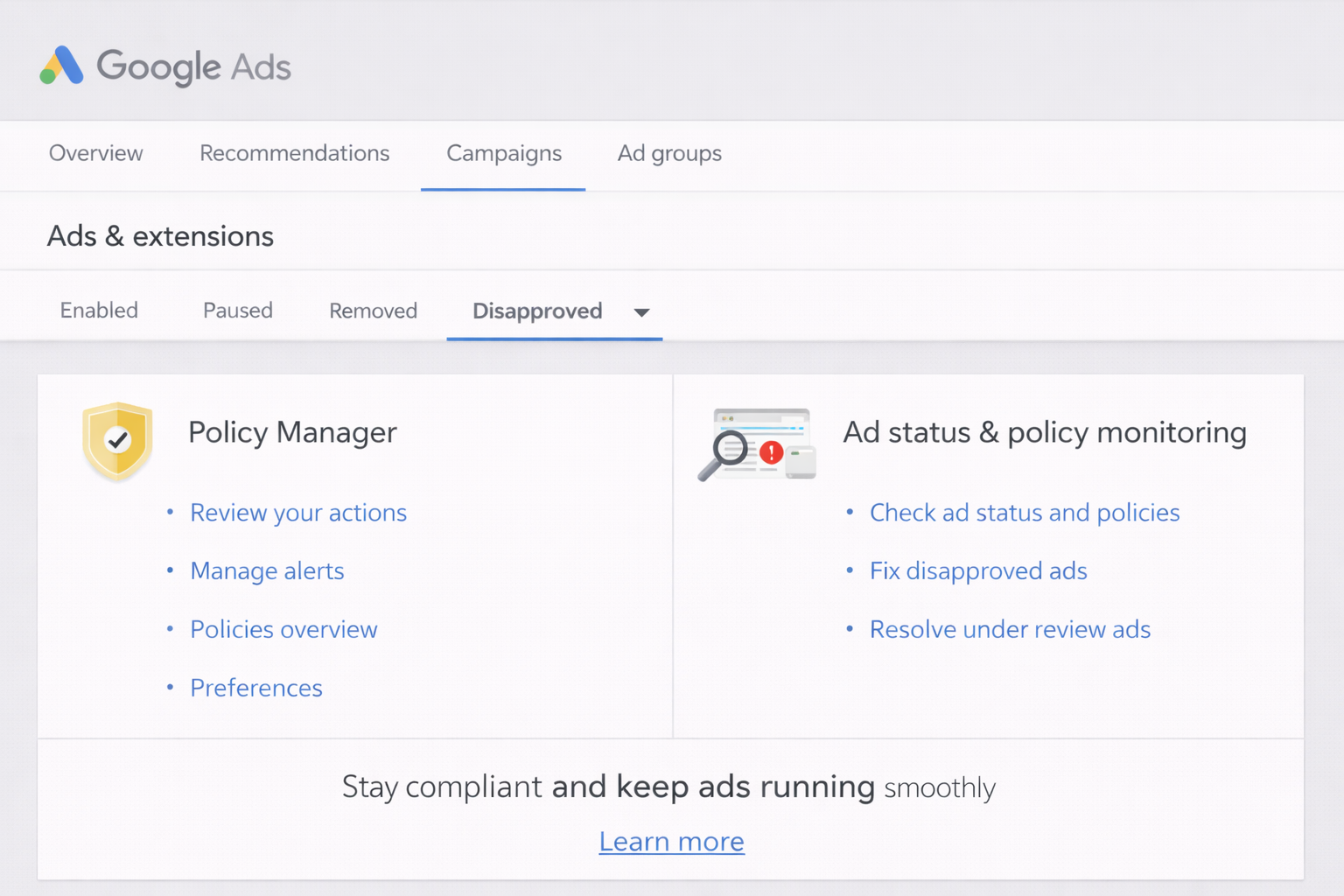
Following a proper checklist is one of the most effective ways to prevent Google Ads Disapproved Ads and ensure your campaigns run without interruption. Google reviews every ad to make sure it meets strict advertising policies, editorial standards, and destination requirements.
Even small mistakes such as grammar errors, broken landing pages, or misleading claims can result in Google Ads Disapproved Ads. By using a structured checklist before launching your campaign, you can identify and fix potential problems early.
A Google Ads policy checklist helps advertisers verify that their ad copy, keywords, and landing pages comply with Google’s requirements. This checklist acts as a preventive tool to reduce the chances of Google Ads Disapproved Ads and improve overall campaign performance. Fact: Advertisers who follow a structured compliance checklist reduce Google Ads Disapproved Ads by up to 40%, improving campaign approval rates and performance.
Before publishing any ad, you should carefully review your content, landing page, and keywords to ensure compliance. Your ad copy should be clear, honest, and free from misleading or exaggerated claims. Your landing page must work properly, load quickly, and provide relevant information that matches the ad. Grammar, spelling, and formatting must also be correct, as editorial errors can trigger Google Ads Disapproved Ads.
Below is a simple and effective Google Ads policy checklist you should follow before launching any campaign:
| Checklist | Status |
| Policy-compliant content | Yes |
| Working landing page | Yes |
| No restricted keywords | Yes |
| Proper grammar | Yes |
| No misleading claims | Yes |
This checklist ensures your ads meet Google’s standards and reduces the risk of Google Ads Disapproved Ads. Reviewing this checklist regularly helps maintain high approval rates, improves ad quality, and ensures consistent campaign performance. By making this checklist part of your ad creation process, you can prevent Google Ads Disapproved Ads and run successful, compliant campaigns.
Expert Tips to Avoid Google Ads Disapproved Ads
Avoiding Google Ads Disapproved Ads requires more than just fixing errors—it involves following a strategic approach to ensure your ads remain compliant from the beginning. Experienced advertisers use proven methods and best practices to minimize disapprovals and maintain consistent campaign performance.
By applying expert tips, you can reduce the risk of Google Ads Disapproved Ads, improve approval rates, and ensure your campaigns run smoothly without interruptions.
One of the most effective tips is to use policy-compliant ad templates. Creating templates that follow Google Ads guidelines ensures consistency and reduces the chances of mistakes. These templates should include clear messaging, proper grammar, compliant keywords, and accurate descriptions.
Using compliant templates saves time and prevents common issues that lead to Google Ads Disapproved Ads.
Another important tip is to avoid aggressive or exaggerated marketing language. Many advertisers use phrases like “Guaranteed Results,” “Instant Success,” or “Best Service Ever,” which can trigger Google Ads Disapproved Ads. Google prefers honest, realistic, and transparent messaging. Instead of exaggerated claims, focus on highlighting real benefits, features, and value propositions.
Fact: Advertisers who strictly follow Google Ads policies experience up to 25% higher ad approval rates and fewer disapprovals. This shows the importance of writing compliant and trustworthy ad copy.
You should also monitor Google Ads policy updates regularly. Google frequently updates its advertising policies to improve user safety and ad quality. If you are not aware of these changes, your ads may become part of Google Ads Disapproved Ads without warning. Staying updated helps you adjust your campaigns quickly and maintain compliance. Checking policy updates monthly is a good practice for all advertisers.
Using trusted and secure domains is another critical factor in avoiding Google Ads Disapproved Ads. Google evaluates the credibility and security of your website before approving ads. Websites with HTTPS security, fast loading speeds, and clear content are more likely to get approved. Avoid using suspicious, low-quality, or newly created domains that may appear untrustworthy to Google’s system.
Finally, always review your ads before publishing. Double-check your ad copy, keywords, and landing pages to ensure everything complies with Google Ads policies. Prevention is always easier than fixing Google Ads Disapproved Ads after they occur.
By using compliant templates, avoiding aggressive language, monitoring policy updates, and maintaining trusted domains, you can significantly reduce Google Ads Disapproved Ads. These expert tips will help you maintain high approval rates, protect your account, and ensure long-term advertising success.
Case Study: How Fixing Google Ads Disapproved Ads Improved Performance
To understand the real impact of fixing Google Ads Disapproved Ads, let’s look at a practical case study of a service-based business running lead generation campaigns through Google Ads. The business was targeting high-intent keywords and had created multiple ads, but most of their ads became Google Ads Disapproved Ads due to policy violations, misleading claims, and landing page issues. As a result, their campaigns were underperforming and not generating expected results.
Before fixing the Google Ads Disapproved Ads, their campaign performance was very poor. Since several ads were disapproved, their visibility dropped significantly. Their ads were rarely shown, which resulted in very low engagement and conversions.
Campaign performance before fixing Google Ads Disapproved Ads:
| Metric | Performance |
| CTR (Click-Through Rate) | 1.2% |
| Conversion rate | Low |
| Ad visibility | Limited |
| Lead generation | Poor |
| Campaign ROI | Negative |
Fact: Google Ads Disapproved Ads can reduce ad impressions by over 50%, significantly affecting campaign performance and revenue potential.
After identifying the causes of Google Ads Disapproved Ads, the business took corrective actions. They removed misleading claims from their ad copy, fixed landing page errors, improved website speed, and ensured full compliance with Google Ads policies. They also requested a review after making the necessary changes.
Once the Google Ads Disapproved Ads were fixed and approved, their campaign performance improved dramatically. Their ads started showing more frequently, which increased clicks, traffic, and conversions.
Campaign performance after fixing Google Ads Disapproved Ads:
| Metric | Performance |
| CTR (Click-Through Rate) | 4.5% |
| Conversion rate | Increased significantly |
| Ad visibility | High |
| Lead generation | Strong improvement |
| Campaign ROI | Positive |
This case study clearly shows that fixing Google Ads Disapproved Ads can transform campaign performance. By ensuring policy compliance, improving landing page quality, and using accurate ad copy, businesses can increase CTR, conversions, and overall ROI while maintaining consistent ad delivery.
Google Ads Disapproved Ads can seriously affect your campaign performance, visibility, and overall return on investment. When your ads are disapproved, they immediately stop showing to your target audience, which results in lost traffic, missed leads, and reduced revenue opportunities.
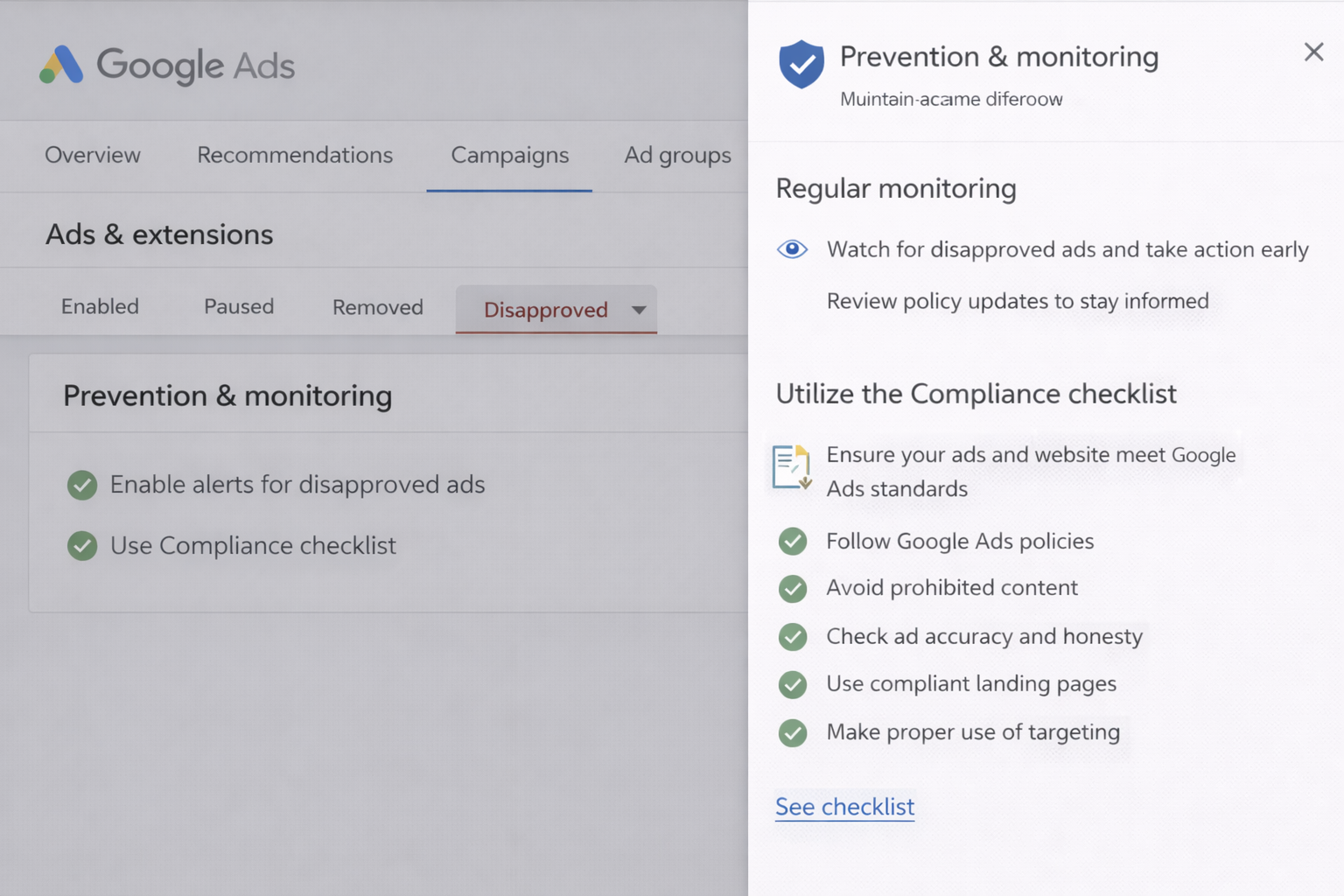
However, the good news is that most Google Ads Disapproved Ads can be fixed quickly and efficiently if you understand the root cause and follow the correct steps. Identifying the exact reason for disapproval, fixing policy violations, improving landing page quality, correcting editorial errors, and removing restricted content are the key actions required to restore your ads.
Taking prompt action is essential because the longer Google Ads Disapproved Ads remain unresolved, the greater the negative impact on your business. Once you fix the issues and request a review, Google can approve your ads, allowing them to run again and generate traffic and conversions.
Fact: Advertisers who resolve Google Ads Disapproved Ads quickly often see significant improvements in ad visibility, click-through rates, and conversions. This highlights the importance of monitoring and maintaining compliance at all times.
Prevention is always the best long-term strategy to avoid Google Ads Disapproved Ads. By carefully following Google Ads policies, using compliant ad copy, maintaining secure and fast landing pages, and regularly monitoring your campaigns, you can reduce the chances of disapproval.
Creating high-quality, honest, and user-focused ads not only prevents Google Ads Disapproved Ads but also improves overall campaign performance.
In conclusion, Google Ads Disapproved Ads are a common challenge, but they are manageable with the right knowledge and approach. By applying the fixes, following best practices, and maintaining policy compliance, you can ensure your campaigns run smoothly, deliver consistent results, and achieve long-term advertising success.
Why are my Google Ads Disapproved Ads?
Google Ads Disapproved Ads happen when your ads violate Google’s advertising policies, editorial standards, or destination requirements. Common reasons include misleading claims, broken landing pages, restricted keywords, trademark violations, or poor grammar. You can check the exact reason in the Google Ads dashboard under the ad status column.
How do I fix Google Ads Disapproved Ads quickly?
To fix Google Ads Disapproved Ads, first identify the disapproval reason in your dashboard. Then edit your ad copy, fix landing page issues, remove restricted content, and ensure policy compliance. After making corrections, submit your ad for review. Most Google Ads Disapproved Ads are resolved within 24–48 hours.
How long does it take to fix Google Ads Disapproved Ads?
Google usually reviews fixed Google Ads Disapproved Ads within 24 to 48 hours. However, in some cases, it may take longer depending on the complexity of the issue or the number of review requests. Once approved, your ads will start running automatically.
Do Google Ads Disapproved Ads affect campaign performance?
Yes, Google Ads Disapproved Ads can significantly affect campaign performance. Disapproved ads stop showing to users, resulting in lost impressions, reduced traffic, lower conversions, and decreased return on investment (ROI).
Can Google Ads Disapproved Ads lead to account suspension?
Yes, repeated Google Ads Disapproved Ads due to serious or repeated policy violations can lead to account suspension. Google monitors advertiser compliance, and continuous violations may result in restrictions or permanent account suspension.
Where can I check Google Ads Disapproved Ads status?
You can check Google Ads Disapproved Ads status in your Google Ads dashboard under the “Ads & Assets” section. The status column will show whether your ad is approved, disapproved, or under review, along with the reason for disapproval.
What are the most common reasons for Google Ads Disapproved Ads?
The most common reasons for Google Ads Disapproved Ads include policy violations, misleading claims, broken landing pages, editorial errors, trademark violations, and restricted content such as financial or healthcare claims.
Can I appeal Google Ads Disapproved Ads?
Yes, you can appeal Google Ads Disapproved Ads after fixing the issue. Simply edit the ad, correct the violations, and click the “Request Review” option in your Google Ads dashboard. Google will review your ad and approve it if it meets policy requirements.
How can I prevent Google Ads Disapproved Ads in the future?
To prevent Google Ads Disapproved Ads, follow Google Ads policies, use honest ad copy, maintain a secure and fast landing page, avoid restricted keywords, and regularly monitor your campaign performance and ad status.
Do landing pages cause Google Ads Disapproved Ads?
Yes, landing pages are a common cause of Google Ads Disapproved Ads. Issues such as broken links, slow loading speed, malware, irrelevant content, or poor user experience can result in ad disapproval. Ensuring a high-quality landing page helps prevent disapprovals.
💡 Interested in learning more? Contact RKDMT – Raju Kumar Digital Marketer (Best Digital Marketing Training Institute)
🔗 www.rajukumardigitalmarketer.com
📞 +91-7303933302 | +91-9217057127
📧 rkdmt@rajukumardigitalmarketer.com

Founder at Digital Marketing Marvel | Founder at RKDMT – Raju Kumar Digital Marketing Trainer | Best Digital Marketing Trainer in Delhi/NCR – Digiperform | Project Manager | 5+ years | Genius Study Abroad & Inlingua’s Digital Marketing Head | Learn Digital Marketing