


What Is Google Ads? A Complete Beginner’s Guide
Google Ads is Google’s online advertising platform that helps businesses promote their products and services across Google Search, YouTube, and partner websites. In simple terms, What Is Google Ads?
It is a paid advertising system where businesses bid on keywords to show their ads to users who are actively searching for related solutions. If you’ve ever seen search results labeled as “Ad” at the top of Google, that’s Google Ads in action.
Businesses use Google Ads today because it delivers instant visibility and measurable results. Unlike traditional marketing, ads are shown only to users with clear intent.
According to Google data, businesses earn an average of ₹8 for every ₹1 spent on Google Ads, making it one of the most effective digital marketing channels. This is why understanding What Is Google Ads has become essential for companies of all sizes.
This guide is created specifically for beginners, students, freelancers, and small business owners who want a clear and practical explanation without technical confusion.
If you are new to digital marketing or planning to advertise online, learning What Is Google Ads will help you make smarter marketing decisions and reach the right audience faster
Also Read: What are Different Types of Google Ads Campaign Objectives
What Is Google Ads? (Simple Definition)
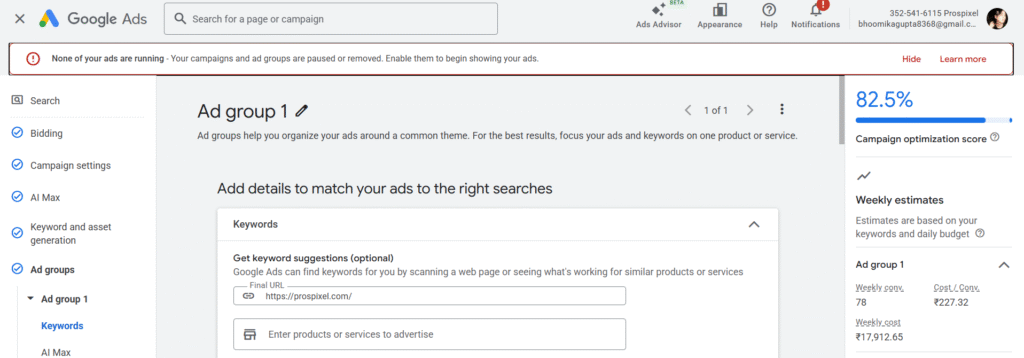
What Is Google Ads? Google Ads is an online advertising platform by Google that allows businesses to display paid advertisements to users who are actively searching for related products, services, or information.
Advertisers choose keywords, set a budget, and pay only when someone clicks on their ad, which is why Google Ads is also known as a pay-per-click (PPC) advertising system.
Many beginners get confused between “Google Ad” and “Google Ads.” A Google Ad refers to a single advertisement that appears on Google Search, YouTube, or a website, while Google Ads is the overall advertising platform used to create, manage, and optimize those ads. In short, Google Ads is the system, and a Google Ad is the result you see on the screen.
Example (one sentence):
If someone searches “best digital marketing course in Delhi” and sees a sponsored result at the top, that sponsored listing is a Google Ad created using the Google Ads platform.
Also Read: Complete Guide to Google Ads Assets
How Does Google Ads Work (Step-by-Step)
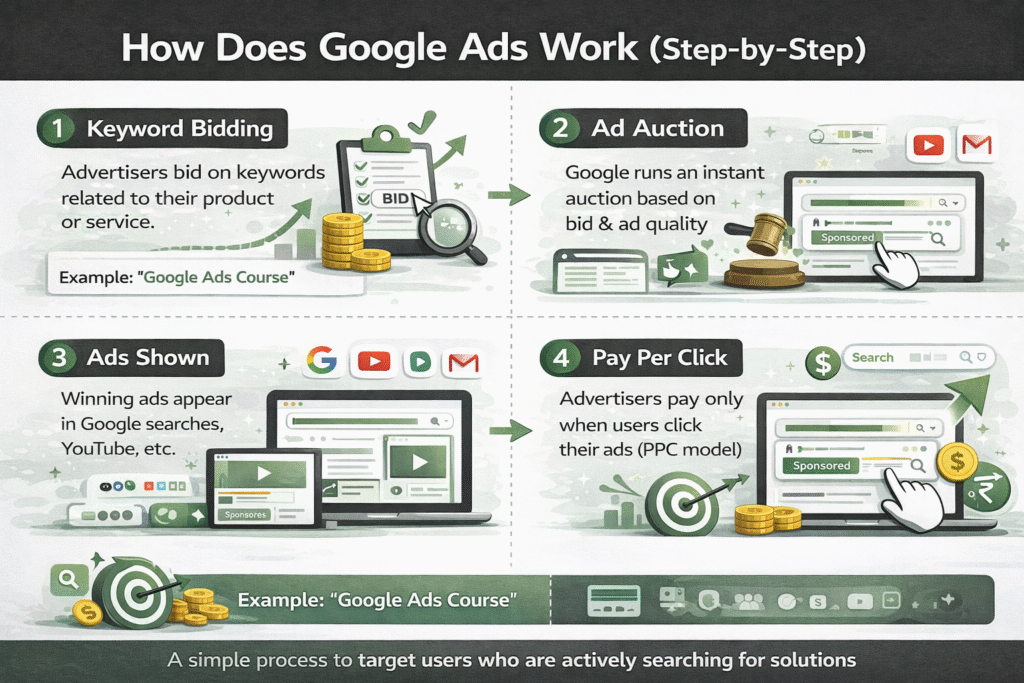
To truly understand What Is Google Ads, it’s important to know how the system works behind the scenes. Google Ads follows a simple yet powerful process that connects businesses with users who are actively searching for solutions.
First, advertisers bid on keywords related to their products or services. For example, a digital marketing institute might bid on keywords like “Google Ads course” or “online marketing classes.” This bid tells Google how much the advertiser is willing to pay for a click, but higher bids alone do not guarantee top placement.
Next, ads appear across Google’s network, including Google Search results, YouTube videos, Gmail, and millions of partner websites. When a user searches for a keyword or watches related content, Google runs an instant auction to decide which ads to show based on relevance, bid amount, and ad quality.
Advertisers pay only when someone clicks on their ad, which is known as the pay-per-click (PPC) model. This makes Google Ads cost-effective because businesses are charged only when users show real interest. This step-by-step process is what makes Google Ads one of the most targeted and results-driven advertising platforms available today.
Also Read: Complete B2B Keyword Research to International Keyword Research Guide
Where Do Google Ads Appear?
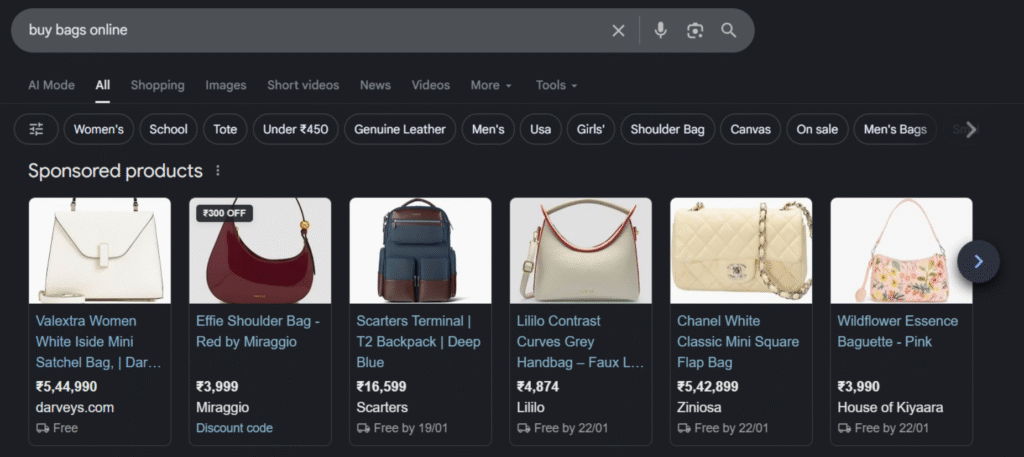
One of the biggest advantages of understanding What Is Google Ads is knowing where your ads can show up. Google Ads does not limit your visibility to just search results—it allows businesses to reach users across multiple platforms owned or partnered with Google.
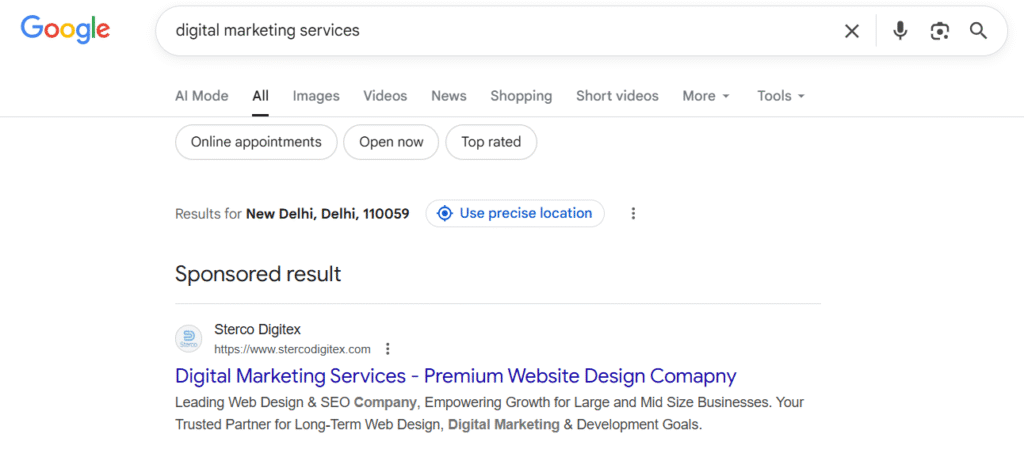
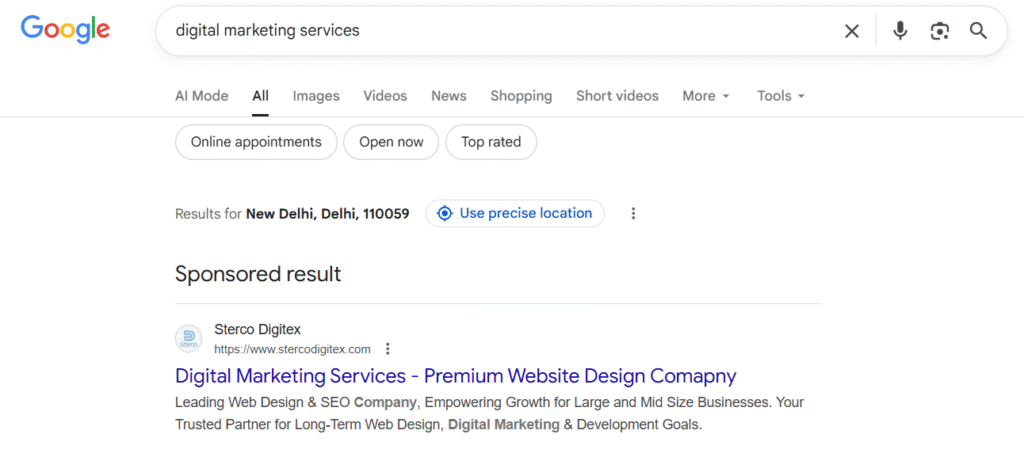
Google Search results are the most common placement. When users search for keywords like “best laptop under ₹50,000” or “plumber near me,” ads appear at the top or bottom of the search page with an “Ad” label. These ads target users with high purchase intent.
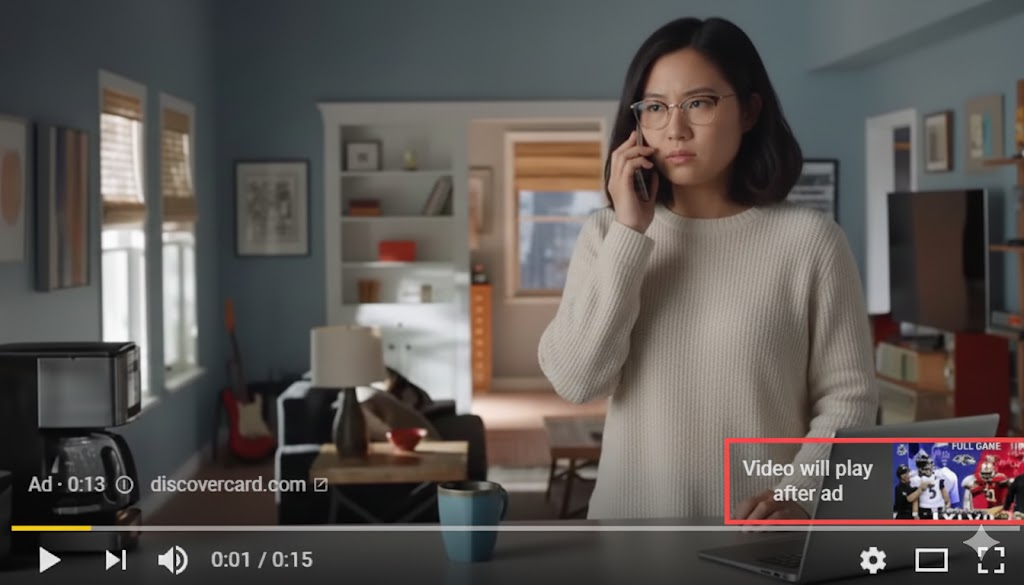
YouTube videos are another powerful placement. Google Ads allows businesses to run Google video ads before, during, or after YouTube videos. For example, a fitness brand may show workout gear ads before a fitness tutorial, reaching users already interested in that topic.

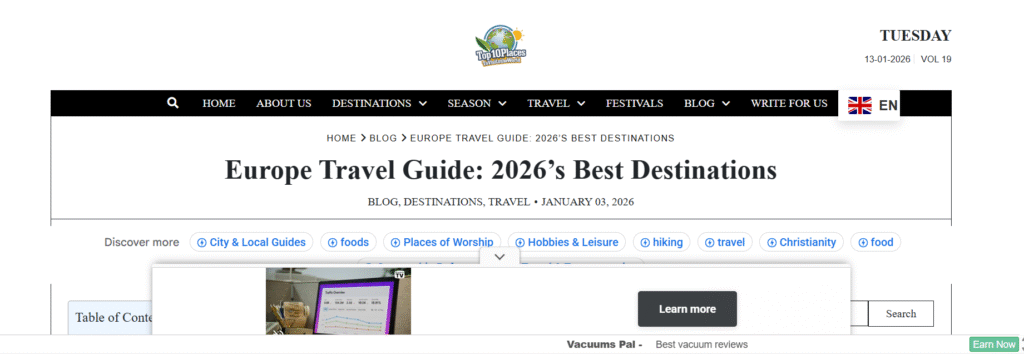
Partner websites through the Google Display Network include millions of blogs, news sites, and apps. Google Display Ads appear as banners or images, helping businesses increase brand awareness and retarget users who have previously visited their website.
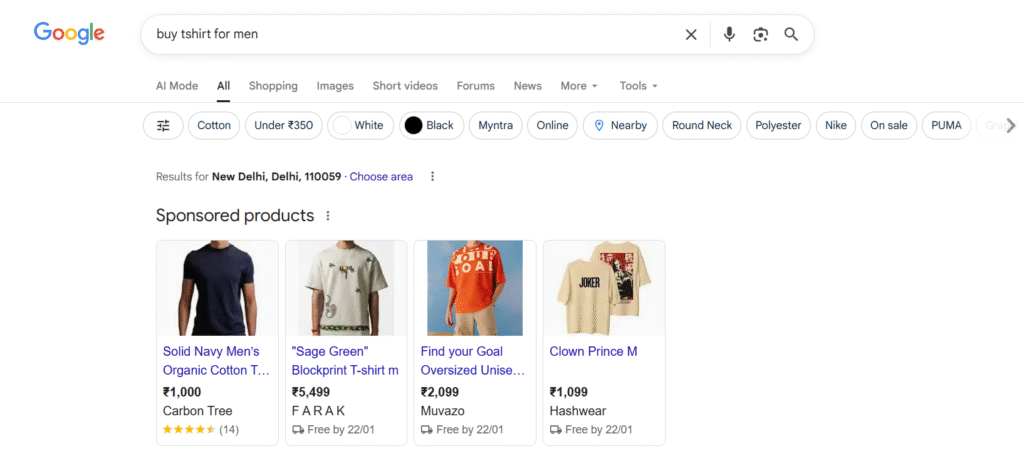
Google Ads also appear on Google Shopping and Gmail. Shopping ads showcase product images, prices, and reviews directly in search results, while Gmail ads appear in the Promotions tab, blending naturally into the user’s inbox.
Types of Google Ads
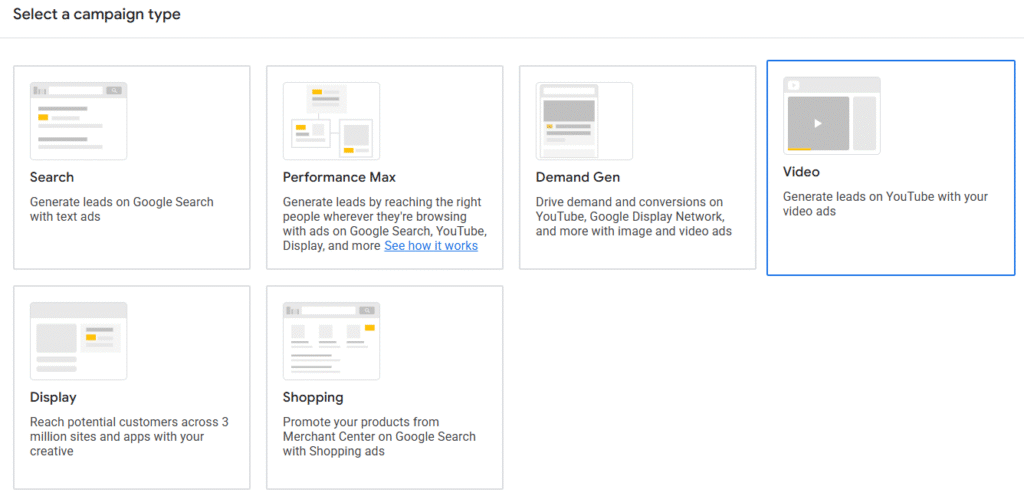
To fully understand What Is Google Ads, it’s important to know the different types of ads available on the platform. Each type is designed to achieve a specific marketing goal, such as driving traffic, increasing brand awareness, or generating sales.
Google Search Ads appear at the top or bottom of Google search results when users search for specific keywords. These text-based ads are highly effective because they target users who already have strong intent, such as searching for “buy running shoes online.”
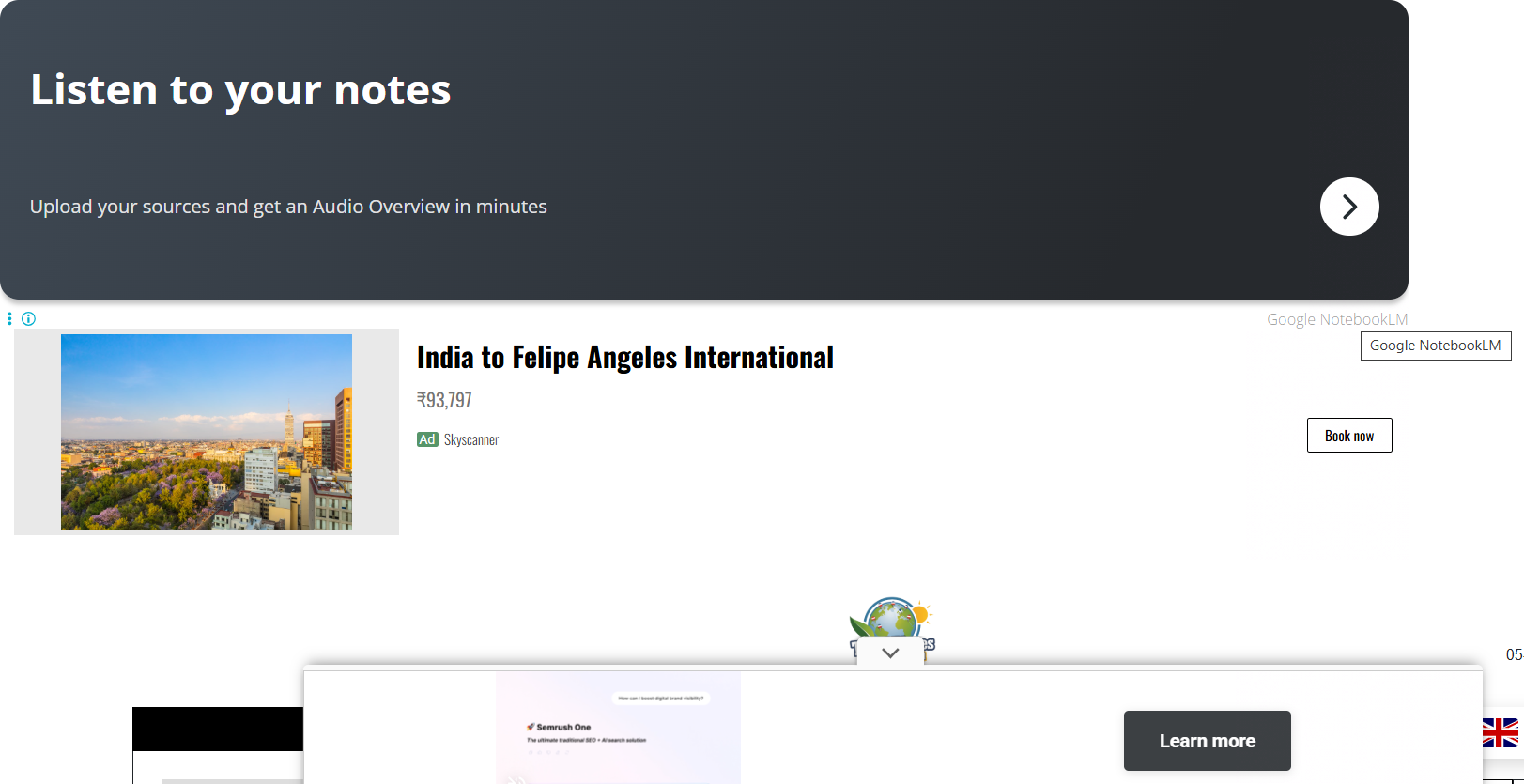
Display Ads are visual banner ads shown across websites, apps, and news platforms within the Google Display Network. They help businesses build brand awareness and are often used for remarketing, reminding users about products they previously viewed.
Video Ads (YouTube Ads) appear before, during, or after YouTube videos. These ads are ideal for storytelling, product demonstrations, and brand engagement, especially when targeting users based on interests and viewing behavior.
Shopping Ads display product images, prices, store names, and reviews directly in Google search results. They are commonly used by e-commerce businesses to attract ready-to-buy customers.
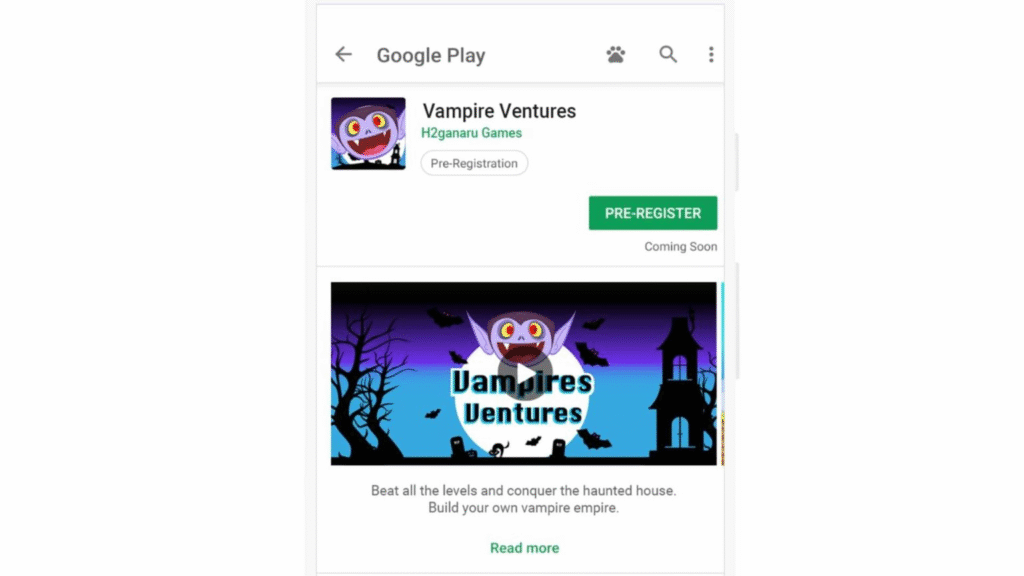
App Ads promote mobile applications across Google Search, Play Store, YouTube, and partner apps, helping businesses increase app installs and user engagement efficiently.
Google Ads Account Structure Explained
Understanding the account structure is essential to grasp what Is Google Ads and how campaigns are managed efficiently. Google Ads follows a simple hierarchy that helps keep advertising organized and easy to control, even for beginners.
At the top level is the Account. A Google Ads account is where all your billing details, settings, and advertising activity are stored. One business usually needs only one account to manage all its ads.
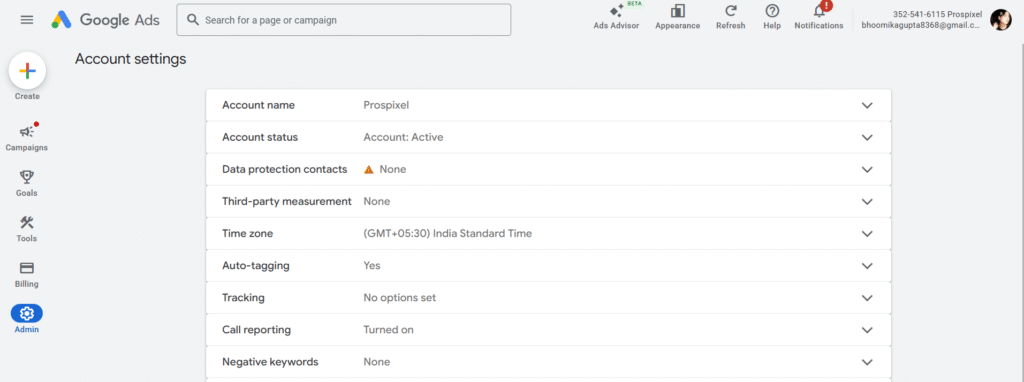
Inside the account are Campaigns. Each campaign is created for a specific goal, such as increasing website traffic, generating leads, or boosting sales. Campaign-level settings include budget, location targeting, language, and bidding strategy.
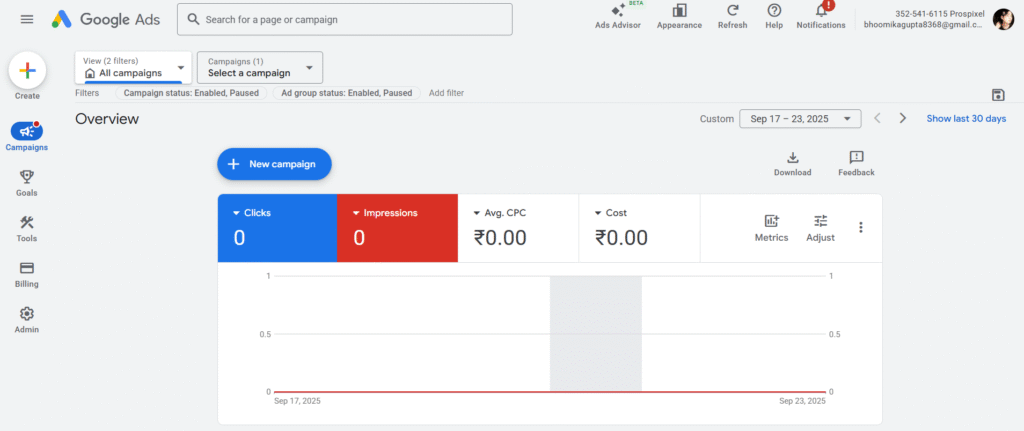
Within each campaign are Ad Groups. Ad groups help organize ads by closely related keywords or themes. For example, a shoe store may have separate ad groups for “sports shoes” and “formal shoes” to keep ads relevant.
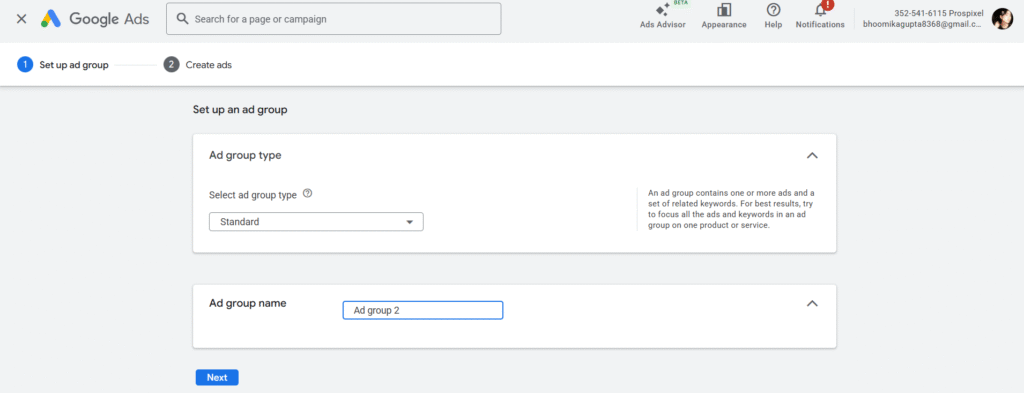
Each ad group contains Ads and Keywords. Keywords trigger when ads appear, while ads are the actual messages users see.
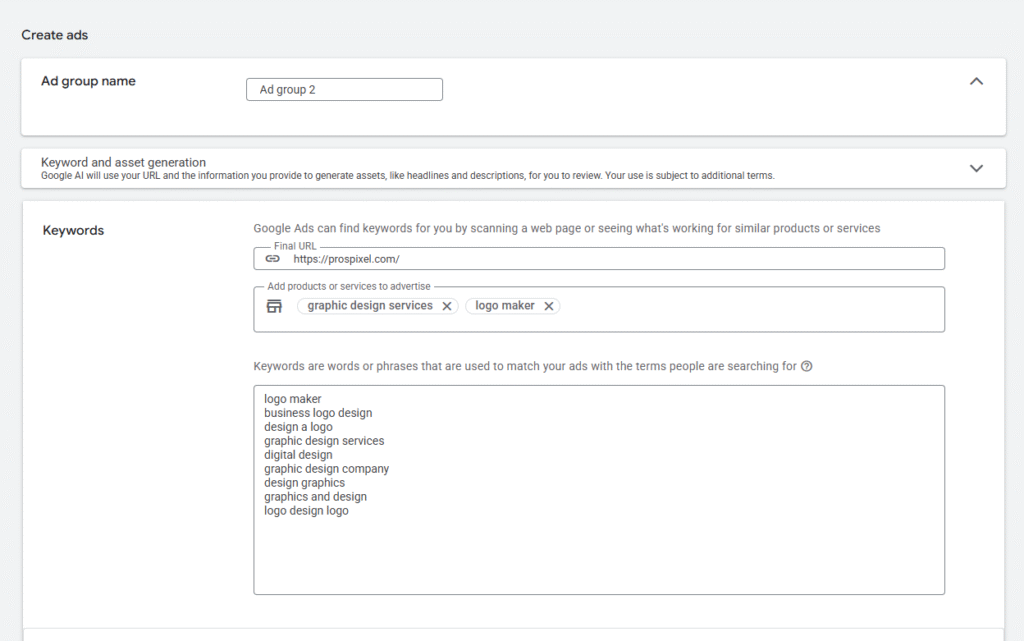
This simple structure—Account → Campaign → Ad Group → Ads & Keywords—helps advertisers maintain better control and improve performance.
How Google Decides Which Ad to Show
To fully understand What Is Google Ads, you need to know how Google chooses which ads appear when someone searches for a keyword. This decision happens through a process called the Google Ads auction, which runs every time a user performs a search.
First, Google looks at all the ads eligible to appear for that search and enters them into an auction. While the bid amount—how much an advertiser is willing to pay for a click—does matter, it is not the only deciding factor. A higher bid does not always guarantee the top position.
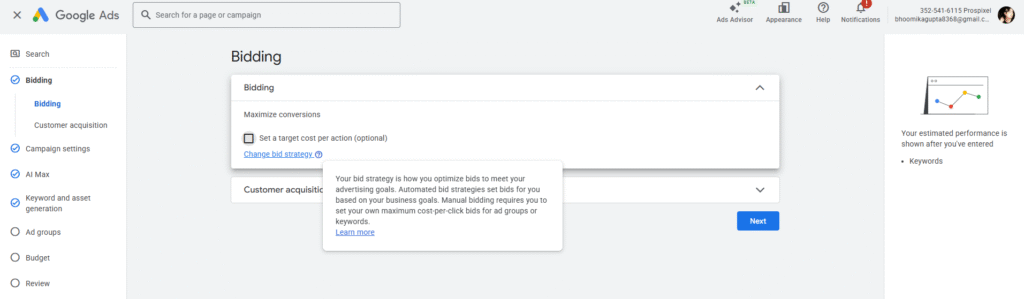
One of the most important factors is Quality Score. Quality Score is Google’s rating of your ad’s relevance and usefulness, based on expected click-through rate (CTR), ad relevance, and landing page experience. Ads with higher Quality Scores often pay less per click and rank higher than poorly optimized ads.
Google evaluates relevance and landing page experience. Ads that closely match the user’s search intent and lead to fast, relevant, and user-friendly landing pages are more likely to appear. This system ensures users see helpful ads while rewarding advertisers who deliver quality experiences.
What Is Quality Score in Google Ads?
When learning What Is Google Ads, one term you will hear often is Quality Score. Quality Score is Google’s rating of how relevant and useful your ad, keywords, and landing page are to users. It is measured on a scale from 1 to 10, with 10 being the highest score.
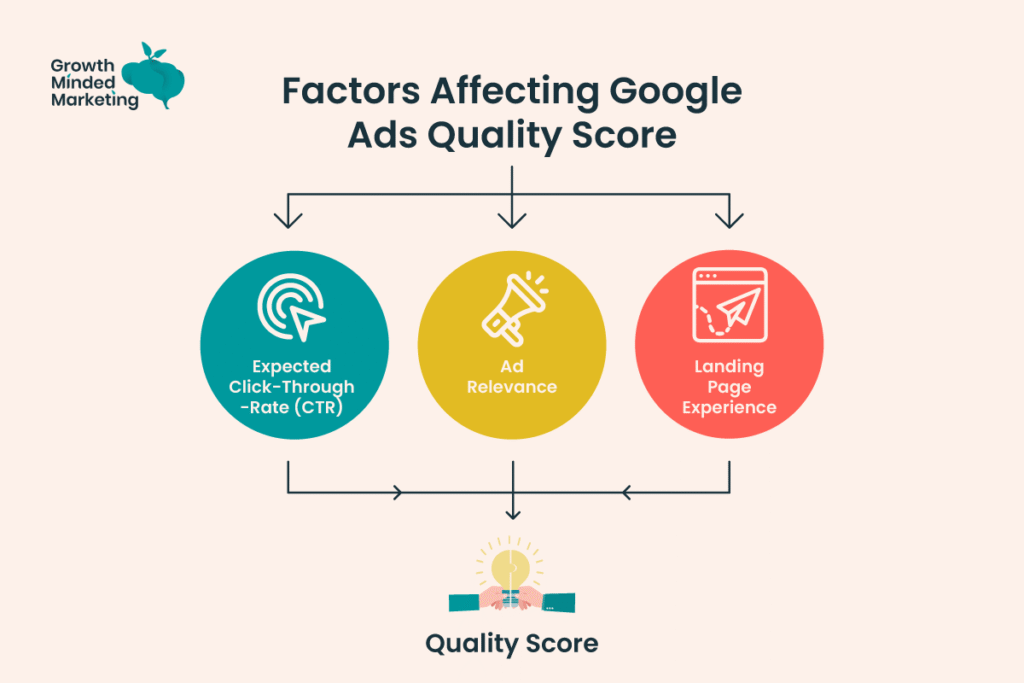
Several factors affect Quality Score. The most important one is expected click-through rate (CTR), which predicts how likely users are to click on your ad. The second factor is ad relevance, meaning how closely your ad matches the user’s search query.
The third factor is landing page experience, which includes page load speed, mobile-friendliness, content relevance, and overall user experience.Quality Score matters because it directly impacts both ad cost and ranking. Ads with higher Quality Scores can rank higher while paying a lower cost per click (CPC).
In fact, Google often rewards well-optimized ads by reducing CPC by up to 50% compared to low-quality ads. This makes Quality Score a crucial element for running successful and cost-effective Google Ads campaigns.
How Much Does Google Ads Cost?
A common question beginners ask when learning What Is Google Ads is whether it is free to use. Creating a Google Ads account is completely free, but running ads is not free. Advertisers pay only when users take action, such as clicking an ad or viewing it, depending on the campaign type.
Google Ads offers different pricing models. CPC (Cost Per Click) means you pay only when someone clicks your ad, making it ideal for driving website traffic. CPM (Cost Per 1,000 Impressions) charges advertisers based on how many times an ad is shown, commonly used for brand awareness campaigns.
CPA (Cost Per Action) focuses on conversions, such as form submissions or purchases, where you pay when a specific goal is completed.
The average cost of Google Ads varies by industry, competition, and targeting. On average, CPC can range from ₹10 to ₹300 in India, while highly competitive industries like insurance or legal services may see much higher costs.
This flexibility allows businesses of all sizes to control budgets and scale ads based on performance.
Benefits of Google Ads
One of the main reasons businesses invest in Google Ads is the wide range of benefits it offers. Understanding these advantages helps clarify What Is Google Ads and why it is such a powerful marketing tool.
Instant visibility is one of the biggest benefits. Unlike SEO, which can take months to show results, Google Ads can place your business at the top of search results within hours of launching a campaign. This makes it ideal for new businesses or time-sensitive promotions.
Google Ads also allows you to reach a highly targeted audience. Advertisers can target users based on keywords, location, device, language, interests, and even past behavior. This ensures ads are shown only to people who are most likely to be interested in the offer.
Another key advantage is budget control. Businesses can set daily or monthly budgets and adjust them anytime. There is no minimum spending requirement, making Google Ads accessible for startups as well as established brands.
With measurable results, advertisers can track clicks, impressions, conversions, and return on investment in real time. This data-driven approach helps optimize campaigns effectively.
Google Ads works for both small and large businesses, allowing them to scale campaigns according to goals, budget, and growth stage.
Google Ads vs SEO (Quick Comparison)
| Factor | Google Ads | SEO |
|---|---|---|
| Type of traffic | Paid traffic | Organic (free) traffic |
| Cost | Pay for each click (PPC) | No cost per click |
| Time to see results | Immediate (same day) | Takes weeks or months |
| Visibility | Ads appear at top of search results | Appears below ads in organic listings |
| Control | Full control over budget, targeting & ads | Limited control over rankings |
| Sustainability | Traffic stops when ads stop | Long-term, sustainable traffic |
| Best for | Quick leads, promotions, launches | Long-term growth & brand authority |
| Targeting options | Keywords, location, device, audience | Mainly keywords & content optimization |
| Scalability | Easy to scale with budget | Scales slowly over time |
| Click labeling | Marked as “Sponsored” | No paid label |
| Learning curve | Medium (needs practice) | High (technical + content skills) |
| Ideal users | Businesses needing fast results | Businesses focusing on long-term strategy |
When learning What Is Google Ads, it’s important to understand how it compares with SEO (Search Engine Optimization). Both are powerful ways to get traffic from Google, but they work very differently.
The biggest difference is paid vs organic traffic. Google Ads brings paid traffic, meaning you pay to appear at the top of search results instantly. SEO, on the other hand, focuses on ranking organically without paying for clicks, but it requires consistent effort and optimization over time.
Another key difference is short-term vs long-term results. Google Ads delivers immediate visibility and quick leads, making it ideal for promotions, launches, or competitive markets. SEO is a long-term strategy that builds sustainable traffic and authority, but it usually takes months to see strong results.
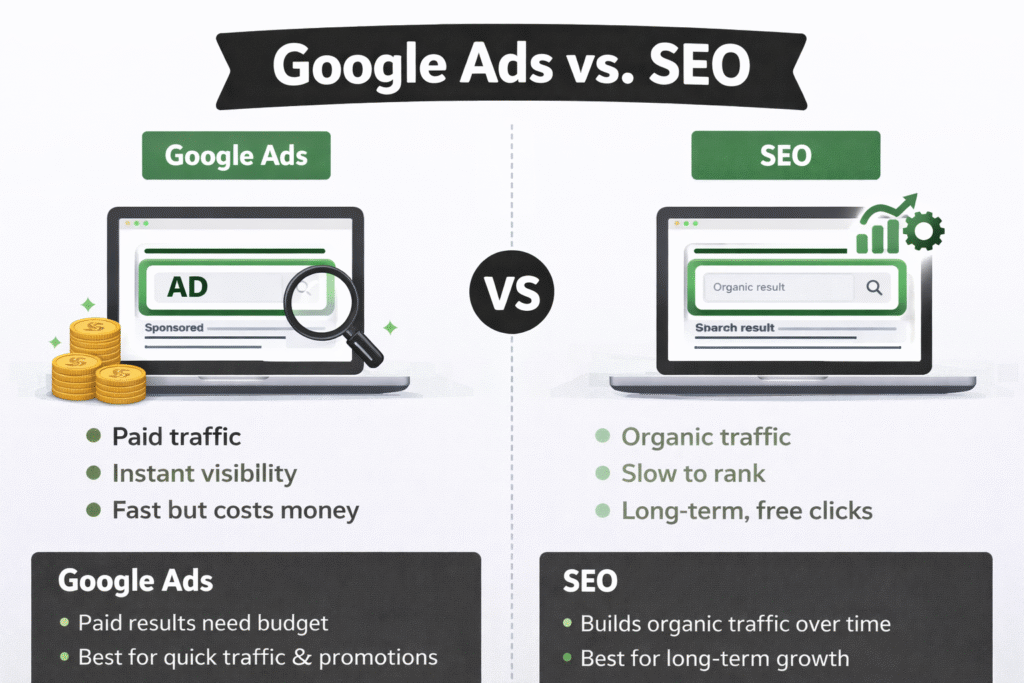
So, when should you use each? Google Ads is best when you need fast results, precise targeting, and full control over visibility. SEO is ideal for long-term growth and cost-effective traffic. In practice, many successful businesses use both together to maximize their online presence.
Who Should Use Google Ads?
Understanding What Is Google Ads also means knowing who can benefit the most from it. The platform is flexible and works well for a wide range of users and industries.
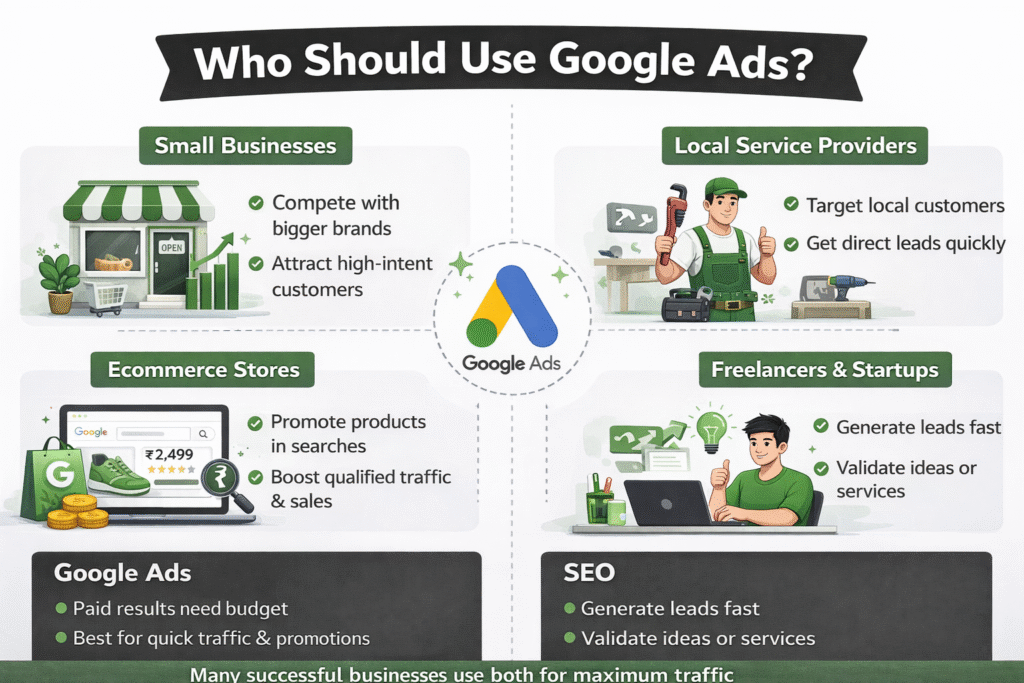
Small businesses can use Google Ads to compete with bigger brands by targeting specific keywords, locations, and audiences. Even with a limited budget, small businesses can attract high-intent customers who are actively searching for their products or services.
Local service providers such as plumbers, tutors, salons, or clinics benefit greatly from Google Ads because they can target users in specific locations. For example, ads can appear when someone searches “electrician near me,” helping local businesses get direct leads quickly.
E-commerce stores use Google Ads to promote products through Search and Shopping ads. With product images, prices, and reviews displayed directly in search results, e-commerce businesses can drive qualified traffic and increase sales efficiently.
Freelancers and startups also benefit from Google Ads by generating leads, promoting personal services, or validating new business ideas quickly. It allows them to reach the right audience without waiting months for organic rankings.
Common Google Ads Mistakes Beginners Make
When beginners start learning What Is Google Ads, they often make a few common mistakes that can waste budget and reduce results. Knowing these mistakes early can help improve performance and save money.
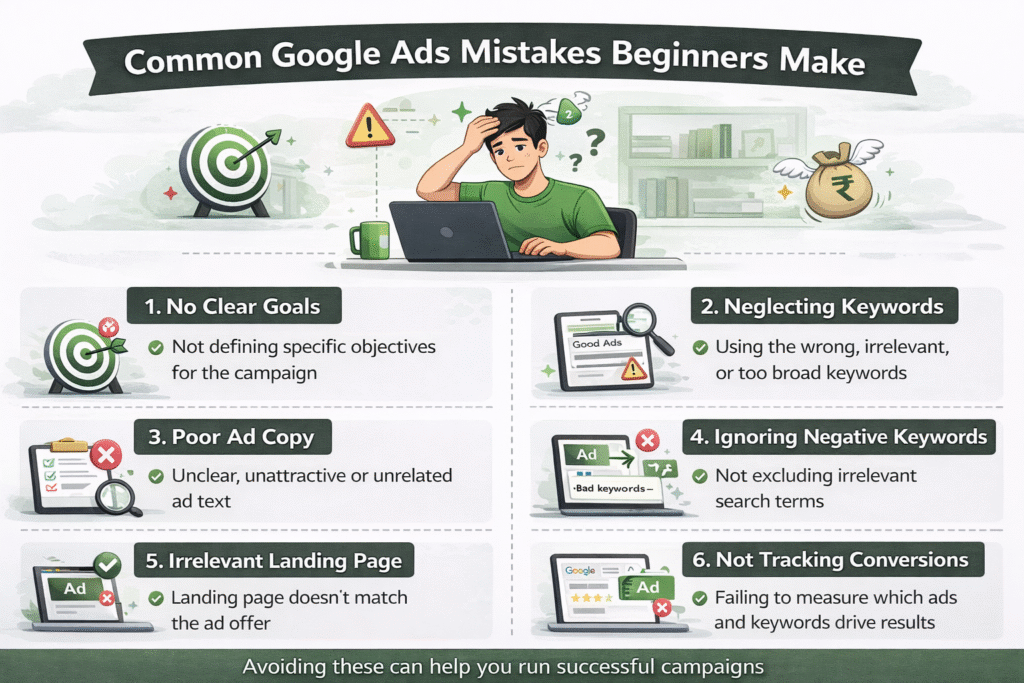
One major mistake is choosing the wrong keywords. Many beginners target very broad or irrelevant keywords, which leads to unqualified clicks. For example, targeting “marketing” instead of “digital marketing course in Delhi” can attract the wrong audience and increase costs.
Another frequent issue is not setting up conversion tracking. Without tracking actions like form submissions, calls, or purchases, advertisers cannot measure success or optimize campaigns properly. Google Ads provides free conversion tracking tools, yet many beginners skip this crucial step.
Poor ad copy is also a common problem. Ads that lack clear benefits, strong headlines, or a call-to-action often get low click-through rates. Well-written ads that match user intent perform significantly better.
Sending traffic to the wrong landing page hurts conversions. Ads should always lead to relevant, fast-loading, and mobile-friendly pages. Directing users to a generic homepage instead of a specific service page often results in lost leads and higher costs.
Is Google Ads Worth It for Beginners?
So, is Google Ads worth it for beginners? The answer is yes—when used correctly. As we’ve covered, What Is Google Ads is more than just paid advertising; it’s a powerful platform that helps businesses reach the right audience at the right time.
From instant visibility and precise targeting to budget control and measurable results, Google Ads offers clear advantages for beginners.
Google Ads works best when you have a clear goal, relevant keywords, well-written ads, and proper conversion tracking in place. It is especially effective for businesses that need quick results, local visibility, or want to test offers without waiting months for organic rankings.
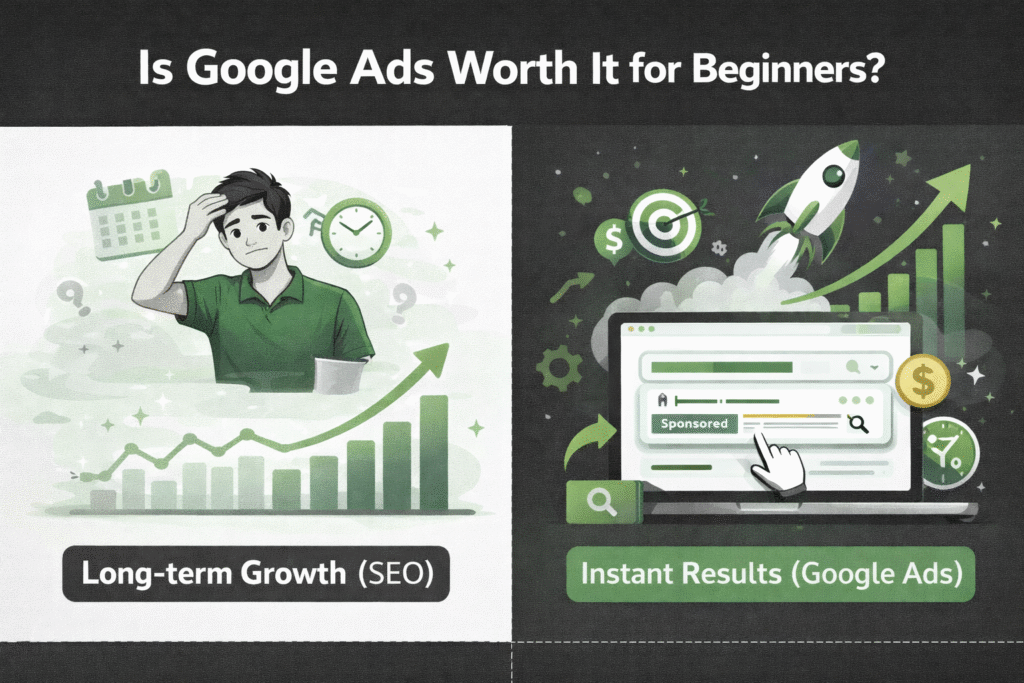
The next step for beginners is learning and practice. Start with a small budget, experiment with keywords, and analyze performance regularly. To build credibility and skills, consider earning a Google Ads certification, which is free and widely recognized.
With consistent learning and hands-on experience, beginners can confidently use Google Ads to grow businesses, generate leads, or even build a career in digital marketing.
Want to Learn Google Ads the Right Way?
If you’re interested in learning Google Ads practically—from basic concepts to real campaign execution—getting expert guidance can make a big difference.
RKDMT – Raju Kumar Digital Marketer, one of the best digital marketing training institutes, offers hands-on training designed for beginners, students, freelancers, and business owners.
🔗 Website: www.rajukumardigitalmarketer.com
📞 Phone: +91 7303933302 | +91 9217057127
📧 Email: rkdmt@rajukumardigitalmarketer.com
Whether you want to run profitable Google Ads, build a career in digital marketing, or grow your business online, RKDMT provides practical learning with real-world insights.

Founder at Digital Marketing Marvel | Founder at RKDMT – Raju Kumar Digital Marketing Trainer | Best Digital Marketing Trainer in Delhi/NCR – Digiperform | Project Manager | 5+ years | Genius Study Abroad & Inlingua’s Digital Marketing Head | Learn Digital Marketing
Create a Video Campaign Google Ads Help - Complete Guide
[…] is deeply connected with Google Ads, allowing smart targeting and AI-based bidding. Advertisers can reach users based on search […]
What are Different Types of Google Ads Campaign Objectives
[…] in digital marketing, I’ve learned one simple truth: if your objective is wrong, even the best Google Ads campaign will fail. That’s why understanding Different Types of Google Ads Campaign Objectives is […]
Learn Digital Marketing to Start Earning From Home
[…] My premium digital marketing course at RKDMT, Google Ads & Meta Ads advanced […]